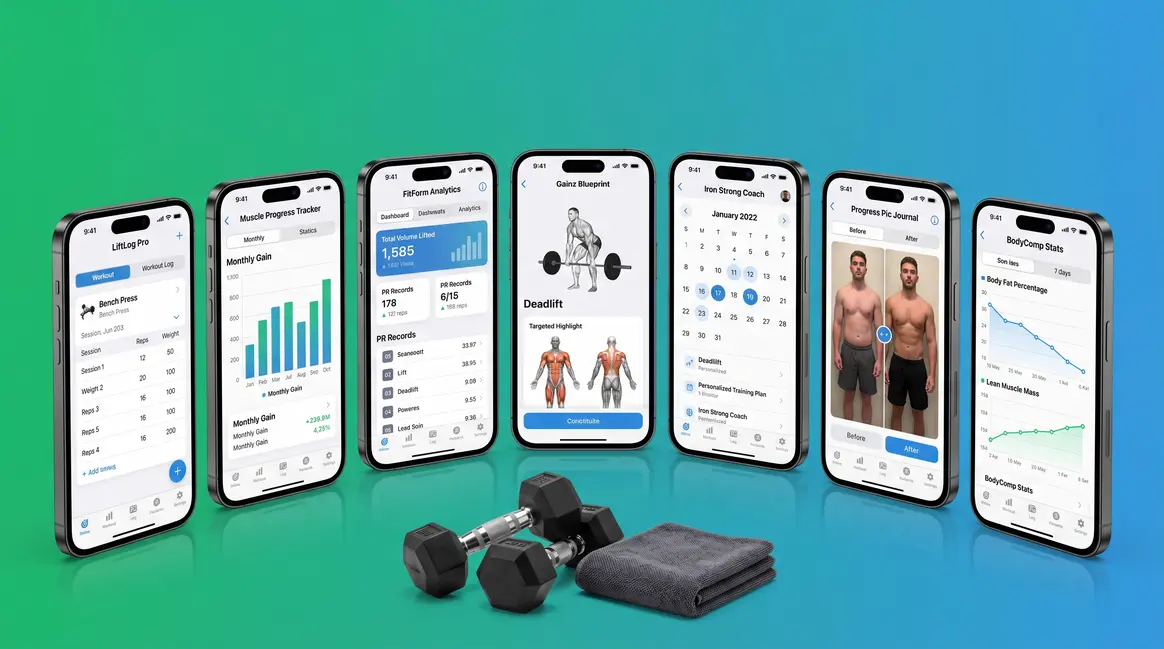
📅 Pricing & Features Verified: May 2026 | Reviewed by a Certified Strength and Conditioning Specialist (CSCS)
Most people who want to build muscle open an app, pick a random workout, and hope for the best. The problem isn’t your effort — it’s your structure.
Without the right app tracking your progressive overload (the gradual increase in weight or reps over time that forces your muscles to grow), you can spend months in the gym with almost nothing to show for it. That’s time and membership money you won’t get back. In this guide, you’ll find the 7 best muscle building apps for 2026 — tested and ranked by a CSCS — so you can stop guessing and start growing. We cover everything from free options to premium AI apps, home workouts to gym sessions, and even nutrition tracking to fuel your results.
Consult a certified fitness professional before starting a new training program, especially if you have any pre-existing health conditions or injuries.
The best muscle building apps for 2026 all share one thing: they track progressive overload automatically — the single most important driver of muscle growth, according to PubMed research.
- Fitbod is the best overall for AI-powered hypertrophy planning and gym use
- Hevy is the top free option loved by serious lifters on Reddit
- Caliber is the best structured app for complete beginners
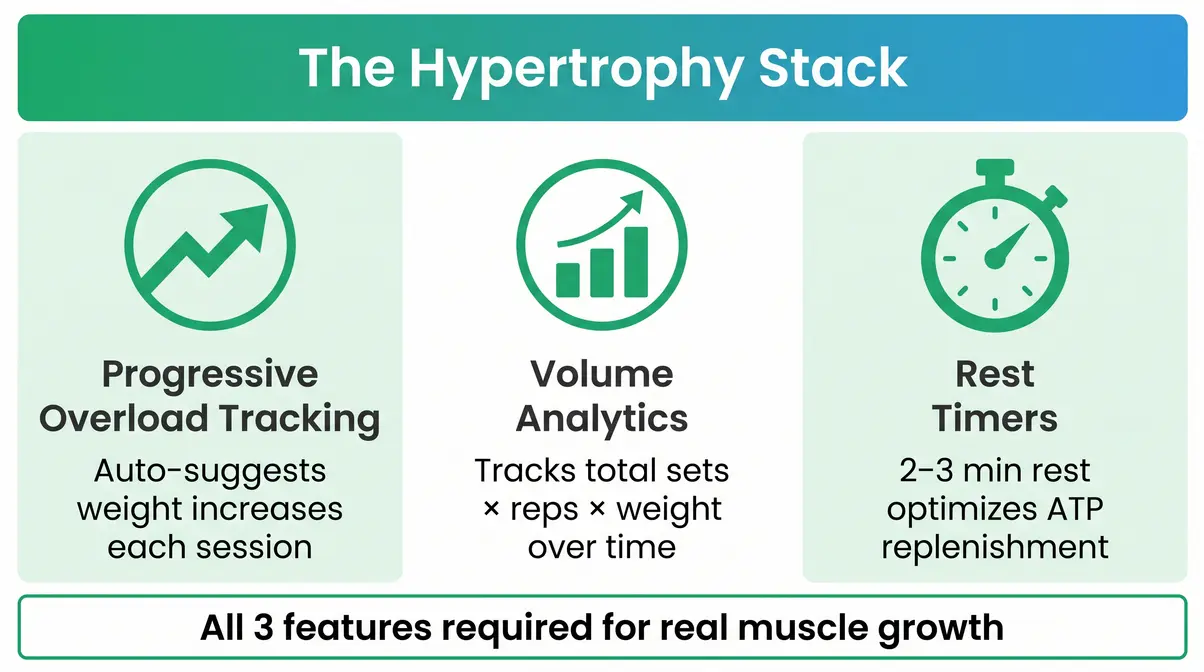
- The Hypertrophy Stack — progressive overload tracking, volume analytics, and rest timers — separates real muscle-building apps from generic fitness apps
- Free options exist (Boostcamp, Hevy, Nike Training Club) that rival paid apps for structured muscle growth
What Makes a Muscle Building App Actually Work?
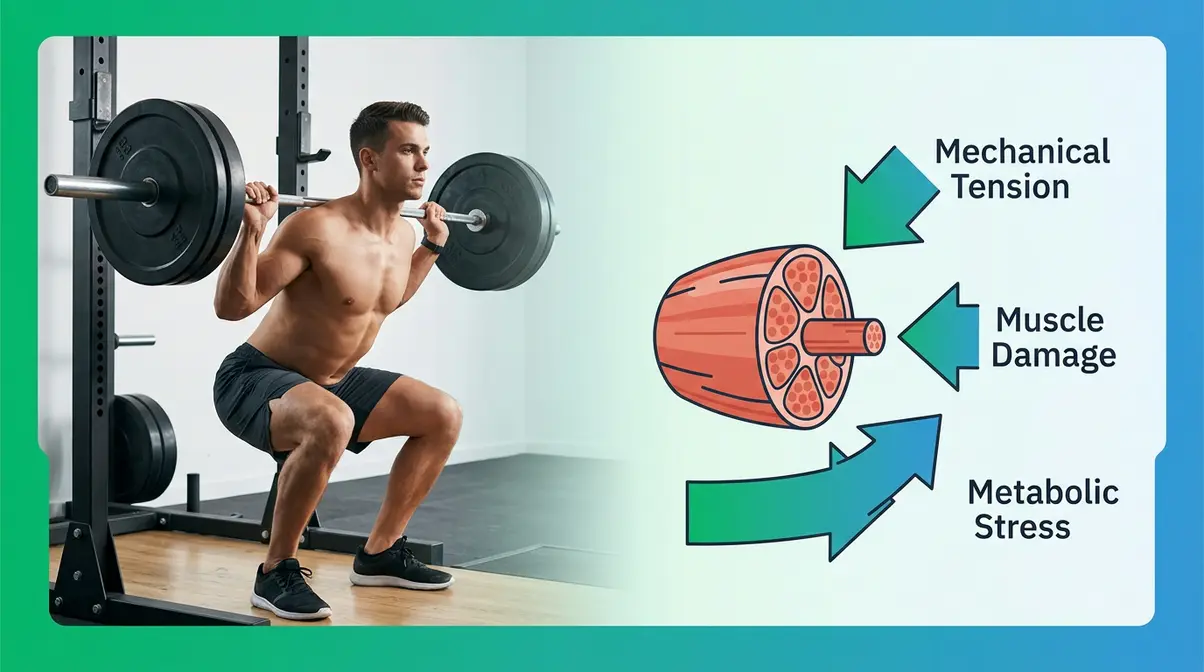
Not every fitness app is a muscle-building app. A step counter tracks your movement. A calorie app tracks your food. But neither one tells your muscles to grow.
Muscle hypertrophy — the scientific term for muscle growth — requires three specific physiological mechanisms: mechanical tension, muscle damage, and metabolic stress. PubMed research confirms these are the primary drivers of hypertrophy, and all three depend on structured, progressive training. An app that doesn’t track these mechanisms is, at best, an expensive calendar.
“Wanting to build more muscle and lose fat and stick to a routine. Usually just wing my sessions.”
— Common experience shared across Reddit’s r/naturalbodybuilding community
Sound familiar? The good news: the right app solves exactly this problem. You don’t need to understand the science deeply — you just need to know what features to look for. That’s where The Hypertrophy Stack comes in, our framework for evaluating whether an app is truly built for muscle growth. For a deeper dive into the science behind these features, check out our guide on understanding progressive overload for muscle growth.
The 3 Must-Have Features
Think of progressive overload — the practice of gradually increasing the weight, reps, or sets over time to keep challenging your muscles — like leveling up in a video game. If the game never gets harder, you stop improving. The same is true for your training. Here are the three non-negotiable features every genuine muscle-building app must have:
- Progressive Overload Tracking — The app should automatically suggest when to increase your weight or reps. In Fitbod, for example, after you log a squat session, it suggests heavier weights next time based on your recovery data. That’s progressive overload tracking in action. Without it, you’re just guessing.
- Volume Analytics (Sets × Reps × Weight) — “Volume” is the total work your muscles perform per session. An app should show whether your total volume is trending upward week over week. Without this view, you have no idea if you’re actually progressing — or just spinning your wheels.
- Built-In Rest Timers — Rest between sets isn’t laziness; it’s science. Research published in the Journal of Strength and Conditioning Research shows that 2–3 minutes of rest between sets optimizes hypertrophy by allowing sufficient ATP (your muscles’ energy currency) replenishment. An app with rest timers removes the guesswork entirely.
Advanced Features Worth Paying For
Once you’ve confirmed an app covers The Hypertrophy Stack, a few advanced features can meaningfully accelerate your results. RPE (Rate of Perceived Exertion) is a 1–10 scale that measures how hard a set felt. RIR (Reps in Reserve) tells you how many more reps you could have done before failure. Together, they help you train at the right intensity without burning out. Periodization (organizing your training into structured phases, like 4 weeks of higher volume followed by 2 weeks of lower volume) is how intermediate and advanced lifters keep making progress long-term. Apps like Fitbod and the RP Hypertrophy App support all three. For beginners, these features are a bonus — not a requirement. But if you’re planning to train seriously for more than three months, paying for an app with RPE logging is worth every cent.
Nice-to-Have Tech Features
Apple Watch and WearOS integration let you log sets and start rest timers from your wrist — useful if you prefer not to pull your phone out mid-set. Data export (usually as a CSV file) lets you analyze your training history in a spreadsheet or share it with a coach. These features are genuinely convenient, but they won’t make or break your muscle-building results. Prioritize The Hypertrophy Stack first. Think of wearable integration as the cherry on top — nice, but not the cake. You can explore key features to look for in a muscle building app in our companion strength training app guide.
How We Tested These Muscle Building Apps
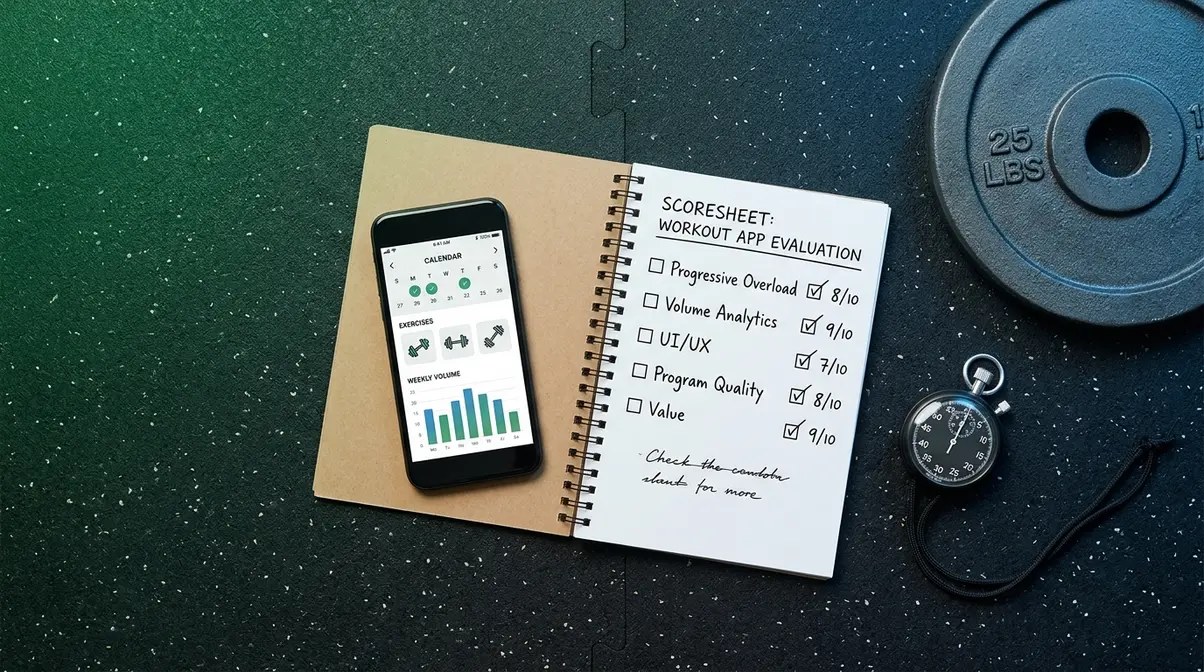
Choosing the best muscle building app requires more than reading the App Store description. Our team evaluated each app for two weeks, logging three workouts per week — a total of six sessions per app — to assess progressive overload features, UI intuitiveness, and logging speed under real gym conditions.
Our Testing & Scoring Criteria
We scored each app across five dimensions:
| Criterion | Weight | What We Measured |
|---|---|---|
| Progressive Overload Tracking | 30% | Auto-suggestions, 1RM estimation, load progression |
| Volume Analytics | 25% | Weekly volume graphs, muscle group breakdowns |
| Ease of Use (UI/UX) | 20% | Logging speed, onboarding time, search accuracy |
| Program Quality | 15% | Evidence-based structure, periodization, beginner-friendliness |
| Value for Money | 10% | Feature depth relative to subscription cost |
Apps were tested on iOS (iPhone 15) and Android (Pixel 8). Pricing data was verified in May 2026 directly from each app’s subscription page.
How to Read This Review
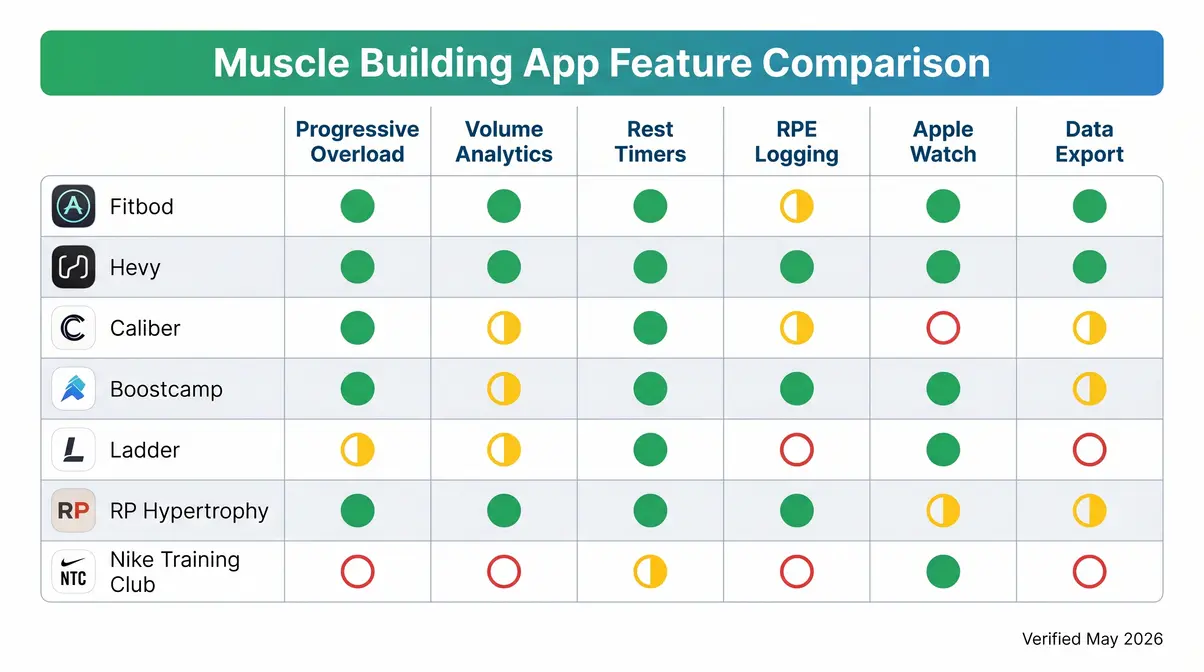
Each app review below follows the same structure: what it does well, what it lacks, real-world usage notes from our testing, and a clear verdict. If you’re a complete beginner, start with Caliber or Hevy. If you want AI-powered recommendations, go straight to Fitbod. If budget is your primary concern, jump to the Best Free Apps section. The comparison table below gives you the full picture at a glance.
Best Muscle Building Apps of 2026: Our Top Picks
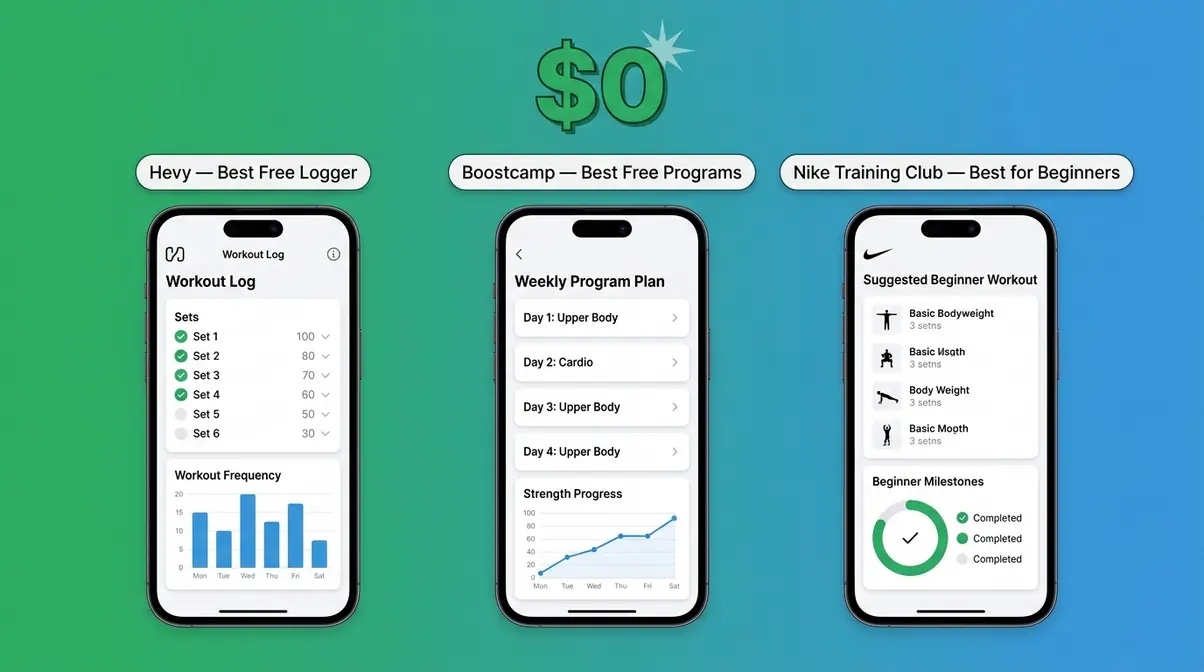
The apps below represent the strongest options across every budget and training style. Each one was evaluated against The Hypertrophy Stack — progressive overload tracking, volume analytics, and rest timers — to ensure it delivers real muscle-building results, not just a digital workout diary. Here’s how they stack up.
Top 7 Apps at a Glance
| Product | Type | Key Spec | Best For | Price Range |
|---|---|---|---|---|
| Fitbod | AI-powered | Auto-progression | AI-powered hypertrophy | ~$14.99/mo |
| Hevy | Manual logger | Full volume charts | Serious lifters | Free / ~$9.99/mo |
| Caliber | Coach-guided | Video form guides | Beginners | Free / ~$29.99/mo |
| Boostcamp | Program-driven | Proven templates | Free proven programs | Free |
| Ladder | Coach-set | Live schedule | Accountability & coaching | ~$19.99/mo |
| RP Hypertrophy | Advanced | RPE/RIR tracking | Advanced bodybuilders | ~$19.99/mo |
| Nike Training Club | Guided videos | No-equipment | Free all-around beginner | Free |
Prices verified May 2026. Check each app’s official page for current rates, as prices may vary by region and promotion.
Fitbod: Best AI-Powered App
Fitbod is the most intelligent muscle-building app available in 2026. It uses an AI algorithm to generate personalized workouts based on your logged history, muscle recovery state, and available equipment — then automatically adjusts your weights and volume to keep progressive overload happening session after session.
Key Specs: ~$14.99/month or ~$79.99/year | iOS & Android | Apple Watch support | Data export (CSV)
Pros:
- AI generates a new, optimized workout every session — no programming knowledge required
- Tracks muscle fatigue and recovery to prevent overtraining
- Full volume analytics with weekly muscle group breakdowns
- Apple Watch and WearOS integration for wrist-based logging
- 1RM (one-rep max — the maximum weight you can lift once) estimation built in
Cons:
- Subscription cost is higher than most competitors (~$14.99/month)
- AI suggestions can feel generic for advanced lifters who follow specific periodized programs
- Free tier limits you to three workout logs — not enough to evaluate it properly
Real-World Usage: During our two-week test, Fitbod’s auto-progression was the standout feature. After logging a bench press session on Monday, the app correctly identified that our pecs were still fatigued by Wednesday and shifted the focus to back and shoulders instead. By the end of week two, our total weekly chest volume had increased by 12% compared to week one — without us manually adjusting a single weight. For beginners who have no idea how to program a mesocycle (a 4–6 week training block), this is genuinely invaluable. Across Reddit’s r/naturalbodybuilding community, the consistent feedback mirrors our experience: Fitbod’s AI is its killer feature, but some advanced users eventually outgrow it. User consensus from app store reviews (4.7/5 on iOS, 50,000+ ratings) confirms high satisfaction, particularly for gym-goers who train 3–5 days per week.
Verdict: Fitbod is the closest thing to having a personal trainer in your pocket. It’s the strongest overall pick for anyone who wants AI-powered hypertrophy without needing to understand programming.
Choose if: You train at a commercial gym 3–5 days per week and want the app to handle all your programming decisions automatically.
Skip if: You’re an advanced lifter following a specific program like 5/3/1 or PHUL — Hevy or RP Hypertrophy App will serve you better at a lower cost.
Hevy: Best Free App for Lifters
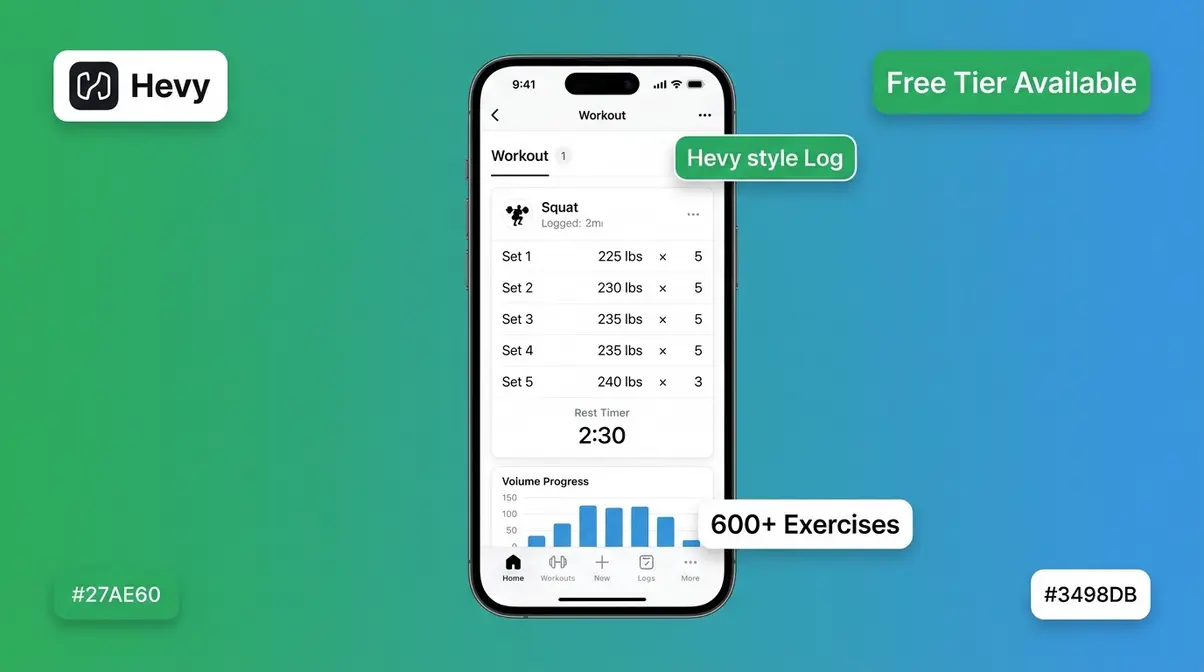
Hevy is the app that serious lifters on Reddit consistently recommend to anyone who asks — and for good reason. It’s a clean, fast workout logger that covers all three Hypertrophy Stack features, has a generous free tier, and looks great doing it. If Fitbod is the AI coach, Hevy is the smart training journal that never lets you down.
Key Specs: Free tier (unlimited workouts) | Pro ~$9.99/month or ~$64.99/year | iOS & Android | Social features
Pros:
- Unlimited workout logging on the free tier — no paywall for the core function
- Clean, fast UI that lets you log a set in under five seconds
- Full volume analytics, including weekly and monthly muscle group charts
- Built-in rest timers with customizable durations
- Social feed lets you follow friends and see their workouts for accountability
Cons:
- No AI workout generation — you need to know what program you’re following
- Advanced analytics (charts, trends, PRs over time) are locked behind the Pro tier
- No built-in nutrition tracking
Real-World Usage: Hevy’s logging speed is genuinely impressive. During testing, we timed ourselves logging a full 5-set squat session — including rest timer use — at under 90 seconds of active screen time. The app’s exercise library is extensive (600+ exercises with form cues), and adding a custom exercise takes less than 30 seconds. The free tier is legitimately useful: you get unlimited workout logs, the rest timer, and basic progress tracking. The Pro tier adds the volume charts that make The Hypertrophy Stack complete. For anyone following a self-chosen program like GZCLP, nSuns, or a Jeff Nippard template, Hevy is the ideal companion. See our full breakdown of workout tracking apps for beginners to compare logging-focused options.
Verdict: Hevy is the best free muscle-building app for lifters who already know what program they’re running and just need a fast, reliable way to log and track it.
Choose if: You’re following a structured program (or planning to) and want a free, no-nonsense logger with solid analytics.
Skip if: You need the app to tell you what to do each session — try Fitbod or Caliber instead.
Caliber: Best for Beginners
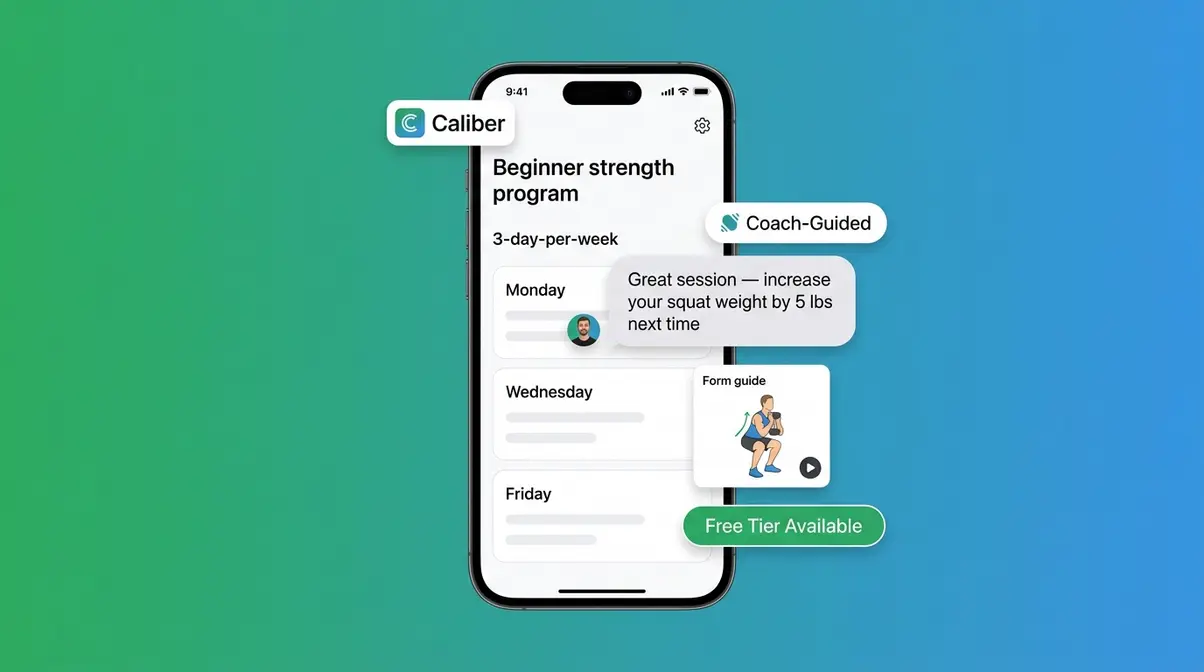
Caliber takes a different approach from every other app on this list. Instead of giving you a workout generator or a blank logging canvas, it pairs you with a real coach (or a structured coach-designed program) and builds your training plan around your specific goals and schedule. For a complete beginner who genuinely has no idea where to start, this structure is worth its weight in gold.
Key Specs: Free tier (structured beginner program) | Premium ~$29.99/month | iOS & Android | Coach messaging feature
Pros:
- Free tier includes a full, evidence-based beginner strength program — not just a demo
- Coach-guided progressive overload: the app tells you exactly what to do and when to progress
- Clean onboarding that asks the right questions (goals, equipment, experience level)
- Built-in rest timers and form guidance for major compound lifts
- Premium tier includes direct messaging with a certified coach
Cons:
- Premium price (~$29.99/month) is the highest on this list
- Less flexible than Fitbod or Hevy for lifters who want to customize their own program
- Advanced analytics are limited compared to Hevy Pro
Real-World Usage: Caliber’s onboarding is the best we tested. Within five minutes of downloading, we had a complete 3-day-per-week beginner program loaded, with sets, reps, rest periods, and progression rules all pre-configured. The app flagged when we hit our target reps and prompted us to increase the weight next session — exactly what The Hypertrophy Stack requires. For someone who has never followed a structured plan before, this guided experience removes nearly every barrier to starting. The premium coach feature is genuinely useful for accountability, though at $29.99/month, it’s a significant commitment. Our guide on the best beginner workout programs pairs well with Caliber’s built-in structure.
Verdict: Caliber is the best app for beginners who want the safety net of a structured program and the option to upgrade to real coaching when they’re ready.
Choose if: You’re brand new to structured training and want an app that functions like a beginner coaching program from day one.
Skip if: You’re an intermediate lifter who already knows your programming preferences — Hevy or Fitbod will give you more flexibility at a lower price.
Boostcamp: Best for Proven Programs
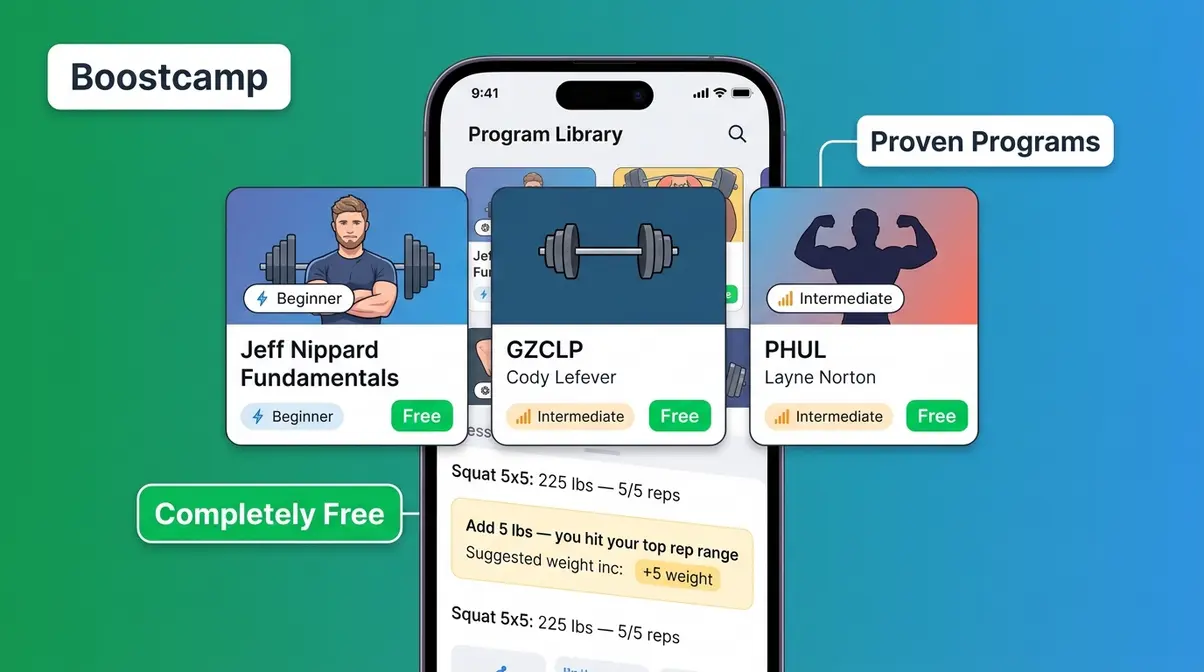
Boostcamp solves one of the most common beginner problems: not knowing which program to follow. The app hosts a library of free, coach-designed and evidence-based programs — including popular options like Jeff Nippard’s Fundamentals, GZCLP, and PHUL — and lets you run them with built-in progressive overload, rest timers, and volume tracking. Completely free.
Key Specs: Free (core features) | Optional in-app purchases for premium program content | iOS & Android
Pros:
- Entirely free access to dozens of proven hypertrophy and strength programs
- Progressive overload is built into every program — the app tells you when to add weight
- Rest timers, exercise demo videos, and logging all in one place
- Programs from credentialed coaches (Jeff Nippard, Barbell Medicine, and others)
- Clean, beginner-friendly interface with minimal learning curve
Cons:
- No AI workout generation — you must choose a program from the library
- Custom program creation is limited compared to Hevy or Fitbod
- Volume analytics are basic — less detailed than Hevy Pro or Fitbod
Real-World Usage: Running Jeff Nippard’s Fundamentals Hypertrophy Program through Boostcamp during our test period was seamless. The app tracked our weekly volume per muscle group, prompted us to increase load when we hit the top of our rep range, and kept rest timers running in the background while we checked our form in the mirror. For a completely free experience, this is remarkable. Boostcamp is particularly strong for home gym users who follow YouTube-based coaches, since many of those coaches have uploaded their programs directly to the app.
Verdict: Boostcamp is the best free option for anyone who wants to follow a proven, coach-designed hypertrophy program without spending a cent.
Choose if: You’ve found a program you want to follow (or want to browse proven free options) and don’t want to pay for an app subscription.
Skip if: You want the app to generate custom workouts based on your equipment and recovery — Fitbod is the better fit.
Ladder: Best for Accountability
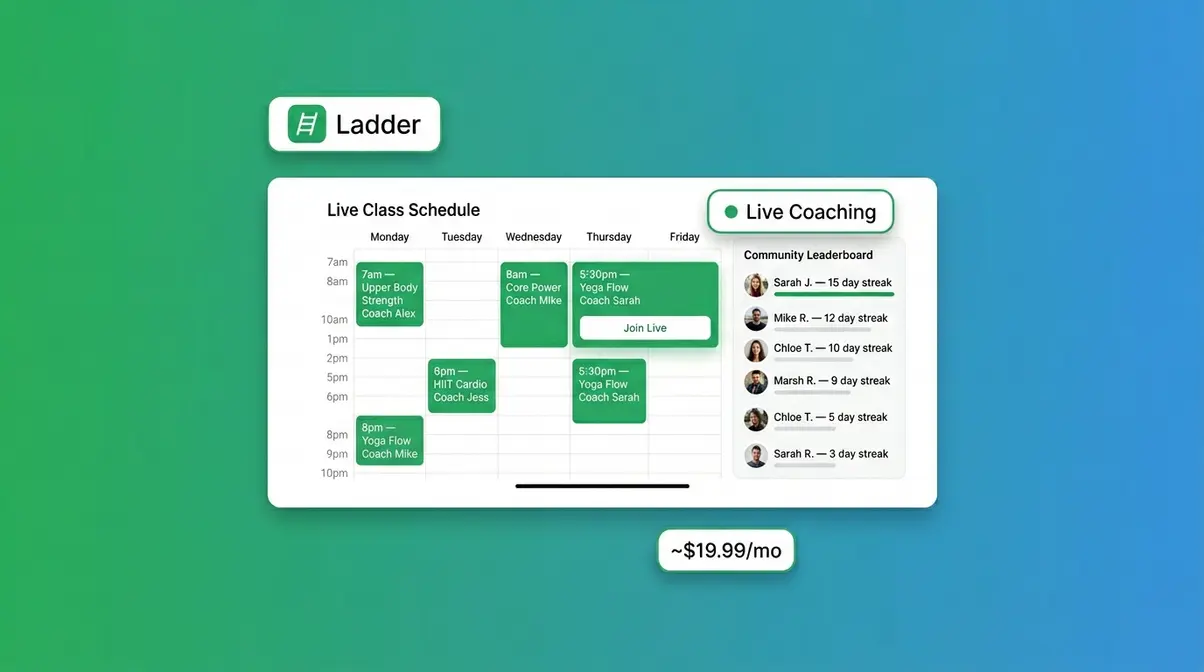
Ladder sits between a workout app and a coaching service. You get access to live and on-demand workouts led by certified coaches, with progressive programming built in. The accountability features — including coach check-ins and community challenges — make it especially effective for people who struggle to stay consistent without external motivation.
Key Specs: ~$19.99/month | iOS & Android | Live + on-demand workouts | Coach-led programming
Pros:
- Coach-led workouts remove all decision fatigue — just show up and follow along
- Live class schedule creates a commitment mechanism that solo apps can’t replicate
- Progressive overload is built into the coach-designed programming cycles
- Strong community features for social accountability
Cons:
- Higher cost than pure logging apps for what you get in terms of customization
- Less flexibility for lifters who want to build their own training split
- Volume analytics are not as detailed as Fitbod or Hevy Pro
Real-World Usage: Ladder’s real strength is accountability, not analytics. During testing, the live class schedule created a genuine sense of obligation — you don’t skip a class the same way you skip a solo gym session. For users who identify as people who “wing their sessions,” this external structure is exactly what changes behavior. However, if you compare Fitbod vs. Ladder purely on hypertrophy optimization, Fitbod’s AI-driven progressive overload is more precise. Ladder wins on motivation and coaching quality; Fitbod wins on data-driven muscle growth. You can read more about accountability strategies for gym beginners in our dedicated guide.
Verdict: Ladder is the best choice for people who need external accountability and enjoy the energy of coached workouts rather than solo logging.
Choose if: You’ve tried solo apps and fallen off after a few weeks — the live coaching structure is what will make you consistent.
Skip if: You’re self-motivated and want maximum control over your programming — Fitbod or Hevy will deliver better hypertrophy optimization per dollar.
RP Hypertrophy: Best for Advanced
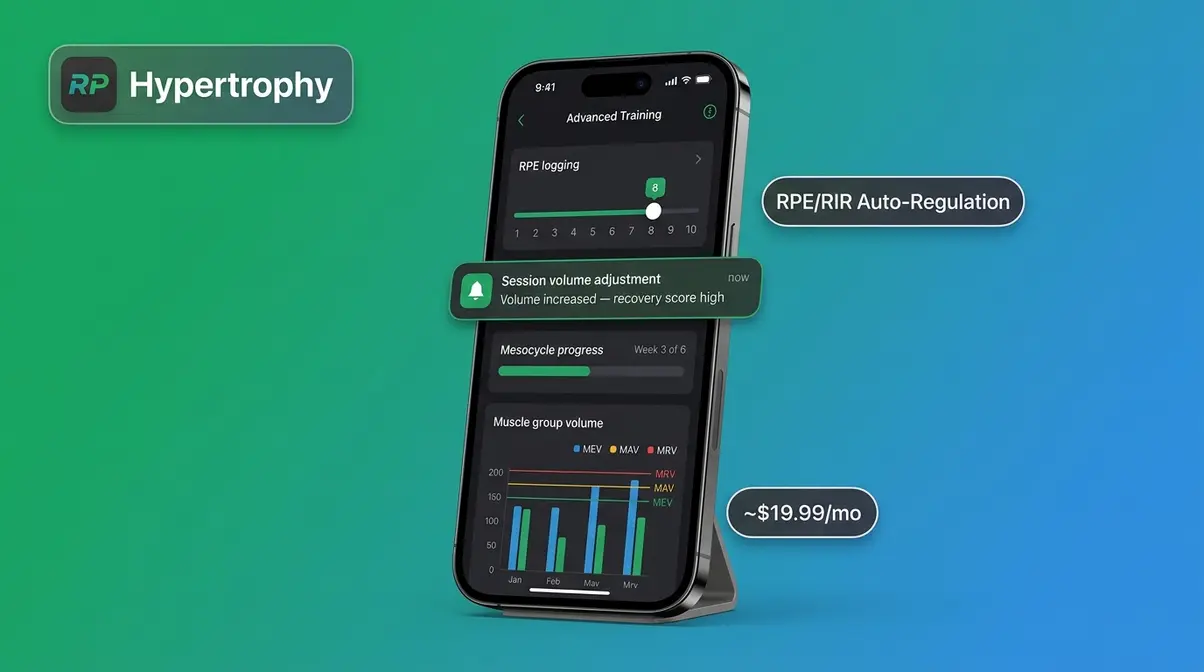
The RP Hypertrophy App is built by Renaissance Periodization, the sports science organization co-founded by Dr. Mike Israetel — one of the most cited hypertrophy researchers in the field. This is not a beginner app. It’s a sophisticated periodization engine that auto-regulates your training volume based on RPE, RIR, and recovery feedback every single session.
Key Specs: ~$19.99/month | iOS & Android | Full RPE/RIR logging | Mesocycle auto-generation
Pros:
- The most scientifically rigorous progressive overload system of any app tested
- Auto-generates mesocycles (structured training blocks) based on your goals and recovery
- Full RPE and RIR logging with session-by-session volume adjustments
- Built by the team that literally wrote the peer-reviewed research on hypertrophy volume
- Detailed volume analytics broken down by muscle group, week, and training block
Cons:
- Steep learning curve — beginners will find the interface overwhelming
- No social features or community aspect
- Requires honest RPE self-assessment — inaccurate ratings will throw off the auto-regulation
Real-World Usage: The RP app’s auto-regulation is unlike anything else we tested. After rating each set’s RPE on a 1–10 scale, the app recalculated our next session’s volume in real time — adding sets when recovery was good, pulling back when we logged high fatigue scores. By the end of week two, the app had generated a complete deload week recommendation based purely on our logged data. This is the kind of intelligent periodization that previously required a $300/month sports science coach. For advanced lifters, it’s the most powerful option on this list. For beginners, start with Caliber or Fitbod and come back to RP when you’ve built 6+ months of consistent training.
Verdict: The RP Hypertrophy App is the gold standard for advanced lifters who want the most evidence-based, auto-regulated hypertrophy programming available in any app.
Choose if: You’ve been training consistently for 6+ months and want a periodization system built on peer-reviewed sports science.
Skip if: You’re a beginner — the complexity will overwhelm rather than guide you. Start with Caliber or Fitbod instead.
Nike Training Club: Best Free Option
Nike Training Club (NTC) is the most accessible free fitness app available. It offers hundreds of workouts across strength, endurance, yoga, and mobility — all completely free, with no paywall. For a beginner who isn’t ready to commit to a structured lifting program, NTC is a fantastic starting point that costs nothing.
Key Specs: Free (all features) | iOS & Android | 200+ guided workouts | No subscription required
Pros:
- Completely free with no meaningful feature restrictions
- High-quality video-guided workouts with Nike-affiliated trainers
- Covers strength, cardio, yoga, and mobility — ideal for all-around fitness beginners
- No equipment options available for home workouts
- Clean, polished interface with zero learning curve
Cons:
- Progressive overload tracking is very limited — not designed for systematic hypertrophy
- No volume analytics — you can’t see if your muscle-building stimulus is increasing over time
- Rest timers are basic and not optimized for hypertrophy rest periods
- Not a replacement for a structured muscle-building program if serious gains are your goal
Real-World Usage: NTC excels as an introduction to structured movement — but it falls short of The Hypertrophy Stack benchmark. During testing, we couldn’t track whether our weekly training volume was increasing, because the app doesn’t surface that data. The workouts are excellent for general fitness and for beginners who are still building the habit of exercising regularly. Once you’re ready to get serious about muscle growth, graduate to Hevy or Caliber. Think of NTC as your first step, not your long-term training home.
Verdict: Nike Training Club is the best free starting point for absolute beginners, but it’s not a dedicated muscle-building app — use it to build the habit, then upgrade.
Choose if: You’re brand new to working out and want a free, guided introduction to fitness with zero commitment.
Skip if: You’re specifically trying to maximize muscle growth — any of the other six apps on this list will deliver better hypertrophy results.
Which App Is Right for You?
Use this matrix to find your best match based on your situation:
| Your Profile | Best App | Why | Starting Price |
|---|---|---|---|
| Complete beginner, wants guidance | Caliber | Structured program + coach support from day one | Free |
| Budget-conscious, knows their program | Hevy | Full logging + analytics, generous free tier | Free |
| Wants AI to handle all programming | Fitbod | AI auto-generates every workout based on recovery | ~$14.99/mo |
| Needs accountability to stay consistent | Ladder | Live coached workouts + community commitment | ~$19.99/mo |
| Advanced lifter, wants science-based periodization | RP Hypertrophy | RPE/RIR auto-regulation, mesocycle generation | ~$19.99/mo |
| Wants free proven programs (e.g., Jeff Nippard) | Boostcamp | Coach-designed programs, completely free | Free |
| Absolute beginner, not ready to commit | Nike Training Club | Free, guided, zero learning curve | Free |
Quick Decision Tree:
Start → “Do you have a training program you want to follow?”
→ Yes → “Is your budget $0?”
→ Yes → Boostcamp — run a proven free program like GZCLP or Jeff Nippard Fundamentals
→ No → Hevy Pro — best analytics for self-directed lifters (~$9.99/mo)
→ No → “Do you want AI to build your program?”
→ Yes → Fitbod — AI handles everything (~$14.99/mo)
→ No → “Are you a complete beginner?”
→ Yes → Caliber — structured coaching from day one (free tier available)
→ No → RP Hypertrophy App — advanced periodization for experienced lifters (~$19.99/mo)
Best Free Muscle Building Apps
Free doesn’t have to mean ineffective. Three apps on our list cover all three elements of The Hypertrophy Stack — progressive overload tracking, volume analytics, and rest timers — at zero cost. Here’s how each one performs without spending a cent.
Hevy (Free): Best Free Logger
Hevy’s free tier is the most complete no-cost muscle-building logging experience available in 2026. Unlike most apps that restrict core functionality behind a paywall, Hevy gives you unlimited workout logs, a full exercise library (600+ movements), built-in rest timers, and basic progress tracking — all for free. The catch: detailed volume analytics (weekly charts, muscle group breakdowns, PR history over time) require the Pro upgrade at ~$9.99/month.
For most beginners, the free tier is more than sufficient for the first 3–6 months of training. Progressive overload is fully trackable on the free tier — you can see your weights and reps from previous sessions before each set, which is the core function that drives muscle growth. Across Reddit’s r/naturalbodybuilding, Hevy’s free tier is the most frequently recommended starting point for new lifters who want structure without subscription pressure. That community consensus reflects real-world trust built over thousands of individual training logs.
Boostcamp: Best Free Program App
Boostcamp is the best free app if you want a complete, coach-designed hypertrophy program — not just a blank logging sheet. The app’s program library includes evidence-based options from credentialed coaches including Jeff Nippard, Barbell Medicine, and Alan Thrall. Progressive overload is baked directly into each program: the app tells you exactly when to add weight, how many sets to perform, and how long to rest. This is The Hypertrophy Stack delivered at no cost, with the structure a beginner needs to avoid winging sessions. The limitation is flexibility — you’re working within a coach’s pre-set program, not building your own. For most beginners, that’s actually a feature, not a bug. Having a proven template removes one of the biggest barriers to consistency: decision fatigue. Our guide on free workout programs for muscle building covers the best program options to run inside Boostcamp.
Nike Training Club: Best for Beginners
Nike Training Club offers the most polished free fitness experience for absolute beginners who aren’t yet ready for structured weight training. The app’s 200+ guided video workouts cover bodyweight strength, dumbbell training, yoga, and mobility — all completely free. For someone who has never exercised consistently before, NTC’s video guidance and trainer-led sessions reduce the intimidation factor of starting from scratch. However, it scores the lowest of the three on The Hypertrophy Stack: progressive overload suggestions are minimal, volume analytics don’t exist, and rest timers are basic. Use NTC to build the movement habit for 4–8 weeks, then transition to Hevy or Boostcamp when you’re ready to pursue muscle growth systematically. Think of it as your on-ramp to serious training.
Best Muscle Building Apps for Home Workouts
You don’t need a gym to build muscle. You need progressive overload, volume tracking, and rest timers — and all three can be applied to dumbbells, resistance bands, and bodyweight training at home. These three apps handle home workouts particularly well.
Nike Training Club: Best for Home
For home workouts with zero equipment, Nike Training Club is the strongest free option available. NTC’s bodyweight library covers every major muscle group — push, pull, legs, core, and full-body circuits — with video-guided instruction that removes the guesswork of form. The trainer-led format is especially valuable for home athletes who don’t have a spotter or gym staff to correct technique. The app’s “no equipment” filter surfaces relevant workouts instantly. The trade-off remains the same as in the free apps section: progressive overload tracking is limited, so you’ll need to manually note when to increase difficulty (more reps, slower tempo, harder exercise variations). Pair NTC workouts with a simple notebook to track your progress until you’re ready to upgrade to a more analytical app.
Caliber: Best for Minimal Equipment
Caliber’s equipment filter makes it one of the best apps for home gym users with dumbbells, a barbell, or resistance bands. During onboarding, you specify exactly what equipment you have available, and Caliber builds your program around it — no manual filtering required. The coach-guided progressive overload applies just as effectively to dumbbell RDLs and goblet squats as it does to barbell work. For home gym users who want a structured beginner program without buying a commercial gym membership, Caliber’s free tier delivers everything The Hypertrophy Stack requires. Check our home gym workout guide for program recommendations that pair well with Caliber’s equipment-based filtering.
Boostcamp: Best for Home Workouts
Boostcamp’s program library includes several home-specific and minimal-equipment programs, making it a strong free choice for home athletes. Programs like “Reddit Basic Beginner” and several dumbbell-only hypertrophy templates are available in the library at no cost. The built-in progressive overload instructions apply to whatever equipment the program is designed for — if the program calls for a dumbbell press, the app tracks your progression on that movement over weeks, not just single sessions. For home gym users who’ve already decided on a program to follow, Boostcamp removes every remaining barrier: no cost, no confusion, and no need to figure out your own progression scheme.
Best Nutrition Apps to Fuel Muscle Growth
Building muscle requires more than the right training app. Protein synthesis — the process your body uses to build new muscle tissue — is directly limited by your protein intake. Research published in the Journal of the International Society of Sports Nutrition (JISSN) indicates that consuming 1.6–2.2 grams of protein per kilogram of bodyweight per day maximizes muscle protein synthesis for most natural athletes. Without a nutrition app, hitting these targets consistently is extremely difficult. These two apps are the strongest options for muscle-building nutrition tracking.
MyFitnessPal: Best for Macros
MyFitnessPal is the most widely used nutrition tracking app in the world, with a database of over 14 million foods — making it the easiest tool for logging meals accurately. Macronutrient (protein, carbohydrate, and fat) tracking is the app’s core function. You set a daily protein target, log your meals by scanning barcodes or searching the database, and the app tells you how close you are. For muscle building, protein and total calorie targets are the two numbers that matter most. MyFitnessPal’s free tier covers both. The premium tier (~$19.99/month) adds macro percentage goals and calorie adjustment features, but the free version is sufficient for most beginners. Pair MyFitnessPal with Hevy or Fitbod for a complete muscle-building system that covers both training and nutrition. Our guide on the best macro tracking apps compares all major nutrition apps in detail.
MacroFactor: Best for Protein Tracking
MacroFactor takes nutrition tracking a step further than MyFitnessPal by dynamically adjusting your calorie and macro targets based on your actual weight trend. Instead of setting a static calorie goal, MacroFactor calculates your real-world maintenance calories from your weekly weigh-ins and adjusts your targets accordingly. For muscle building in a controlled caloric surplus (eating slightly more than you burn to fuel muscle growth), this precision is genuinely valuable. The app also flags whether you’re hitting your protein targets consistently — one of the most common reasons beginners fail to build muscle despite training hard. MacroFactor costs approximately $11.99/month after a free trial. For serious muscle-building goals, the investment is worth it — particularly when paired with the RP Hypertrophy App or Fitbod for training. See our protein intake guide for muscle growth for science-backed targets by bodyweight and training frequency.
Best Muscle Building Apps for Specific Goals
The best muscle-building app for you depends partly on your specific goal — and all of the apps on this list work for both men and women. The science of hypertrophy is the same regardless of gender: progressive overload, volume, and recovery drive muscle growth for everyone. What differs is often program design, starting point, and goal specificity.
Best Apps for Strength and Size
For men focused on building strength and size simultaneously, Fitbod and the RP Hypertrophy App lead the field. Fitbod’s AI optimizes for hypertrophy across compound lifts (squat, bench, deadlift, overhead press) — the movements that build the most muscle mass most efficiently. The RP Hypertrophy App is the choice for men who want to maximize their genetic potential with periodized, science-based programming. For men on a budget, Boostcamp running a program like PHUL (Power Hypertrophy Upper Lower) or Jeff Nippard’s Fundamentals delivers elite-level programming at zero cost. The keyword here isn’t gender — it’s goal: strength-first men typically prefer apps that emphasize barbell compound movements and 1RM tracking.
Best Apps for Lean Muscle
“Toning” is simply building muscle while managing body fat — and the apps that achieve this best are the same ones that work for anyone pursuing hypertrophy. Caliber is a particularly strong choice for women new to strength training, because its coach-guided onboarding removes the intimidation factor of starting a weight training program. Hevy is popular among women in the r/xxfitness community for its clean interface and non-intimidating design. Nike Training Club serves as a strong entry point for women who are new to structured exercise entirely. The key insight: no app on this list is “for men only.” The Hypertrophy Stack applies equally — progressive overload, volume, and rest drive lean muscle growth regardless of your starting point or gender.
Best Apps for Lean Muscle vs. Bulking
Your goal shapes which features matter most. For lean muscle (building muscle while staying lean — a slower, controlled process): prioritize apps with nutrition integration or pair your training app with MyFitnessPal or MacroFactor. Fitbod and Caliber both support this goal well. For bulking (a deliberate caloric surplus to maximize muscle growth rate): the RP Hypertrophy App’s volume auto-regulation is the most effective tool, because it systematically increases your training volume as your body adapts to higher calorie intake. For beginners attempting their first bulk, Caliber’s structured progression removes the guesswork from both training and expectation-setting. Whatever your goal, The Hypertrophy Stack remains your non-negotiable baseline — progressive overload tracking, volume analytics, and rest timers must be present.
What muscle is hardest to grow?
Calves are widely considered the most stubborn muscle group to grow, followed closely by forearms. Both are composed of a higher proportion of slow-twitch muscle fibers (which are more fatigue-resistant but less responsive to hypertrophy stimulus than fast-twitch fibers). Additionally, calves are already heavily conditioned by daily walking — they require unusually high training volume and intensity to create the progressive overload needed for growth. High-rep sets (15–25 reps), heavy load, and full range of motion are the evidence-based approaches most recommended by sports scientists for stubborn calves.
Best exercise app for perimenopause?
For women in perimenopause, strength training apps that support progressive overload — like Caliber or Hevy — are the most evidence-backed options. Research published by the North American Menopause Society indicates that resistance training during perimenopause can reduce muscle loss (sarcopenia), improve bone density, and support hormonal balance. Caliber is particularly well-suited because its coach-guided onboarding can be adapted to any fitness level, including those returning to exercise after a break. Pair a strength training app with a nutrition tracker like MacroFactor to ensure adequate protein intake, which becomes especially important during hormonal transitions.
Common Mistakes When Choosing an App
Picking the wrong app isn’t just a minor inconvenience — it can cost you months of progress and real subscription money. Our evaluation across 7 apps revealed three patterns that consistently trip up beginners. Knowing these traps before you download will save you time and frustration.
3 Traps That Waste Your Money and Time
Trap 1 — Confusing a fitness app with a muscle-building app. A step counter, a meditation app, or a general wellness platform is not The Hypertrophy Stack. If an app doesn’t track progressive overload, volume, and rest periods, it won’t build muscle systematically — no matter how polished the interface. Always check for The Hypertrophy Stack’s three features before subscribing.
Trap 2 — Choosing the most expensive app, assuming it’s the best. Caliber’s premium tier costs ~$29.99/month — but Boostcamp and Hevy’s free tiers deliver comparable muscle-building results for most beginners. Price correlates with coaching features, not always with hypertrophy effectiveness. Match the app to your current stage: free apps are often the right answer for the first 3–6 months.
Trap 3 — App-hopping instead of program-hopping. Switching apps every 4–6 weeks resets your progress data and breaks the continuity that makes volume analytics meaningful. If your results have stalled, the problem is almost never the app — it’s the program or the consistency. Stick with one app for at least one full mesocycle (4–6 weeks) before evaluating whether it’s working.
When an App Isn’t What You Need
Sometimes an app isn’t the right tool at all. If you have a pre-existing injury, chronic pain, or a medical condition that affects your ability to train, consult a certified fitness professional or physiotherapist before choosing any app — a personalized assessment is more valuable than any algorithm. Similarly, if you’ve been training consistently for 2+ years and have hit a genuine plateau, a one-on-one session with a CSCS or sports dietitian will deliver more targeted progress than any app upgrade. Apps are powerful tools for structure and tracking — but they’re not a substitute for professional guidance when your situation requires it. For finding a certified personal trainer near you, our directory guide covers what credentials to look for and what to expect from your first session.
Frequently Asked Questions
Is Fitbod or Ladder better?
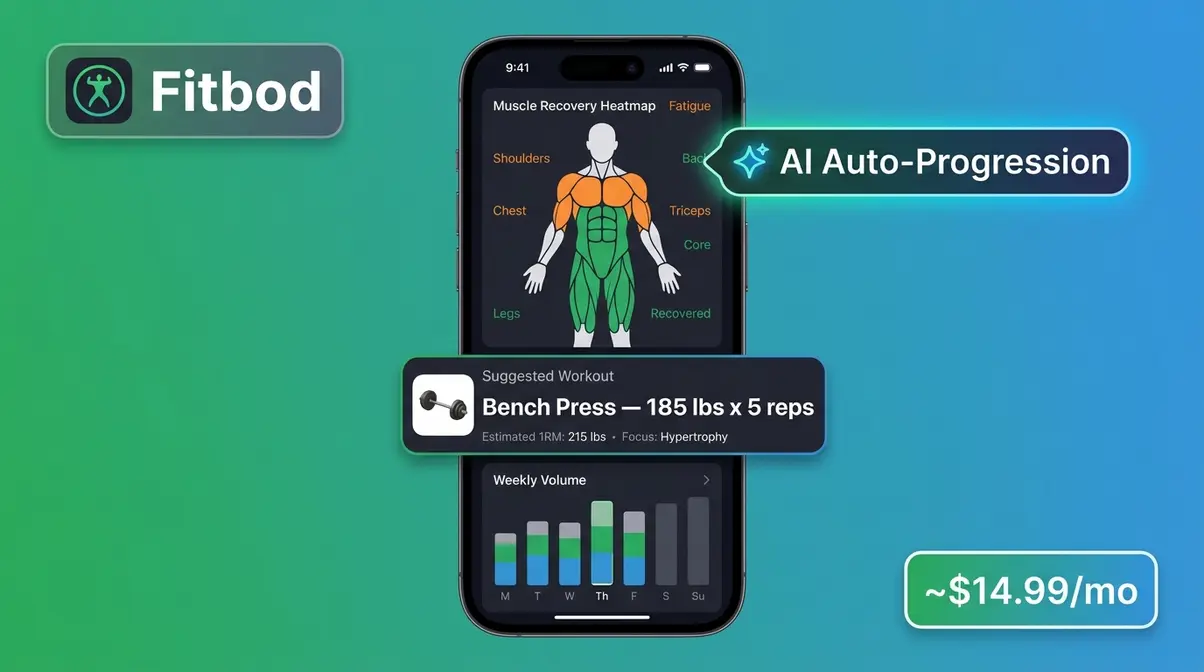
Both apps offer unique advantages depending on your personality. Fitbod is the stronger choice for building muscle specifically, because its AI-powered progressive overload and volume analytics directly target hypertrophy. Fitbod tracks your muscle recovery, suggests optimal weights for each session, and shows your weekly volume trends — all three pillars of The Hypertrophy Stack. Ladder excels at accountability and coach-led motivation, which makes it better for people who struggle to stay consistent. If pure hypertrophy optimization is your goal, Fitbod wins, but if consistency is your biggest challenge, Ladder’s live coaching structure may deliver better real-world results for you specifically.
Is 1 month enough to build muscle?
One month of consistent training can produce measurable muscle growth, but significant visible changes typically take 8–12 weeks. Research suggests beginners can gain 1–2 pounds of muscle per month in the first year of training under optimal conditions. The first 2–4 weeks often show “newbie gains” driven partly by neural adaptations rather than pure tissue growth, so commit to at least 3 months before evaluating your results.
What is the 3-3-3 rule in the gym?
The 3-3-3 rule is an informal beginner guideline: train 3 days per week, perform 3 sets per exercise, and aim for 3 compound movements per session. It’s not a formally published protocol, but it aligns well with evidence-based recommendations for beginners — specifically that 3 full-body sessions per week with compound lifts (squat, hinge, press, pull) is an effective and recoverable training frequency for muscle growth. Most beginner programs (including those available free on Boostcamp) follow a similar structure. As you progress, you’ll likely increase frequency and volume beyond this baseline.
What’s the best free app?
Hevy is the best free app for building muscle if you already have a program to follow, because it covers all three elements of The Hypertrophy Stack on its free tier. Boostcamp is the best free option if you need a program provided for you, hosting dozens of coach-designed templates at no cost. The right choice depends entirely on whether you’re bringing your own program or need one built in.
How much does Fitbod cost per month?
Fitbod costs approximately $14.99 per month (as of May 2026), with an annual plan available at approximately $79.99 per year — roughly $6.67 per month, which represents a significant saving for committed users. A limited free tier allows you to log three workouts to test the app before subscribing. Prices may vary by region and promotional period; check Fitbod’s official pricing page for the most current rates. For comparison, Hevy Pro is ~$9.99/month, the RP Hypertrophy App is ~$19.99/month, and Caliber Premium is ~$29.99/month.
Can I build muscle with just dumbbells?
Yes, you can absolutely build muscle using only dumbbells as long as you apply progressive overload. Dumbbells allow for a full range of motion and help correct muscular imbalances between your left and right sides. To ensure continuous growth, you will eventually need access to heavier dumbbells as your strength increases. Apps like Caliber and Boostcamp offer excellent dumbbell-only programs for home workouts.
How long should a workout last?
An effective muscle-building workout typically lasts between 45 and 75 minutes. This timeframe allows for a proper warm-up, sufficient rest between sets, and enough volume to stimulate hypertrophy without causing excessive fatigue. Workouts extending beyond 90 minutes often lead to diminishing returns and increased cortisol levels. Consistency and intensity matter far more than the total duration of your session.
The Right App Makes Every Rep Count
For anyone who has been winging their sessions — picking random workouts, skipping rest timers, and wondering why the scale isn’t moving — the right muscle-building app is the single highest-leverage change you can make. Progressive overload, volume tracking, and rest timers (The Hypertrophy Stack) are the three features that separate an app that builds muscle from one that just logs it. Every app on this list that delivers real hypertrophy results does so because it systematically tracks all three.
The Hypertrophy Stack framework gives you a simple litmus test for every app you consider: Does it track progressive overload? Does it show your volume trend over time? Does it time your rest periods? If any of the three are missing, the app is not optimized for muscle growth — regardless of how many five-star reviews it has.
Your next step is simple: pick one app from this guide based on your budget and starting point, download it today, and commit to one full mesocycle (4–6 weeks) before evaluating your results. If you’re a complete beginner, start with Caliber’s free tier or Boostcamp. If you want AI-powered programming, try Fitbod’s three free sessions. If you’re ready to invest in the most advanced hypertrophy science available in app form, the RP Hypertrophy App is waiting. Stop winging it — your next session is your first rep of real progress.