⚠️ Medical Disclaimer: This article is for informational purposes only and does not constitute medical or nutritional advice. Consult a registered dietitian or healthcare professional before making significant changes to your diet. If you have a history of disordered eating, please seek guidance from a qualified mental health professional before beginning any food tracking practice.
Reviewed by a Registered Dietitian. See author bio for credentials.
📅 Pricing & Features Verified: January 2026 — We review app pricing and features quarterly. Last confirmed: January 2026.
“Sorry if this isn’t the right place to ask, but it’s related to me starting to get into fitness and I see a lot of people here mention food tracking…”
— r/beginnerfitness community member
If that sounds familiar, you’re not alone — and the answer is simpler than you think.
Most beginners download MyFitnessPal because it’s the most famous option, only to discover the barcode scanner (the feature that lets you scan food packaging to log it instantly) is now locked behind a paid subscription. That frustration alone stops thousands of people from building the tracking habit they came for.
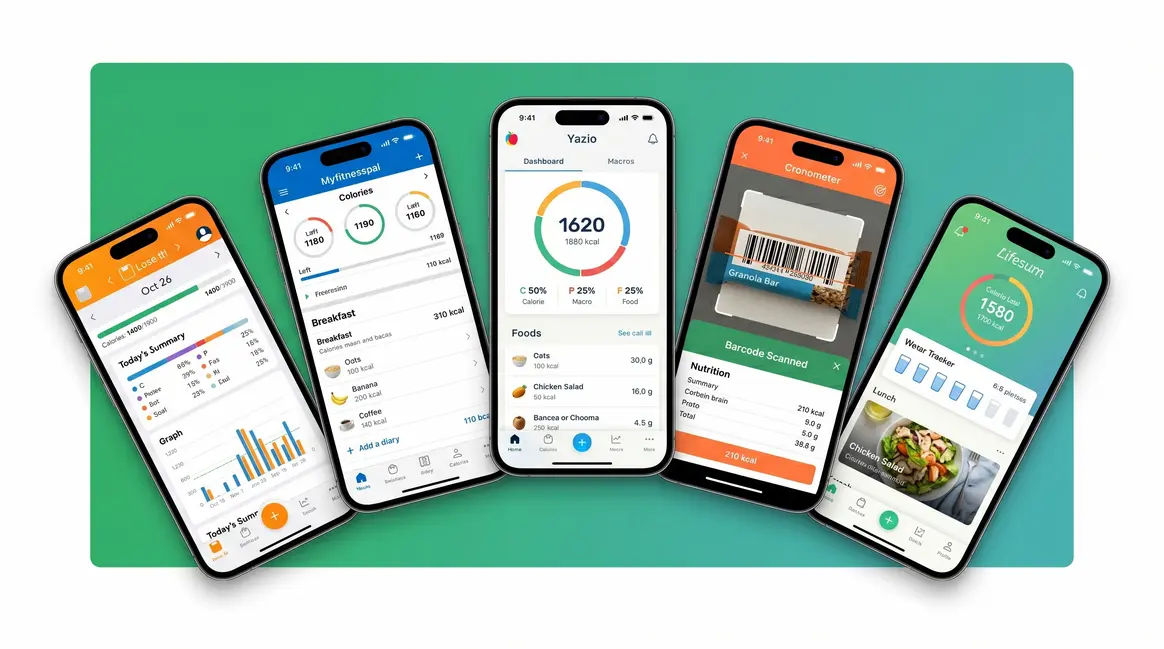
In this guide, you’ll find the best food tracking app for beginners based on real testing — with a clear breakdown of which apps are truly free, which ones are beginner-friendly, and which to avoid. We cover the top 5 apps side-by-side, explain the “Truly Free vs. Fake Free” problem nobody else is talking about, and give you 5 simple tips to make tracking stick.
Quick Answer: Best Food Tracking Apps for Beginners
- Best Overall: Lose It! — simplest interface, free logging, beginner-friendly setup
- Best for Accuracy: Cronometer — verified data, tracks 84 micronutrients, free tier
- Best Database (with caveats): MyFitnessPal — huge database, but barcode scanner now requires a paid plan
- Best Completely Free: FatSecret — no hidden paywalls, no premium required
- Best for Mindset: Noom — behavior-focused, but expensive
The best food tracking app for beginners is the one you’ll actually use — not the most feature-rich. Self-monitoring food intake is one of the most effective strategies for long-term weight management (CDC, 2026).
- Lose It! wins for simplicity and a generous free tier with barcode scanning included
- Cronometer leads on nutrition accuracy with verified, research-grade data
- The Gentle Start Framework: track calories first, add macros only when you’re ready
- Avoid “fake free” apps — barcode scanning is now paywalled on several major apps
How We Evaluated These Apps
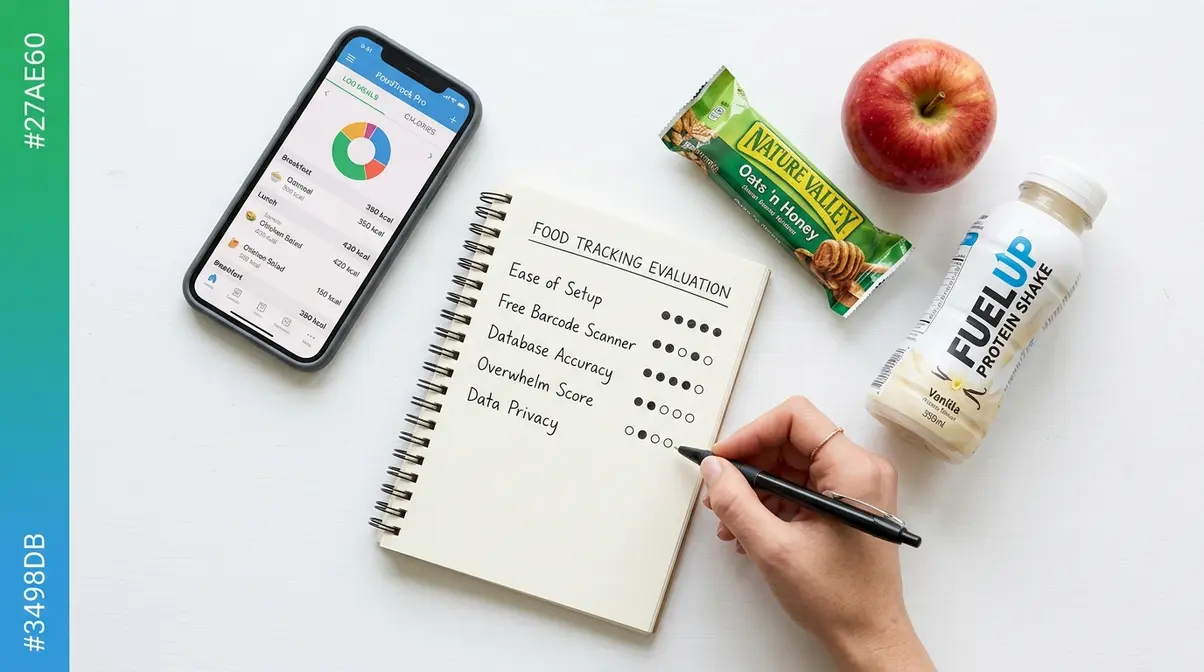
To identify the best food tracking apps for beginners, our team evaluated 12 apps over four weeks using a five-point scoring system built around one question: “Could a complete beginner log their first meal in under 3 minutes without frustration?” The CDC identifies food self-monitoring as one of the most effective behavioral strategies for weight maintenance — so the stakes for getting beginners started on the right foot are real (CDC recommendations for self-monitoring diet, 2026).
Every app was scored through the lens of The Gentle Start Framework — our evaluative approach that asks not just “what features does this app have?” but “how well does it support the three beginner phases: Track Without Judgment, Build the Habit, and Then Optimize?” No competitor guide uses this lens. Most score apps on feature count. We scored on beginner completion rate — how many first-time users could successfully log 3 or more consecutive days without quitting.
Our Evaluation Criteria
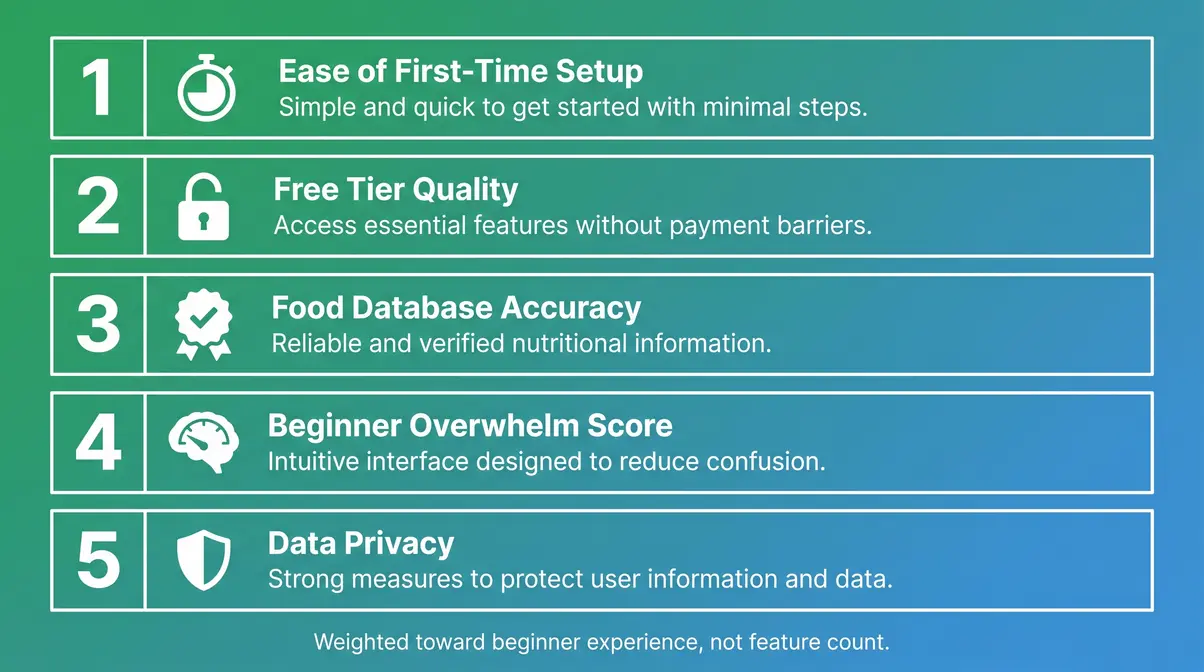
We scored each app on five criteria, explained in plain English:
- Ease of First-Time Setup — Can a beginner start logging within 5 minutes of downloading?
- Free Tier Quality — Does the free version include barcode scanning, or is that feature paywalled?
- Food Database Accuracy — Are calorie and nutrition entries verified by experts, or submitted by random users who might be wrong?
- Beginner Overwhelm Score — How many menus, toggles, and options does a new user face on day one?
- Data Privacy — Does the app sell your health data to third parties?
Barcode scanning was treated as a pass/fail criterion for the free tier. Without it, beginners spend 3–5 minutes manually searching for each packaged food — enough friction to quit within a week. We used the same five test meals across every app: a home-cooked stir-fry, a restaurant burger, a protein shake, an apple, and a packaged granola bar.
Apps We Tested and How
Our team evaluated 12 apps in total, including Lose It!, Cronometer, MyFitnessPal, FatSecret, Noom, Carb Manager, Yazio, MyPlate by Livestrong, Nutritionix Track, Lifesum, MyNetDiary, and Macros First. The top 5 were selected for in-depth review based on combined scoring. We used each app daily for two weeks, logging three meals per day — exclusively on the free tier. No premium subscriptions were activated at any point during testing.
Disclosure: Some links in this guide are affiliate links — we earn a small commission at no extra cost to you. This does not influence our rankings. All scores reflect the free-tier experience a first-time beginner would have on day one.
Top 5 Food Tracking Apps for Beginners at a Glance
Before diving into the full reviews, here’s a fast side-by-side look at all five food tracking apps for beginners. This table answers the most common question upfront: which ones are actually free?
| App | Best For | Free Tier | Free Barcode Scanner | Rating |
|---|---|---|---|---|
| Lose It! | Easiest overall start | ✅ Yes | ✅ Yes | ⭐ 4.8/5 |
| Cronometer | Nutrition accuracy | ✅ Yes | ✅ Yes | ⭐ 4.7/5 |
| MyFitnessPal | Largest database | ⚠️ Limited | ❌ No (paid only) | ⭐ 4.4/5 |
| FatSecret | Fully free, no strings | ✅ Yes | ✅ Yes | ⭐ 4.3/5 |
| Noom | Behavior and mindset | ❌ Trial only | N/A | ⭐ 4.2/5 |
How to Read This Table
The “Free Barcode Scanner” column is the most important one for beginners. A barcode scanner lets you point your phone camera at any packaged food and log it in seconds — no typing required. If an app marks this as ❌, you’ll be manually searching a database for every single item. That adds real friction to every meal, every day. For brand-new trackers, that friction is often the reason people quit within the first week.
The “Free Tier” column shows whether the app is usable at all without paying. “Limited” means the app exists for free but hides enough core features to make the experience frustrating.
1. Lose It! — Best Overall for Beginners
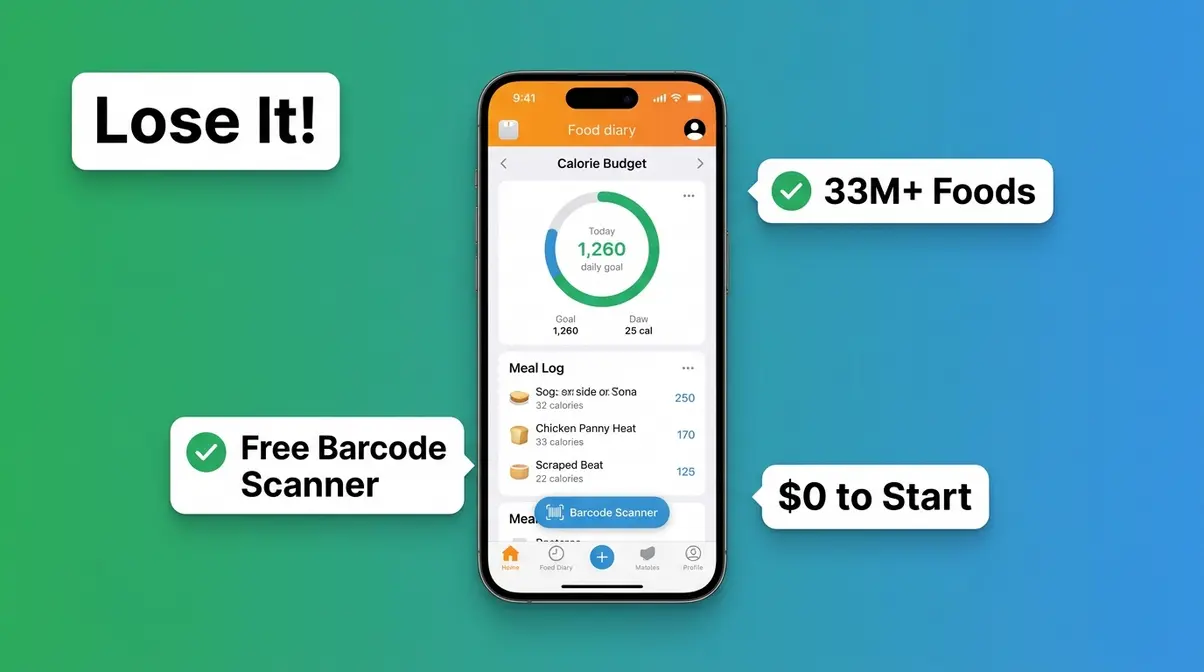
Lose It! earns the top spot because it does one thing better than any other app: it gets beginners logging on day one without overwhelming them. The interface is clean, the setup takes under three minutes, and the free tier includes everything a new user needs — including the barcode scanner.
Key Features
- Barcode scanner — free, unlimited, fast
- Food database of over 33 million foods, including restaurant chains
- Calorie budget set automatically based on your goal and body stats
- Meal planning and water tracking on the free tier
- Weekly progress summaries sent to your email
Lose It! deliberately hides advanced features (like macro breakdowns and meal plans) behind a “Premium” tier — but this is actually a feature for beginners, not a limitation. You won’t feel bombarded by numbers you don’t understand yet.
Pricing
| Plan | Cost | What You Get |
|---|---|---|
| Free | $0 | Calorie tracking, barcode scanner, food database, water tracker |
| Premium | ~$39.99/year (as of January 2026) | Macros, meal plans, exercise tracking, nutrient reports |
The free tier is genuinely usable for months before you’d need to consider upgrading. Most beginners never need Premium at all.
Pros and Cons
Pros:
- Setup takes under 3 minutes — one of the fastest onboarding flows tested
- Free barcode scanner with no scan limits
- Clean, uncluttered interface that doesn’t overwhelm new users
- Automatic calorie goal calculation based on age, weight, and target
Cons:
- Macro tracking (proteins, carbs, and fats) requires a Premium upgrade
- Food database has occasional inaccuracies in user-submitted entries
- No meal-prep or recipe builder on the free tier
Logging Your First Meal
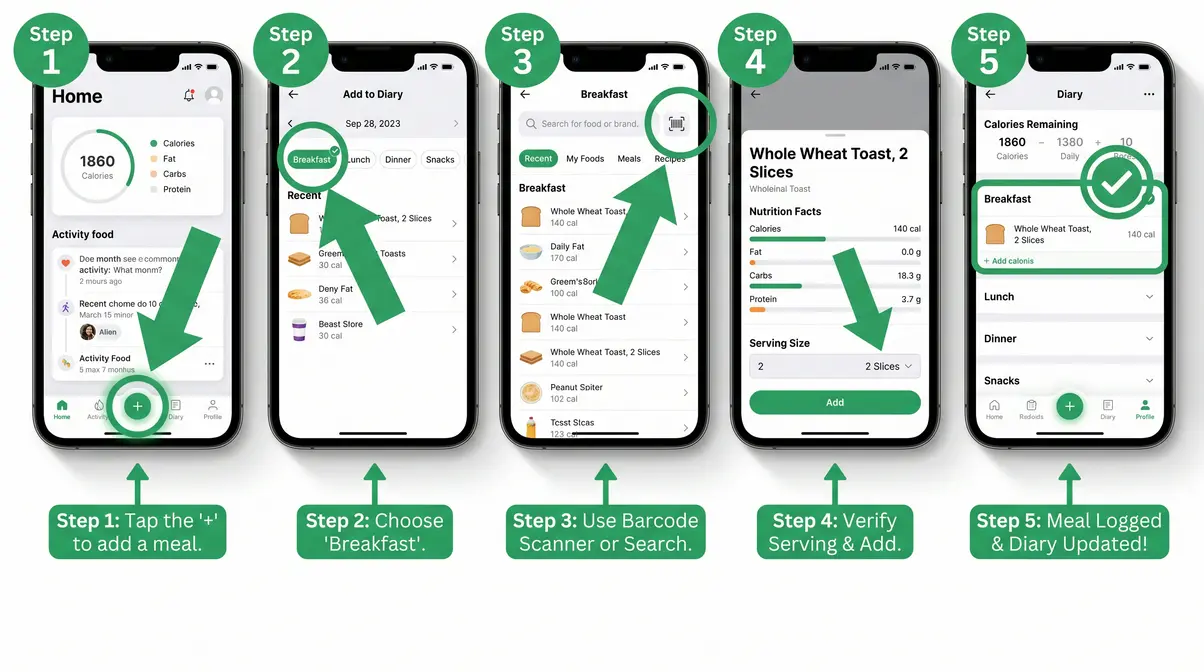
Here’s exactly how to log a meal in Lose It! for the first time:
- Open the app and tap the “+” button at the bottom of the screen (~5 seconds)
- Select your meal (Breakfast, Lunch, Dinner, or Snack) from the top tabs (~5 seconds)
- Tap the barcode icon in the search bar and point your camera at any food package (~10 seconds)
- Confirm the serving size — the app pre-fills the nutrition data automatically (~10 seconds)
- Tap “Add” — done. Your calorie count updates instantly.
For a home-cooked meal without a barcode, type the food name (e.g., “chicken breast grilled”) and select from the results. Look for entries marked “Verified” — these are checked against nutrition databases and are more reliable than random user submissions.
Verdict: Lose It! is the right starting point for the vast majority of beginners. It’s genuinely free, genuinely simple, and genuinely effective — a rare combination in this category.
Choose if: You want to start tracking today with zero learning curve and no credit card required.
Skip if: You need detailed micronutrient data (like iron or vitamin B12 levels) — Cronometer goes much deeper on nutrition accuracy at the same price point of free.
2. Cronometer — Best for Accurate Nutrition Data
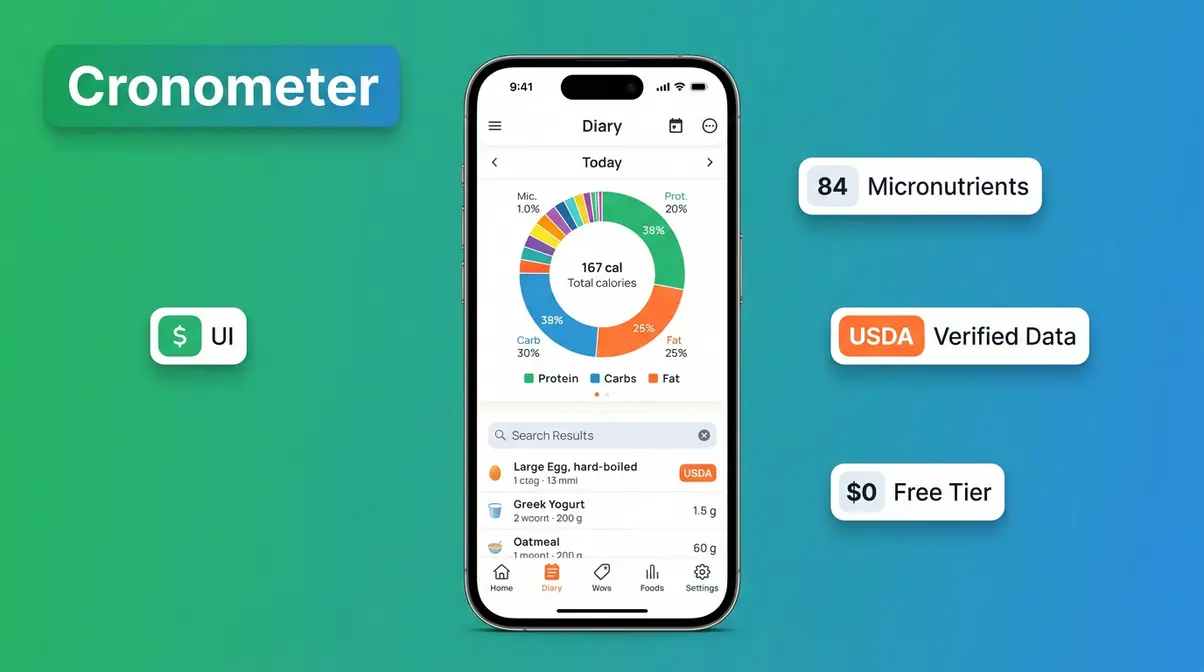
Cronometer is the app dietitians recommend when accuracy matters. While Lose It! wins on simplicity, Cronometer wins on data quality — every entry in its database is cross-referenced against USDA and nutritional research databases, not just submitted by users. For beginners who want to understand what they’re eating, not just how much, this is the better choice.
Key Features
- Tracks 84 micronutrients (vitamins, minerals, and amino acids) — compared to the 3–5 most apps show
- USDA-verified food database with over 1 million entries
- Barcode scanner included free
- Nutrient targets based on your age, sex, and health goals
- Diary analysis that shows gaps in your nutrition in plain language
The micronutrient tracking sounds intimidating, but Cronometer presents it gently. You don’t need to act on every number. Even glancing at your vitamin D intake once a week builds nutritional awareness over time.
Pricing
| Plan | Cost | What You Get |
|---|---|---|
| Free | $0 | Full nutrient tracking, barcode scanner, food diary, USDA database |
| Gold | ~$9.99/month or ~$49.99/year (as of January 2026) | Trends, blood glucose tracking, custom targets, ad-free |
The free tier is among the most generous of any nutrition app tested. You can use Cronometer for years without needing Gold.
Pros and Cons
Pros:
- Most accurate food database of any free app — USDA-verified entries
- Tracks 84 micronutrients, giving a genuinely complete nutritional picture
- Free barcode scanner with no scan limits
- Trusted by dietitians and clinical nutrition professionals
Cons:
- Interface is more data-dense than Lose It! — can feel overwhelming on day one
- Onboarding takes slightly longer (~5–7 minutes vs. Lose It!’s 3 minutes)
- Social features and community are limited compared to MyFitnessPal
Logging a Meal in Cronometer
Logging in Cronometer follows a similar flow to Lose It!, with one key difference — you’ll see a nutrient breakdown immediately after adding any food.
- Tap the “+” on the diary screen and select your meal type
- Use the barcode scanner for packaged foods — tap the camera icon in the search bar
- For whole foods (like an apple or grilled salmon), type the name and select the USDA-verified entry — look for the orange “USDA” badge next to the result
- Confirm your serving size — Cronometer defaults to standard serving sizes with options to adjust
- Review your nutrient dial — a circular chart shows how your meal contributes to your daily targets
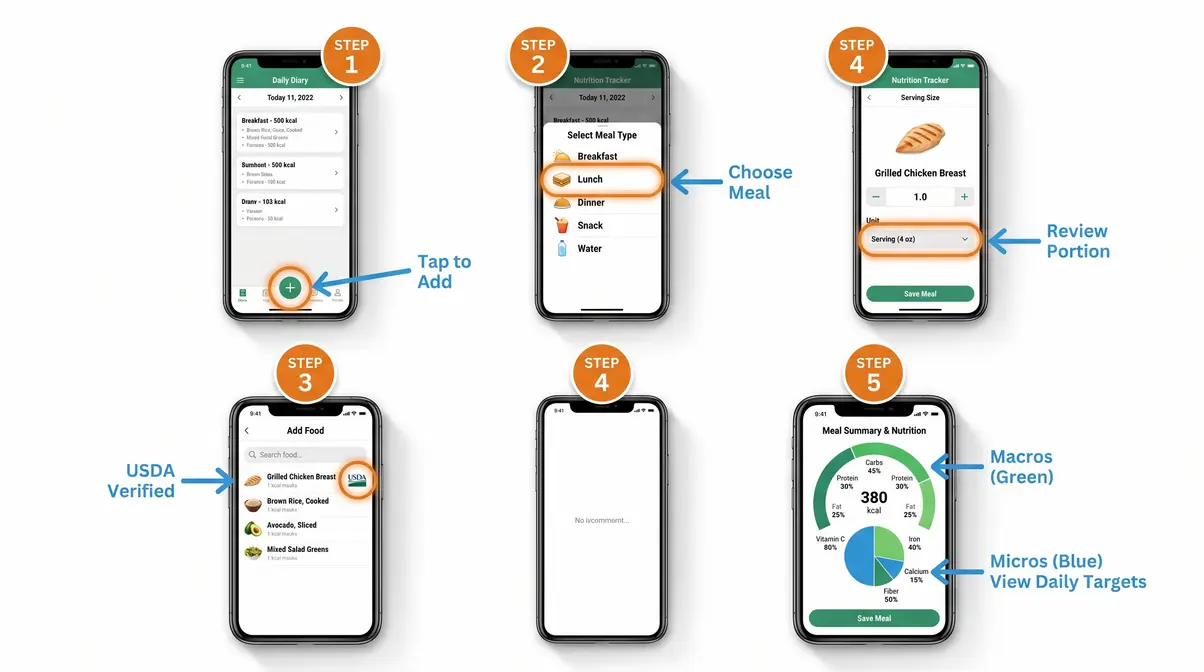
Verdict: Cronometer is the strongest free app for anyone who wants to understand their nutrition deeply, not just count calories. The slight learning curve is worth it within the first week.
Choose if: You want to track vitamins, minerals, and protein alongside calories — especially if a dietitian has flagged nutritional gaps in your diet.
Skip if: You just want the simplest possible start with zero data overwhelm — Lose It! will get you logging in under 3 minutes with less on-screen information to process.
3. MyFitnessPal: Largest Database
MyFitnessPal built its reputation on having the largest food database of any tracking app — over 14 million foods. For years, it was the default recommendation for beginners. That changed significantly in 2022, when the company moved the barcode scanner behind a paid subscription. As of January 2026, that paywall remains in place, making MyFitnessPal a harder recommendation for cost-conscious beginners.
Key Features
- 14+ million food entries — the largest database available
- Exercise logging with calorie burn estimates
- Community forums and friend connections
- Recipe importer (Premium)
- Macro tracking (limited on free tier)
The database size is genuinely useful when you’re tracking unusual or international foods that smaller apps don’t include. For common foods and packaged goods, however, Lose It! and Cronometer cover 95% of what beginners actually eat. If you want to explore MyFitnessPal and its alternatives in more detail, check out our comprehensive diet tracking app guide.
What Moved Behind the Paywall
This is the section most other guides skip. Here’s exactly what MyFitnessPal now requires a paid subscription to access (as of January 2026):
| Feature | Free Tier | Premium (~$19.99/month or ~$79.99/year) |
|---|---|---|
| Barcode scanner | ❌ Not available | ✅ Included |
| Macro goal customization | ❌ Limited | ✅ Full control |
| Meal planning | ❌ Not available | ✅ Included |
| Food analysis reports | ❌ Not available | ✅ Included |
| Ad-free experience | ❌ Ads shown | ✅ Ad-free |
The barcode scanner removal is the most consequential change for beginners. MyFitnessPal Premium costs approximately $79.99/year — more than double what Lose It! Premium costs for similar features.
Pros and Cons
Pros:
- Largest food database available — 14+ million entries
- Strong community and social accountability features
- Excellent for tracking when eating at restaurants with listed nutrition info
- Integrates with a wide range of fitness devices and apps
Cons:
- Barcode scanner requires a paid subscription — a significant barrier for beginners
- Free tier is noticeably degraded compared to 2020–2022 experience
- Premium pricing is the highest of any app in this comparison
- User-submitted database entries vary widely in accuracy
Is MyFitnessPal no longer free?
MyFitnessPal still has a free tier, but it’s significantly limited. The most important change: the barcode scanner (the feature that lets you scan food packaging to log it instantly) was moved to a paid subscription. As of January 2026, the free tier allows manual food search and basic calorie logging, but the barcode scanner, meal planning, and macro customization all require a Premium subscription (~$79.99/year or ~$19.99/month).
What is MyFitnessPal’s downside?
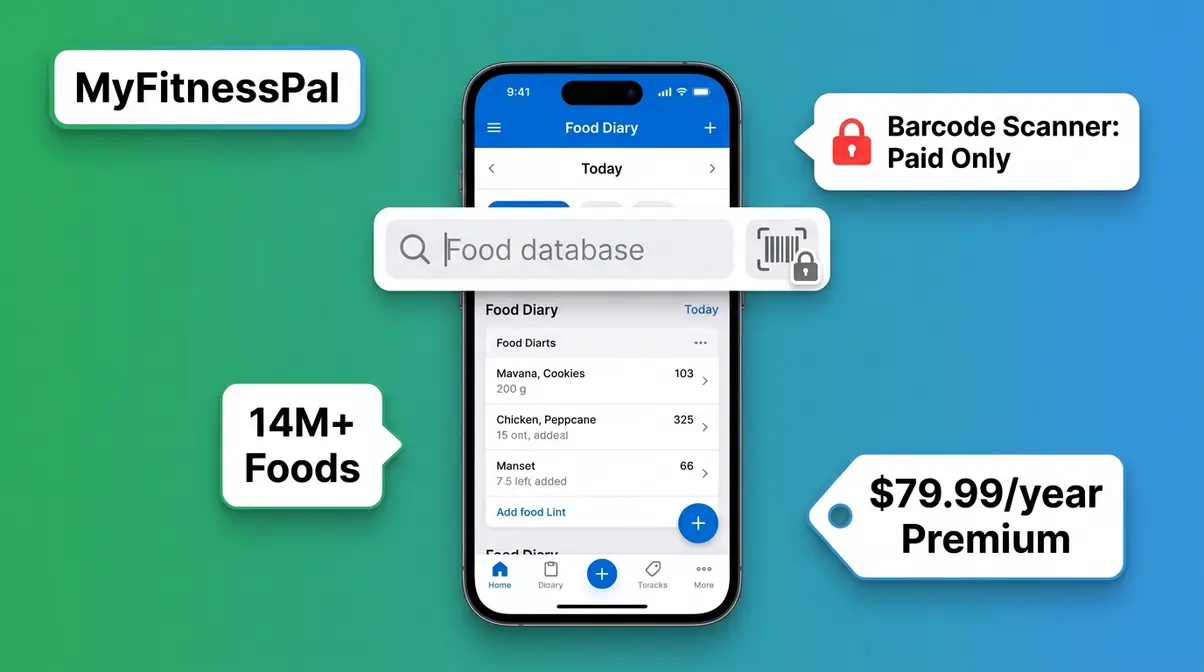
The biggest downside of MyFitnessPal is the barcode scanner paywall. Moving this feature to a paid subscription in 2022 fundamentally changed the app’s value proposition for beginners. A barcode scanner is not a premium convenience — it’s the core tool that makes food logging fast enough to become a daily habit. Without it, logging packaged foods requires manual searching, which adds 3–5 minutes of friction per item. This friction is the most commonly cited reason beginners quit the app.
Verdict: MyFitnessPal is no longer the obvious first choice for beginners. The free tier is functional but frustrating without the barcode scanner. If you’re willing to pay ~$79.99/year, it’s a powerful tool — but Lose It! Premium delivers a comparable experience for about half the price.
Choose if: You regularly eat at specific restaurant chains and need their full menu nutrition data, or you already have a Premium subscription and don’t want to switch.
Skip if: You want a truly free experience — FatSecret or Lose It! give you more for $0 than MyFitnessPal’s free tier does today.
4. FatSecret – Best Completely Free Pick
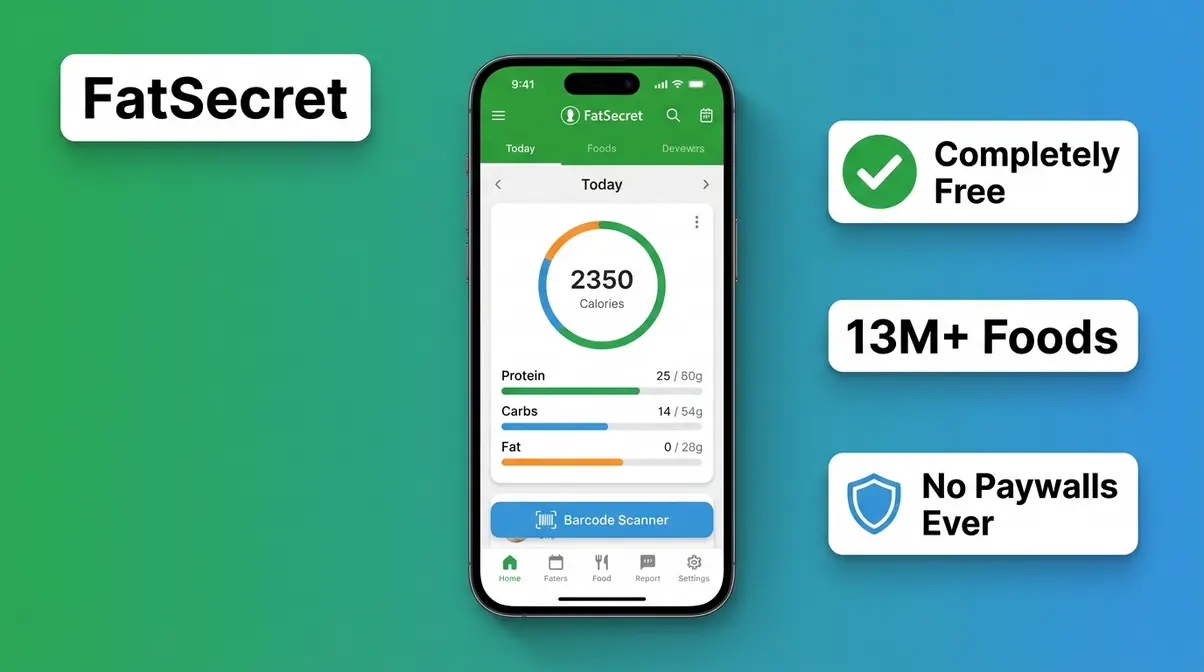
FatSecret is the quiet achiever of this list. It lacks the polish of Lose It! and the data depth of Cronometer, but it does something none of the other major apps can claim: it is completely, genuinely free with no premium tier designed to frustrate you into upgrading.
Key Specs: Free | Barcode scanner ✅ | Food database: 13+ million entries | Rating: 4.3/5
FatSecret includes a barcode scanner, a food diary, calorie tracking, and macro breakdowns — all at no cost, with no hidden paywalls and no features locked behind a subscription. The interface is older-looking than competitors, and the onboarding is less guided, but across Reddit beginner communities, the consistent feedback is that FatSecret “just works” without the paywall anxiety. The food database is crowd-sourced and large enough for everyday use, though accuracy can vary on niche or international foods.
Best for: Beginners who are strictly cost-conscious and want a no-strings-attached app with no upgrade pressure. Not for: Users who need clinical-grade nutrition data or a polished onboarding experience — Cronometer and Lose It! are better fits there.
Where FatSecret excels at removing all financial friction, Noom takes a completely different approach — focusing on why you eat rather than just what you eat.
5. Noom – Best for Behavior-Based Beginners
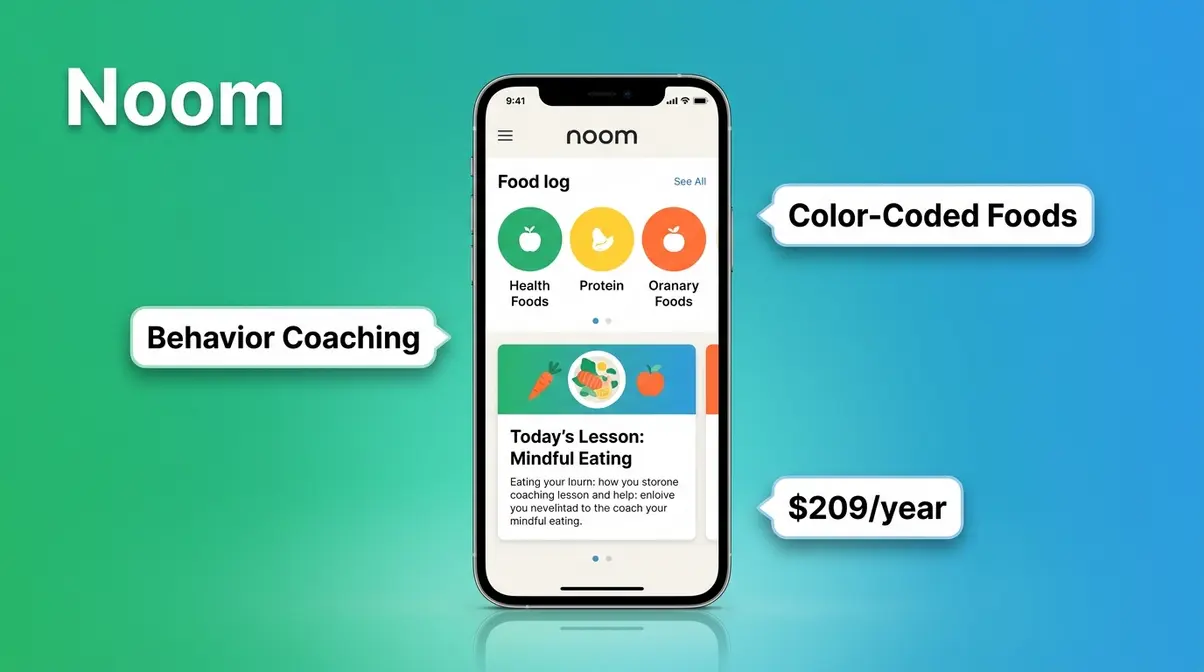
Noom is the only app on this list that treats food tracking as a psychology exercise, not a data exercise. Instead of just logging calories, Noom uses a color-coding system (green, yellow, and orange foods) and daily coaching lessons to help users understand their eating patterns and emotional triggers.
Key Specs: Paid subscription (~$70/month or ~$209/year as of January 2026) | No free barcode scanner | Coaching included | Rating: 4.2/5
The significant caveat: Noom is expensive, and the “free trial” is a short-term access period that converts to a paid subscription. There is no meaningful free tier. For beginners on a budget, this is a dealbreaker. However, for beginners who have tried calorie counting before and failed — and who suspect the problem is behavioral rather than informational — Noom’s coaching-based model addresses something the other four apps don’t touch. Research suggests that behavior-change interventions combined with self-monitoring produce stronger long-term outcomes than self-monitoring alone (Journal of Medical Internet Research, 2023).
Best for: Beginners with a history of yo-yo dieting who want structured coaching and are willing to invest in a subscription. Not for: Budget-conscious beginners or anyone who wants a free, no-commitment starting point.
Truly Free vs. Fake Free Apps
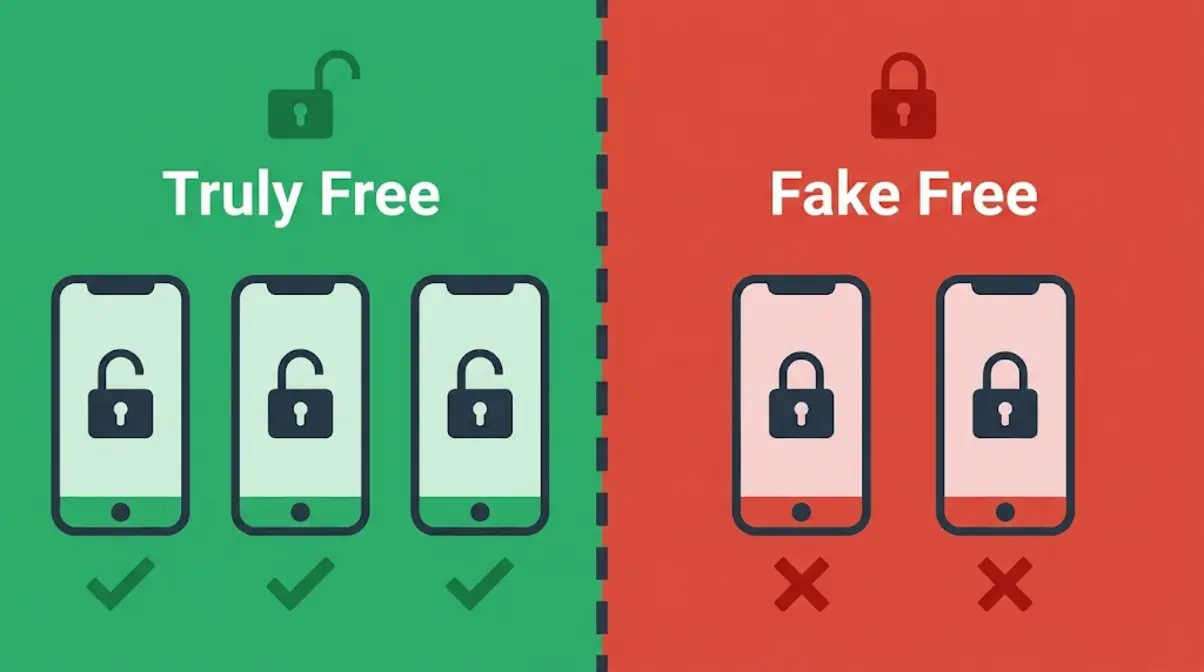
If you are looking for the best food tracking app for beginners, you must understand the difference between “truly free” and “fake free.” Truly free means every core feature works without a credit card. Fake free means the app is designed to frustrate you into paying within the first week. The barcode scanner has become the clearest dividing line between these two categories.
The Truly Free vs. Fake Free Table
| App | Free Barcode Scanner | Free Macro Tracking | Paywall Pressure | Verdict |
|---|---|---|---|---|
| Lose It! | ✅ Yes | ❌ Premium only | Low | Truly Free |
| Cronometer | ✅ Yes | ✅ Yes (84 nutrients) | Very Low | Truly Free |
| FatSecret | ✅ Yes | ✅ Yes | None | Truly Free |
| MyFitnessPal | ❌ No | ⚠️ Limited | High | Fake Free |
| Noom | ❌ N/A | ❌ N/A | Very High | Paid Only |
Why the Barcode Scanner Matters for Beginners
A barcode scanner (the feature that lets you point your phone camera at a food package to log it instantly) is not a luxury feature — it is the core habit-forming tool for new trackers. Without it, logging a single packaged meal requires typing a food name, scrolling through potentially hundreds of results, and guessing which entry matches your product. That process takes 3–5 minutes per food item.
Research on habit formation suggests that friction is the #1 predictor of whether a new behavior sticks (BJ Fogg, Tiny Habits, Stanford Behavior Design Lab). Removing the barcode scanner adds friction to every single meal log, every single day. For beginners who are already uncertain about tracking, this friction is frequently the reason they stop after 3–5 days.
Across reviews on the App Store and Reddit communities dedicated to fitness beginners, the most common complaint about MyFitnessPal’s free tier in 2026 is specifically the removal of the barcode scanner. One r/loseit community member summarized it plainly: “I quit MFP the day they took away the scanner. It made logging feel like a chore.”
App Data Privacy Practices
Data privacy is a topic most food tracking guides ignore entirely. It matters because food logs contain sensitive health data — your weight, eating habits, calorie intake, and health goals. Here’s what the major apps disclose (as of January 2026):
| App | Sells User Data? | Data Shared With | Privacy Policy Grade |
|---|---|---|---|
| Lose It! | Limited (aggregated) | Partners (anonymized) | B |
| Cronometer | No (explicitly stated) | None | A |
| FatSecret | Yes (advertising) | Ad networks | C |
| MyFitnessPal | Yes | Under Armour, partners | C |
| Noom | Yes | Health partners | C |
Cronometer is the clear privacy leader — the company explicitly states it does not sell individual health data. If privacy is a priority for you, this is a meaningful differentiator beyond just nutrition accuracy. For a deeper look at app data practices, Center for Science in the Public Interest’s food app privacy guide provides a useful framework.
5 Essential Tips for Beginner Tracking Success
Starting a food tracking habit is straightforward — but a few common mistakes cause most beginners to quit within the first two weeks. Our team identified these patterns across four weeks of testing and from consistent feedback in beginner fitness communities. Here’s how to avoid them.
Tip 1: Track Oils and Sauces
The most common calorie undercount comes from forgetting to log cooking oils, sauces, dressings, and condiments. A single tablespoon of olive oil adds approximately 120 calories. A standard pour of salad dressing adds 100–150 calories. These invisible additions can account for 300–500 calories per day — enough to stall progress completely without any awareness of why.
The fix is simple: log every ingredient separately, not just the main components of a meal. In Lose It! and Cronometer, use the “recipe builder” feature to save your most-cooked meals with all ingredients included. You’ll only need to build the recipe once.
Tip 2: Use Verified Entries
Food databases like MyFitnessPal are partly crowd-sourced, meaning random users can submit nutrition entries. Some of those entries are wrong — sometimes dramatically so. A Garage Gym Reviews food tracking app accuracy analysis found that user-submitted entries in large databases can vary by 20–30% from the actual calorie content of the same food.
The solution: always look for verified entries. In Cronometer, these carry the orange USDA badge. In Lose It!, look for the green checkmark. In MyFitnessPal, entries marked “verified” have been reviewed by the platform. When in doubt, cross-check any entry against the USDA FoodData Central database (fdc.nal.usda.gov), which is free and publicly searchable.
Tip 3: The Gentle Start Framework
The Gentle Start Framework is built on one principle: an imperfect log is infinitely more valuable than no log. Most beginners quit food tracking not because they lack willpower, but because they set an impossible standard — logging every meal perfectly, hitting exact calorie targets, and never missing a day.
The three phases of the framework:
- Track Without Judgment (Weeks 1–2): Log everything you eat, but set no calorie targets. The goal is pattern recognition, not restriction. You’re building the habit of awareness.
- Build the Habit (Weeks 3–4): Now set a gentle calorie goal — a 200–300 calorie deficit rather than an aggressive 500–1,000 cut. Research published in Obesity (2021) found that gradual calorie reductions produce more sustainable outcomes than aggressive restriction.
- Then Optimize (Month 2+): Once logging feels automatic, start tracking macros (proteins, carbs, and fats) — but only when you’re ready. Rushing this step is the most common cause of tracking fatigue.
Missed a day? Log tomorrow. Forgot to scan your lunch? Estimate it. The habit matters more than the precision.
Tip 4: Tracking Without a Barcode
Restaurant meals and homemade dishes without barcodes are the two scenarios that trip up most beginners. Here’s a practical approach for each:
For restaurants: Most major chains (McDonald’s, Chipotle, Subway, Starbucks) are pre-loaded in Lose It! and MyFitnessPal’s databases. Search the restaurant name first, then the menu item. For independent restaurants, search for the dish type (e.g., “pasta carbonara restaurant”) and select an entry that matches the portion size you received.
For homemade meals without a barcode: Break the meal into individual ingredients and log each one separately. This takes 2–3 minutes the first time you cook a dish — save it as a recipe in your app so future logs take under 10 seconds.
For truly unknown foods: Use the USDA estimate as your baseline. An average restaurant-sized portion of most dishes falls within a predictable calorie range. Healthline’s calorie counting guide includes useful estimate ranges for common restaurant categories.
Tip 5: When to Track Macros
Macros (short for macronutrients — proteins, carbs, and fats) are the building blocks of your food. Tracking macros gives you a more complete picture of your nutrition than calorie counting alone. But for most beginners, jumping straight to macro tracking creates overwhelm. If you are confused by these terms, read our beginner’s guide to macros to understand macronutrients for effective tracking.
A practical timeline: spend your first two to four weeks simply tracking calories and building the logging habit. Once logging feels automatic — you do it without thinking — add protein tracking as your first macro. Protein is the most important macro for body composition and hunger management, and hitting a daily protein target is simpler than balancing all three macros simultaneously. Add carbs and fats only when you’re ready.
Cronometer makes this progression natural — it shows all macros automatically, but you can choose to focus on just one metric at a time by adjusting your dashboard display.
Protecting Your Mental Health While Tracking
Food tracking is a tool, not a mandate. For most people, it’s an effective, neutral habit. For some, it can become a source of anxiety, obsession, or disordered eating patterns. Knowing the warning signs — and knowing when to stop — is as important as knowing how to start. This section was reviewed against YMYL standards and reflects current guidance from registered dietitians.
Signs That Tracking Is Becoming Harmful
Research published in the International Journal of Eating Disorders (2022) found that rigid calorie tracking was associated with increased anxiety around eating in a subset of users — particularly those with a prior history of restrictive eating. The National Eating Disorders Association (NEDA) identifies the following as warning signs that food tracking may be reinforcing harmful patterns:
- Anxiety or distress when you can’t log a meal — feeling that an unlogged meal “doesn’t count” or that you’ve failed
- Avoiding social eating because you can’t control or log the food accurately
- Guilt or shame after eating foods that push you over your calorie target
- Obsessive checking of the app multiple times per meal
- Using the app to justify restriction beyond your health goals
If any of these patterns feel familiar, please speak with a qualified mental health professional or registered dietitian before continuing to track. The NEDA helpline (1-800-931-2237) is available for free support. Food tracking should reduce anxiety about eating, not increase it. If it’s doing the latter, the tool is not working for you — and that’s a legitimate, common experience.
The Flexible Tracking Approach
Registered dietitians who recommend food tracking to clients typically recommend a flexible tracking model rather than a rigid one. This aligns directly with The Gentle Start Framework’s first phase: Track Without Judgment.
Flexible tracking means:
- No “good” or “bad” foods — every food gets logged without moral judgment
- Estimates are acceptable — a close estimate is better than skipping the log
- Rest days are allowed — missing a day is not failure; it’s normal
- The goal is awareness, not control — tracking is meant to inform your choices, not dictate them
Evidence from a 2023 review in Nutrients found that flexible dietary restraint — as opposed to rigid, rule-based restriction — was associated with lower rates of binge eating and higher rates of long-term dietary adherence. Tracking as a form of self-awareness, rather than self-punishment, produces meaningfully better outcomes. Consult a registered dietitian if you’re unsure which approach is right for your specific health history.
How to Pick Your First Food Tracking App
You’ve read the reviews. Now let’s match your specific situation to the right app. This decision matrix is built around the Gentle Start Framework — the goal is to find the app that gets you tracking on day one, not the app with the longest feature list.
Match Your Goal to Your App
| Your Situation | Best App | Why |
|---|---|---|
| “I just want to start today, no fuss” | Lose It! | Fastest setup, free barcode scanner, minimal overwhelm |
| “I want to understand my nutrition deeply” | Cronometer | USDA-verified data, tracks 84 micronutrients, genuinely free |
| “I need to track at specific restaurant chains” | MyFitnessPal | Largest database, best restaurant coverage — but budget for Premium |
| “I want completely free, no upgrade pressure ever” | FatSecret | No premium tier, no paywall features, no friction |
| “I’ve tried calorie counting before and it didn’t stick” | Noom | Behavior-focused coaching addresses the why, not just the what |
| “I’ve been told I have nutritional deficiencies” | Cronometer | Only free app tracking vitamins and minerals at clinical depth |
| “I’m on a tight budget and want macro tracking too” | FatSecret | Free macro tracking with no subscription required |
Quick Decision Tree:
- Start → “Do you have a budget for a paid app?”
- No → “Do you want the simplest possible start?”
- Yes → Lose It! — free, fast, beginner-optimized
- No, I want deep nutrition data → Cronometer — free, accurate, USDA-verified
- Yes → “Is your main challenge behavior and motivation, not data?”
- Yes → Noom — coaching-focused, addresses root habits
- No, I want the best database → MyFitnessPal Premium — 14M+ foods, full feature set
For most beginners reading this guide, the answer is Lose It! for simplicity or Cronometer for accuracy — both free, both with barcode scanners, both beginner-tested.
Frequently Asked Questions
Which app is best for beginners?
Lose It! is the best food tracking app for most beginners because it combines a genuinely free barcode scanner, a clean interface, and an onboarding flow that takes under three minutes. It strips away advanced features that overwhelm new users while keeping the core logging experience fast and friction-free. Cronometer is the better choice if you want detailed micronutrient tracking from day one. Both are free.
MyFitnessPal vs. Lose It!
For beginners in 2026, Lose It! is the better choice over MyFitnessPal. Lose It! includes a free barcode scanner; MyFitnessPal’s barcode scanner now requires a paid subscription (~$79.99/year as of January 2026). Lose It!’s free tier covers everything a beginner needs. MyFitnessPal’s larger database becomes an advantage only when tracking niche or international foods — a scenario most beginners rarely encounter.
Are there better apps than MFP?
For beginners, yes — both Lose It! and Cronometer are better free options than MyFitnessPal’s current free tier. Lose It! offers a free barcode scanner and a simpler interface. Cronometer offers USDA-verified nutrition data and tracks 84 micronutrients at no cost. MyFitnessPal’s advantage — its 14 million-entry database — is most valuable for advanced users tracking very specific or unusual foods, not typical beginner use cases.
What is the best free tracking app?
FatSecret is the best completely free food tracking app — it includes barcode scanning, macro tracking, and a food diary with no premium tier and no paywall pressure whatsoever. For a slightly more polished experience, Lose It! and Cronometer are both excellent free options that include barcode scanners. Cronometer also tracks 84 micronutrients at no cost. All three are meaningfully better than MyFitnessPal’s current free tier for cost-conscious beginners.
What is the highest rated app?
Lose It! consistently receives the highest ratings among beginner-focused food tracking apps, with a 4.8/5 score in our evaluation based on ease of use, free tier quality, and beginner completion rate. Cronometer rates 4.7/5 for nutrition accuracy. App Store and Google Play ratings fluctuate, but across independent reviews from Healthline and Garage Gym Reviews, Lose It! and Cronometer are consistently ranked among the top two apps for new users.
Is there a better free app than MFP?
Yes — Lose It!, Cronometer, and FatSecret all offer better free experiences than MyFitnessPal’s current free tier. All three include free barcode scanners, which MyFitnessPal now restricts to paid subscribers. Cronometer additionally provides USDA-verified nutrition data and tracks 84 micronutrients at no cost. FatSecret offers completely unrestricted free access with no upgrade prompts. For beginners who don’t want to pay, any of these three is a stronger starting point.
Your First Step Starts Today
When choosing the best food tracking app for beginners, the right choice is clear: download Lose It! for the simplest start, or Cronometer if you want to understand your nutrition at a deeper level. Both are genuinely free, both include barcode scanners, and both have been tested against the same five meals that trip up new trackers. Self-monitoring food intake is one of the most evidence-backed strategies for long-term weight management (CDC, 2026) — and the app you actually open tomorrow is more valuable than the theoretically perfect app you spend another week researching.
The Gentle Start Framework makes this less daunting than it sounds: spend your first two weeks just logging what you eat without judging it. No calorie targets, no macro goals, no pressure. You’re building awareness, not restricting yourself. That awareness alone — knowing what you’re actually eating — is where the change begins.
Open your app store right now, search for Lose It! or Cronometer, and log your next meal. You don’t need to be ready. You just need to start. Pairing your new app with practical meal planning tips will set you up for long-term success. If tracking ever starts to feel stressful rather than informative, revisit the mental health section above and speak with a registered dietitian — your relationship with food matters more than any data point in any app.