Best Home Workout App 2026: Top 10 Tested & Ranked
Home ›Fitness Accessories and Technology
You’ve opened ten browser tabs, downloaded three apps, and still haven’t done a single workout. You’re not alone — the number of home workout apps has exploded, and picking the right one feels harder than the exercise itself.
By the end of this guide, you’ll know exactly which best home workout app fits your budget, your goals, and your experience level — so you can stop scrolling and start training today. This guide covers free apps, muscle-building tools, beginner picks, perimenopause-specific options, and the App-Fit Matrix — our original framework that matches you to the right app in under 60 seconds.
⚕️ Medical Disclaimer: Consult your doctor or a qualified healthcare professional before starting any new exercise programme, especially if you have a pre-existing medical condition, injury, or health concern. The recommendations in this guide are for informational purposes only and do not constitute medical advice.
The best home workout app for most beginners is Nike Training Club — completely free, no hidden paywalls, and packed with guided programmes for every goal. The average fitness app loses 93% of users within 30 days (Statista, 2026); the right app prevents that drop-off.
- Best Free App: Nike Training Club — full access, zero cost, no credit card required
- Best for Strength/AI: Fitbod — adapts every session to your progress automatically
- Best for Women: Sweat — the only major app with a dedicated perimenopause programme
- Best for Beginners: FitOn — celebrity trainer classes, no experience required
- Use the App-Fit Matrix below to find your exact match in under 60 seconds
How We Evaluated the Best Home Workout Apps
Our team evaluated 18 home workout apps over six weeks using an eight-point rubric developed with a Certified Personal Trainer (CPT). We scored each app on programme quality, free tier depth, beginner accessibility, equipment flexibility, AI personalisation, platform compatibility, pricing transparency, and community support. Testing covered both iOS and Android devices, and apps were trialled by real beginners starting from zero fitness experience — not just our CPT reviewer. These eight criteria form the backbone of the App-Fit Matrix you’ll find later in this guide.
NIH research on fitness app effectiveness confirms that mHealth apps can significantly increase moderate-to-vigorous physical activity in adults (2019) — but only when they include structured goal-setting features, not just video libraries.
Our Testing Process
We began with 18 shortlisted apps and narrowed to 10 finalists based on active user bases, app store ratings above 4.0, and evidence of regular content updates in 2026. Each app was used for a minimum of two weeks by at least two testers: one CPT reviewer and one beginner tester with no prior gym experience. We specifically tested how each app performed for someone starting from zero fitness experience — logging workouts, navigating the interface cold, and attempting to build a seven-day routine from scratch. Apps were tested on iPhone 15, Samsung Galaxy S24, and iPad.
What We Looked For
Our eight scoring criteria — and why each one matters to you:
- Programme quality: A random video dump won’t build real fitness. Structured, progressive plans do.
- Free tier depth: Does “free” actually mean free, or is it a 7-day trial in disguise?
- Beginner accessibility: Can a complete newcomer start without a tutorial from YouTube?
- Equipment flexibility: Does the app work with zero gear, dumbbells, or a full home gym?
- AI personalisation: Does the app learn from your sessions and adjust future workouts?
- Platform compatibility: Works on iPhone AND Android? Tablet and PC too?
- Pricing transparency: Are costs clearly stated before you’re asked for card details?
- Community support: Is there a human element — forums, trainer Q&As, live classes?
“Mobile health apps that include goal-setting and self-monitoring features are most effective at sustaining long-term exercise habits.” (Harvard Health, 2026)
With our methodology clear, here’s how all ten apps stack up at a glance before we dig into the full reviews.
Top 10 Best Home Workout Apps at a Glance
The table below gives you an immediate comparison across the features that matter most. Use it to shortlist two or three options, then read the full review for each.
| App | Price (Monthly) | Best For | Equipment Needed | Free Tier | Platforms |
|---|---|---|---|---|---|
| Nike Training Club | Free | Overall best / beginners | None required | ✅ Full access | iOS, Android |
| FitOn | Free / $9.99 Pro | Budget-conscious, beginners | None required | ✅ Full access | iOS, Android |
| Fitbod | $12.99 / $79.99/yr | AI strength training | Dumbbells+ | ✅ 3 free workouts | iOS, Android |
| Peloton | $12.99 | Studio classes, community | None required | ❌ 30-day trial | iOS, Android |
| Sweat | $19.99 / $99.99/yr | Women, perimenopause | None–dumbbells | ✅ 7-day trial | iOS, Android |
| Caliber | Free / $29.99 | Free strength structure | Dumbbells+ | ✅ Robust free tier | iOS, Android |
| Apple Fitness+ | $9.99 / $79.99/yr | Apple Watch users | None required | ✅ 1-month trial | iOS, iPad, tvOS |
| Home Workout – No Equip | Free | Zero equipment | None | ✅ Full access | iOS, Android |
| Centr | $29.99 / $119.99/yr | AI trainer, celebrity plans | None–dumbbells | ✅ 7-day trial | iOS, Android |
| StrongLifts 5×5 | Free | Barbell beginners | Barbell + rack | ✅ Full access | iOS, Android |
Prices verified as of May 2026. Check each app’s official page for current rates, as pricing may change.
Top 10 Home Workout Apps Ranked
Our team spent six weeks testing each of these apps across real beginner and intermediate use cases. Here is what we found — ranked from our top overall pick down to strong specialists.
Nike Training Club: Best Free App
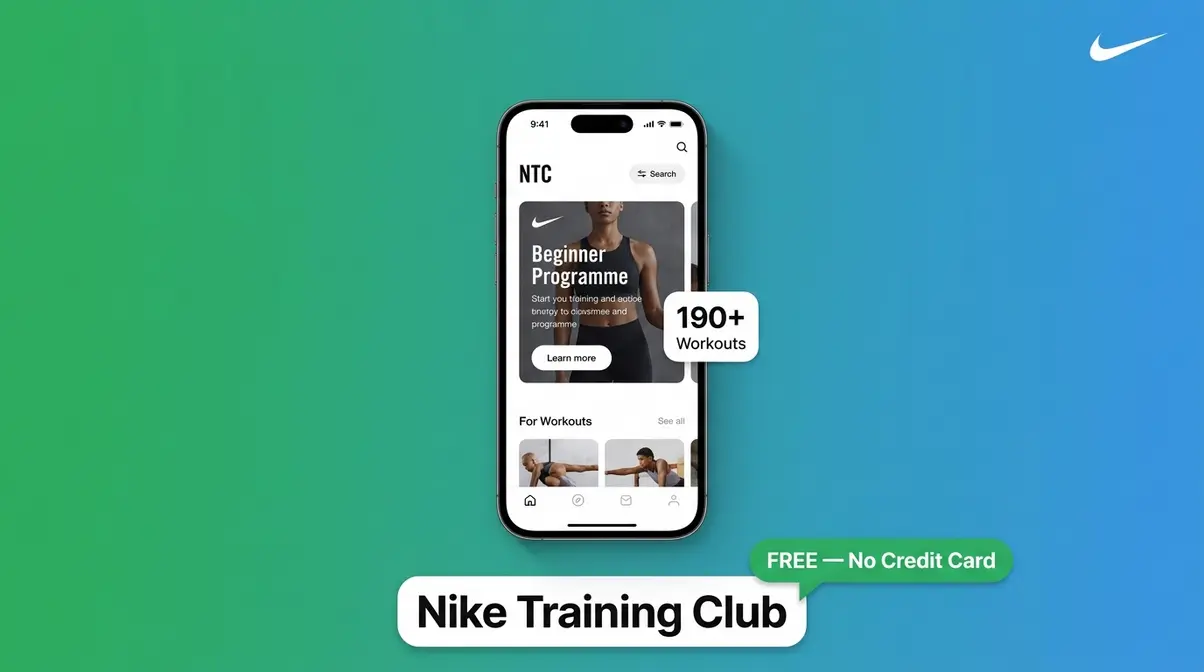
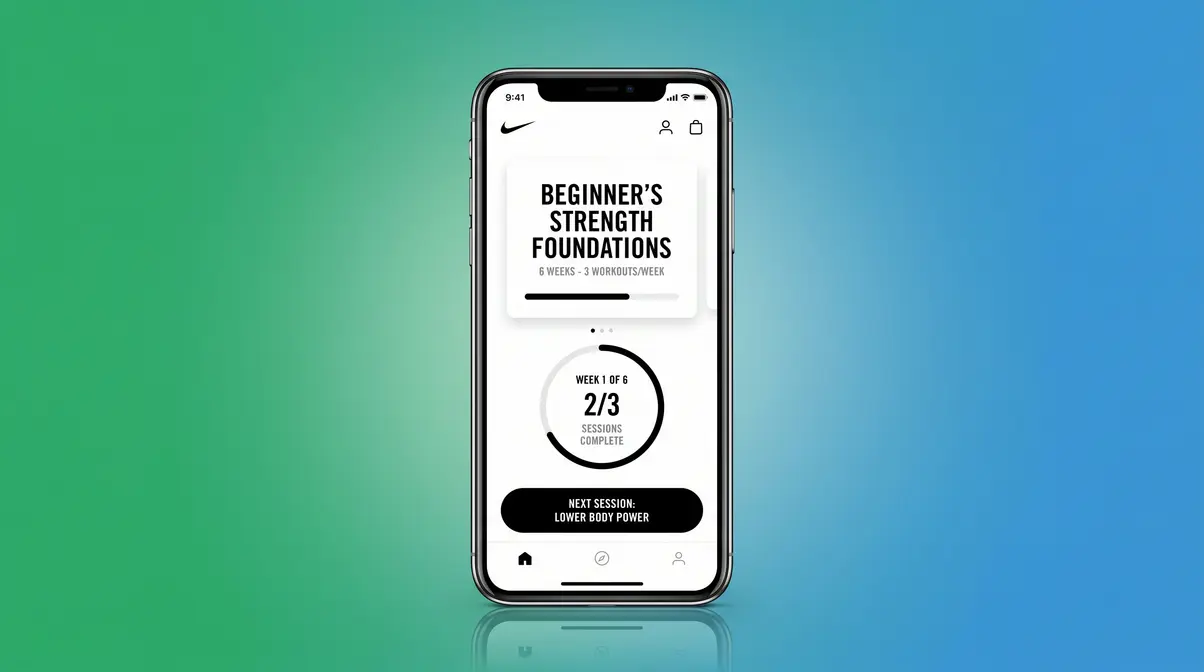
Nike Training Club (NTC) is a completely free fitness app offering over 190 guided workouts and structured multi-week programmes covering strength, endurance, yoga, and mobility. It requires no equipment for most programmes, making it the most accessible starting point for anyone who wants to build muscles or keep fitness at home without spending a cent.
Key Specs:
- Price: Free (no subscription, no hidden paywall)
- Workouts: 190+ guided sessions
- Programme length: 4–6 weeks (structured plans)
- Platforms: iOS, Android
- Equipment: None required (optional dumbbell programmes available)
- +Completely free with no credit card required — the entire library is unlocked from day one
- +Structured multi-week programmes replace random video browsing and build real progressive fitness
- +Trainer-narrated guidance throughout every session keeps beginners on track
- +Wide variety of goals: weight loss, strength, yoga, and recovery all covered
- +Works without any equipment, making it genuinely accessible for home use
- −No AI personalisation — workouts don’t adapt automatically based on your performance or fatigue
- −Community features are limited compared to apps like Peloton or FitOn
- −Strength-focused users who own heavier equipment may outgrow the programming within 6–12 months
Real-World Usage: For a complete beginner, NTC is the most frictionless starting point on this list. Our beginner tester opened the app cold, selected the “Beginner’s Programme” on day one, and was doing a coached 30-minute full-body session within four minutes of downloading — no account questions, no upsell screens. The programme automatically queues your next session, which is the single feature that prevents the “I’ll figure out what to do tomorrow” spiral that kills most routines. Where NTC struggles is for users who want the app to adapt: if you breeze through week three, NTC won’t automatically increase the difficulty. You’ll need to manually select a harder programme, which some beginners find daunting without a trainer to tell them when they’re ready.
FitOn: Best for Beginners
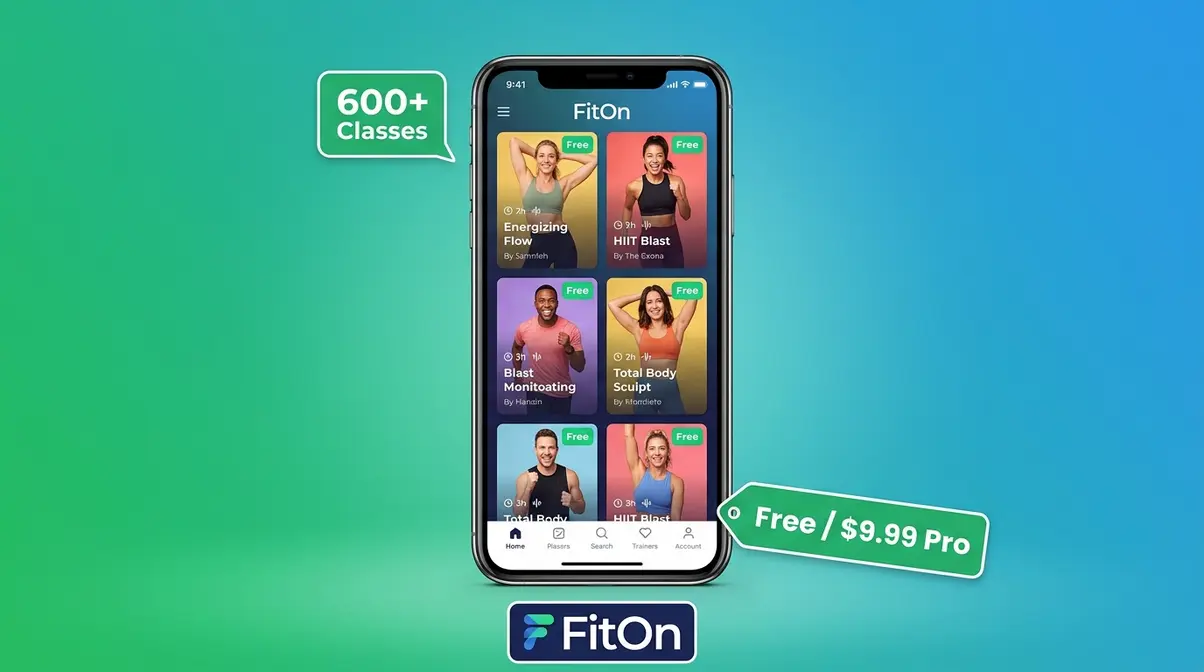
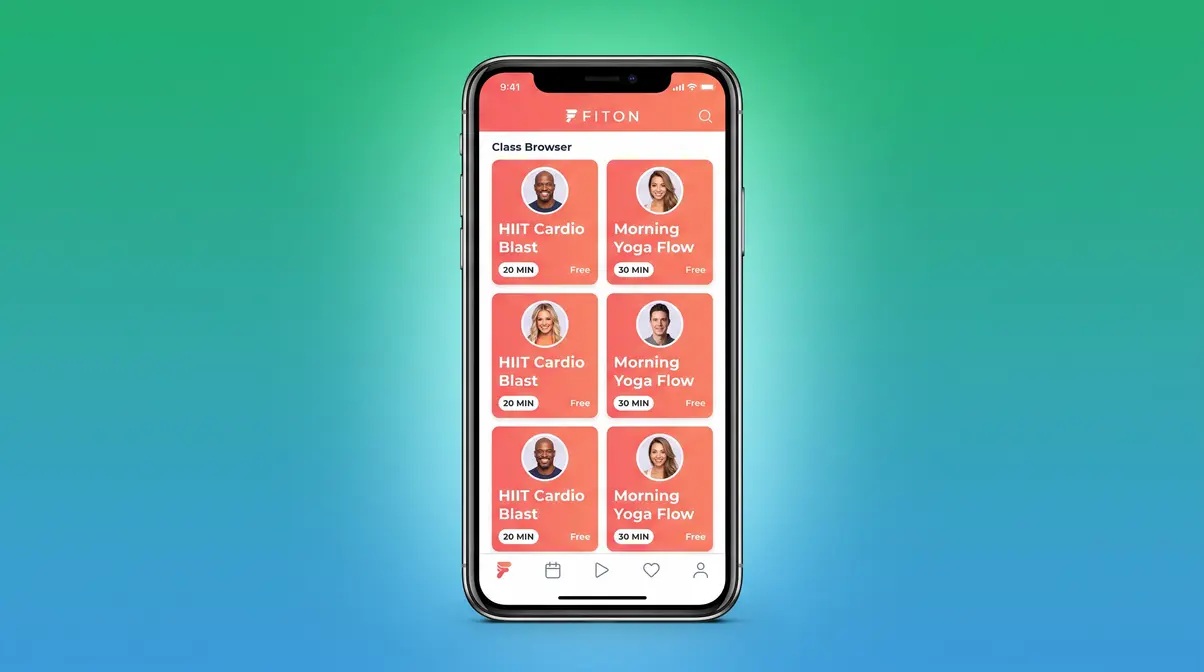
FitOn is a freemium (partly free, partly paid) app offering hundreds of workout classes led by celebrity trainers including Gabrielle Union and Jonathan Van Ness. Its free tier is genuinely generous — most classes are accessible without a subscription, making it one of the few apps where “free” actually means free for the core experience.
Key Specs:
- Price: Free / FitOn Pro at ~$9.99/month
- Workouts: 600+ classes (HIIT, yoga, pilates, strength, dance)
- Platforms: iOS, Android
- Equipment: None required for most classes
- Community: Group workout feature (exercise with friends remotely)
- +One of the most expansive free tiers of any workout app — no credit card required for most content
- +Celebrity trainers make sessions feel motivating and accessible to beginners
- +Group workout feature lets you exercise alongside friends or family for accountability
- +Wide variety of class styles means you’re unlikely to get bored within the first three months
- +Clean, intuitive interface that a total beginner can navigate in under two minutes
- −Pro subscription locks some content, meal plans, and offline downloads behind a paywall
- −Lacks the structured multi-week progressive programmes that apps like Nike Training Club offer
- −Strength-training content is lighter than cardio and yoga — not ideal for muscle-building goals
Real-World Usage: FitOn shines for beginners who are nervous about starting and need the encouragement of a recognisable face. Our beginner tester described it as “the app that actually made me want to press play.” The group workout feature is genuinely underrated — scheduling a 7 a.m. HIIT session with a friend creates accountability that no algorithm can replicate. However, if your goal is building muscle or following a structured 12-week strength plan, FitOn’s class-based format will feel like a collection of individual videos rather than a cohesive programme. That’s not a flaw — it’s a design choice that suits cardio and flexibility goals better than hypertrophy (muscle growth).
Where FitOn covers beginners and cardio enthusiasts, Fitbod takes a completely different approach for those who want strength training guided by genuine AI.
Fitbod: Best AI Strength App
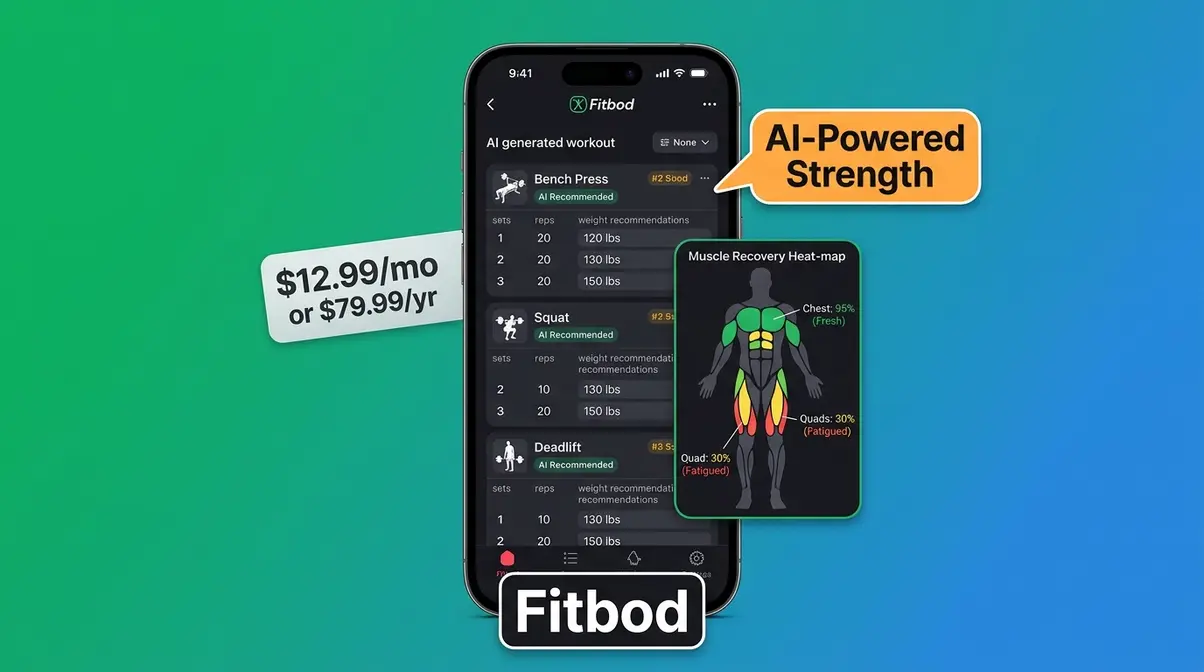
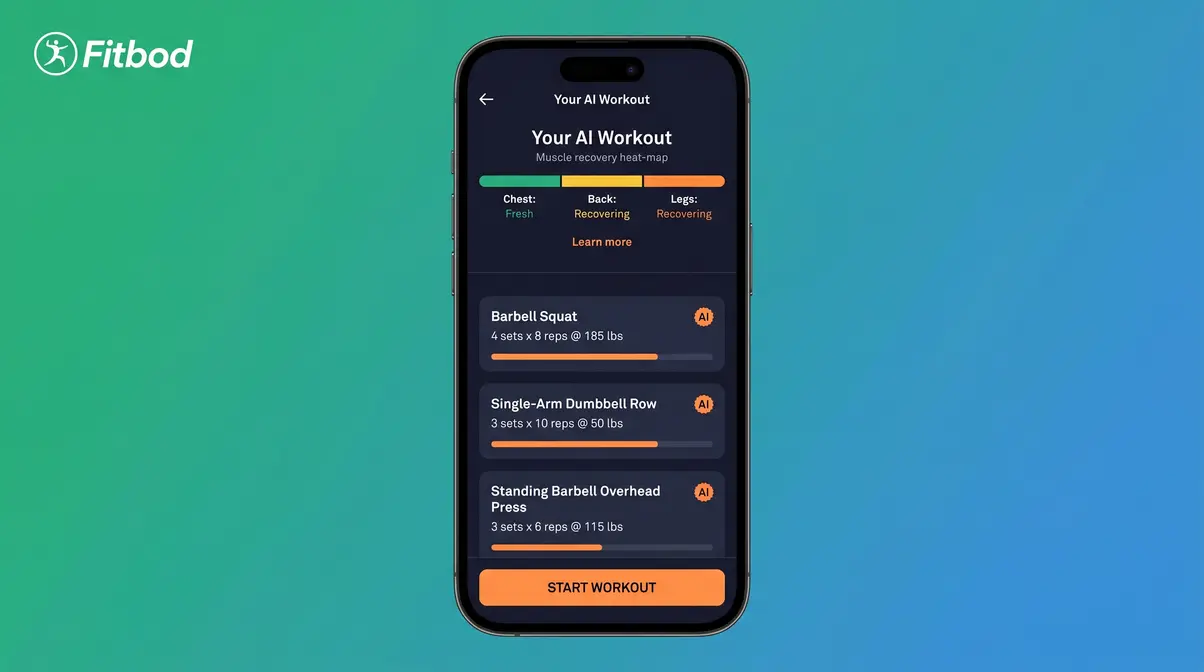
Fitbod is an AI-powered strength training app that generates a unique, personalised workout every single session based on your logged performance, recovery status, and available equipment. It’s the closest thing to having a personal trainer in your pocket — without the hourly rate.
Key Specs:
- Price: ~$12.99/month or ~$79.99/year (as of May 2026)
- Free tier: 3 free workouts (then subscription required)
- Workouts: Unlimited AI-generated sessions
- Platforms: iOS, Android, Apple Watch
- Equipment: Adapts to no equipment, dumbbells, or full home gym
- +AI genuinely adapts each session — if you crushed your squats yesterday, Fitbod reduces leg volume and increases upper-body work today
- +Progressive overload (gradually increasing weight or reps over time to keep your muscles challenged) is built in automatically, removing guesswork
- +Equipment flexibility is class-leading: works with bodyweight, resistance bands, dumbbells, or barbells
- +Detailed exercise logs with animated form demonstrations reduce injury risk for beginners
- +Integrates with Apple Health, Google Fit, and Garmin for holistic tracking
- −The free tier (3 workouts) is too short to properly evaluate the app before committing
- −Monthly price is higher than most competitors — at $12.99/month, it adds up
- −Best results require consistent logging; if you skip logging a session, the AI loses context
Real-World Usage: After evaluating Fitbod over four weeks, the AI adaptation became the clearest differentiator on this list. By week three, the app was correctly predicting which muscle groups needed rest based on logged soreness — something that took our CPT reviewer several sessions to appreciate. For beginners, the animated form guides are thorough enough to substitute for in-person instruction on basic compound movements (squats, deadlifts, rows). The limitation is the free trial: three workouts isn’t enough to experience the adaptation engine. If you’re serious about strength training at home, the annual plan at ~$79.99 works out to about $6.67/month — reasonable for what amounts to an AI personal trainer.
Peloton: Best Studio Classes
Peloton’s app (~$12.99/month as of May 2026) offers far more than cycling classes. Without owning any Peloton hardware, you can access thousands of live and on-demand classes — running, strength, yoga, meditation, and walking — led by world-class instructors.
Key Specs: ~$12.99/month | 10,000+ classes | 30-day free trial | iOS, Android
Best for: People who love the energy of a live studio class and want instructor-led motivation at home.
Not for: Anyone on a strict budget — the monthly fee is ongoing, and there is no permanent free tier.
Peloton’s community leaderboard is genuinely motivating for competitive types, and the instructor roster is unmatched in personality and energy. However, the platform is subscription-dependent from day 31 onward. For users who don’t own Peloton hardware, some equipment-specific classes (cycling, rowing) won’t be fully usable.
Sweat: Best for Women
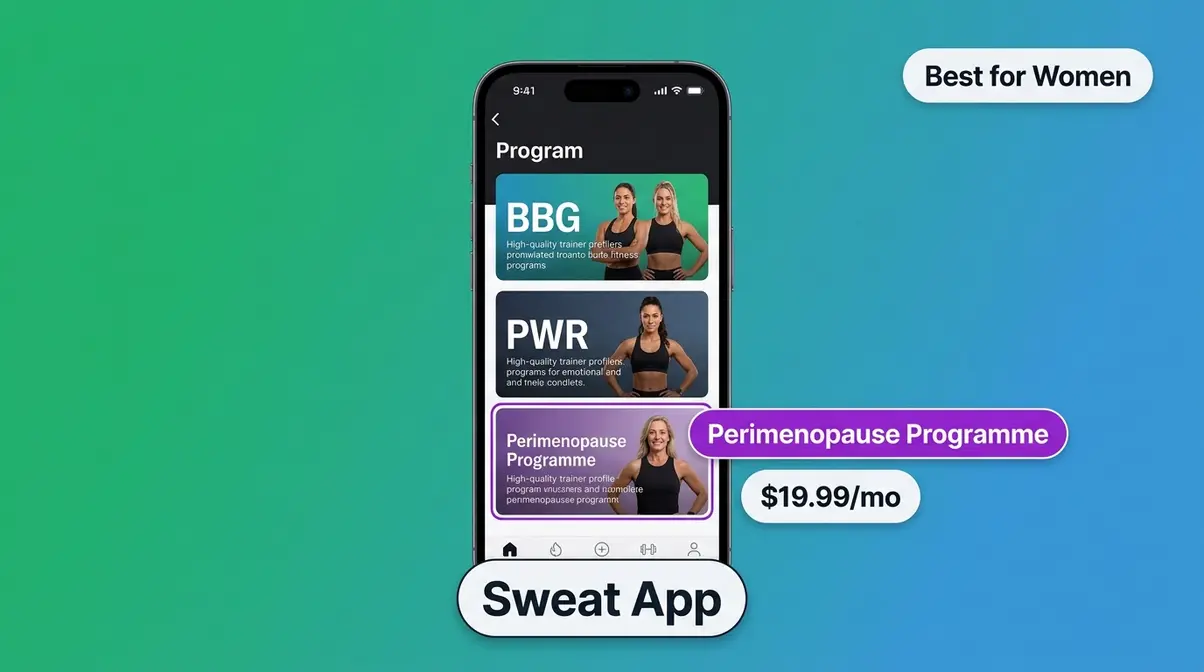
Sweat (~$19.99/month or ~$99.99/year as of May 2026) is built specifically for women, offering programmes from trainers including Kayla Itsines (BBG), Kelsey Wells (PWR), and a dedicated perimenopause-specific programme — the only major app to offer this.
Key Specs: ~$19.99/month | 7-day free trial | iOS, Android | Requires minimal equipment (bodyweight to light dumbbells)
Best for: Women seeking structured programmes, hormonal fitness support, and community with other women.
Not for: Men, or users who want a free long-term option.
Sweat’s perimenopause programme addresses the reality that women over 40 have different hormonal profiles affecting recovery, strength, and energy. The programme modifies intensity and recovery periods accordingly — a level of specificity no competitor currently matches. Community forums within the app are active and supportive, which community research consistently identifies as a key retention driver for women’s fitness apps.
Caliber: Best Free Strength
Caliber offers one of the most robust free tiers in strength training: a full library of beginner-to-advanced programmes available at no cost, with an optional paid coaching upgrade (~$29.99/month as of May 2026) that connects you with a human coach.
Key Specs: Free / ~$29.99/month (coached) | iOS, Android | Requires dumbbells or home gym equipment
Best for: Budget-conscious users who want real strength programming without paying for a subscription.
Not for: Complete beginners with zero equipment — bodyweight options are limited compared to NTC or FitOn.
Caliber’s free tier is legitimately generous: full programme access, progress tracking, and exercise logs. The coached tier adds human accountability but is priced more like a budget personal trainer than a typical app subscription — which is accurate, because you’re paying for a real person’s time.
Apple Fitness+: Best for Apple Watch
Apple Fitness+ (~$9.99/month or ~$79.99/year as of May 2026) is deeply integrated with the Apple Watch, displaying real-time heart rate, calorie burn, and effort rings on your iPhone or Apple TV screen during every session. It includes a one-month free trial.
Key Specs: ~$9.99/month | iOS, iPad, tvOS, Apple TV | Requires Apple Watch for full features | 1-month trial
Best for: Apple Watch owners who want seamless health data integration and studio-quality production.
Not for: Android users, or anyone without an Apple Watch — the core value proposition disappears without the hardware.
Apple Fitness+ produces some of the highest-quality video content on this list. Instructor performances are polished, the music licensing is excellent, and the Time to Walk and Time to Run audio series are genuinely underrated for outdoor exercisers. Without an Apple Watch, however, the biometric integration — which is the app’s main differentiator — is unavailable.
Home Workout: Best Zero-Gear App
Home Workout – No Equipment (by Leap Fitness Group) is a completely free, ad-supported app offering structured bodyweight programmes requiring no equipment whatsoever. It’s the most downloaded bodyweight-only app on both the App Store and Google Play, with over 100 million downloads globally.
Key Specs: Free (ad-supported) | iOS, Android | Zero equipment required
Best for: Anyone who wants to start training today with nothing but floor space.
Not for: Users who want structured multi-week progressive plans or strength training with weights.
The app’s simplicity is its strength. Animated exercise guides are clear enough for absolute beginners, and daily workout reminders help build the habit. The ad experience can be intrusive, and the programming lacks the depth of NTC or Fitbod — but for a zero-cost, zero-equipment starting point, it delivers.
Centr: Best Celebrity AI Trainer
Centr (Chris Hemsworth’s app, ~$29.99/month or ~$119.99/year as of May 2026) combines AI-powered workout generation with meal planning, mindfulness, and celebrity trainer content. A 7-day free trial is available.
Key Specs: ~$29.99/month | iOS, Android | Bodyweight to dumbbell options | 7-day trial
Best for: Users who want an all-in-one health platform with workout, nutrition, and recovery guidance.
Not for: Budget users — Centr is the most expensive app on this list, and the premium price requires commitment to all its pillars to justify the cost.
Centr’s AI trainer feature generates personalised daily plans combining exercise and nutrition, which distinguishes it from apps that only address workouts. The celebrity trainer angle (Thor’s physique sells subscriptions) is marketing, but the underlying programming is credible and CPT-reviewed.
StrongLifts 5×5: Best Barbell App
StrongLifts 5×5 is a completely free app built around one of the most evidence-backed beginner barbell programmes in strength training: five sets of five reps across three compound movements (squat, bench press, deadlift/overhead press), alternating across two sessions per week.
Key Specs: Free (premium upgrade available) | iOS, Android | Requires barbell and rack
Best for: Beginners who own or have access to a barbell and want the simplest, most proven strength-building structure available.
Not for: Anyone without barbell equipment — the programme is non-functional without it.
StrongLifts auto-calculates your next session’s weight based on your logged performance, implementing progressive overload automatically. It’s not glamorous, but Garage Gym Reviews’ analysis of beginner programmes consistently places 5×5-style programming among the most effective for novice strength gains.
Best Free Home Workout Apps
Free doesn’t always mean free — and that distinction matters when you’re trying to build a routine without a credit card. When evaluating free apps, it is crucial to look out for hidden paywalls that lock advanced statistics, historical tracking, or specific premium workout plans. Many “free” apps also rely heavily on ad-supported models, which can interrupt your workout flow. If you want to avoid ads entirely without paying, Nike Training Club remains the gold standard. Conversely, apps like Home Workout – No Equipment use ads to keep the platform free, which is a fair trade-off for many budget-conscious users.
Truly Free vs. Freemium Apps
A truly free app gives you full or near-full access with no subscription required and no time limit. A freemium app offers a limited free tier designed to push you toward a paid plan. Most apps in the fitness space are freemium — their “free” tier is a trial in disguise.
Here’s how the top apps break down:
| App | Free Tier Type | What’s Actually Free |
|---|---|---|
| Nike Training Club | Truly free | Full library, all programmes |
| FitOn | Freemium (generous) | Most classes; some content locked |
| Home Workout – No Equip | Truly free (ad-supported) | Full app, all workouts |
| StrongLifts 5×5 | Truly free | Full programme; premium is optional |
| Caliber | Freemium (robust) | All programmes; coaching costs extra |
| Fitbod | Freemium (trial) | 3 workouts only, then subscription |
| Peloton | Trial only | 30 days, then $12.99/month |
According to PCMag’s best workout app coverage, very few apps offer genuinely unlimited free access — Nike Training Club and Home Workout – No Equipment are the clearest exceptions among major platforms.
Is there a 100% free workout app?
Yes — Nike Training Club and Home Workout – No Equipment are genuinely 100% free, with no credit card required and no time limit on access. Nike Training Club offers over 190 guided workouts and multi-week structured programmes at zero cost. Home Workout – No Equipment is ad-supported but fully free. FitOn and Caliber offer generous free tiers but lock some content behind optional subscriptions. Most other “free” apps are freemium trials lasting 7–30 days (Statista, 2026).
Top 3 Free Apps Ranked
If your budget is zero and you want to keep fitness at home without ever paying, here are your three best options:
- Nike Training Club — Best overall free app. Full programme library, no credit card, no time limit. The gold standard of free fitness apps.
- FitOn — Best free app for variety and social features. Most classes are free; the Pro upgrade is optional.
- Home Workout – No Equipment — Best for zero-gear bodyweight training. Completely free, works with nothing but floor space.
Each of these apps can sustain a genuine fitness routine for 6–12 months without costing you anything. After that, users typically outgrow the programming and benefit from a paid option like Fitbod or Caliber’s coached tier.
Best Home Workout Apps by Equipment
What you own at home determines which apps will actually work for you. Here’s how to match your gear to the right platform.
No Equipment Needed
If you own nothing — no dumbbells, no resistance bands, no pull-up bar — these apps work with bodyweight alone. These routines rely on fundamental movements like bodyweight squats, push-ups, lunges, and planks. Because you are only moving your own body mass, the injury risk is significantly lower. For those who prefer not to use apps, you can still build effective home workouts without equipment using simple bodyweight routines.
- Nike Training Club: Offers dedicated bodyweight programmes (Beginner Bodyweight, Body-Weight Strength) that are genuinely progressive over 4–6 weeks.
- FitOn: Most cardio, HIIT (high-intensity interval training — short, intense bursts of exercise followed by brief rest), yoga, and pilates classes require zero equipment.
- Home Workout – No Equipment: Every single session is bodyweight-only by design.
Bodyweight training can build real strength and endurance, particularly for beginners. CNET’s fitness app review notes that bodyweight-only apps are the fastest-growing segment of the home fitness market precisely because the barrier to entry is zero.
Dumbbell Workouts
If you own a set of dumbbells (even just one adjustable pair), your options expand significantly. With just a single pair of dumbbells, you can perform goblet squats, overhead presses, Romanian deadlifts, and renegade rows. This added resistance is essential for triggering muscle hypertrophy once bodyweight exercises become too easy. If you’re just starting out, pairing these apps with a solid beginner dumbbell workout plan can accelerate your strength gains.
- Fitbod becomes its most powerful with dumbbells — the AI can prescribe specific weights, track progression, and alternate muscle groups intelligently.
- Caliber’s free strength programmes are designed around dumbbell-accessible movements including rows, presses, lunges, and Romanian deadlifts.
- Sweat’s PWR programme (by Kelsey Wells) is designed specifically for home gyms with dumbbells and delivers one of the most structured 16-week dumbbell training plans available.
Even a single pair of adjustable dumbbells (typically $40–$100) unlocks a dramatically wider range of effective strength programming across multiple apps on this list.
Resistance Bands: The Middle Ground
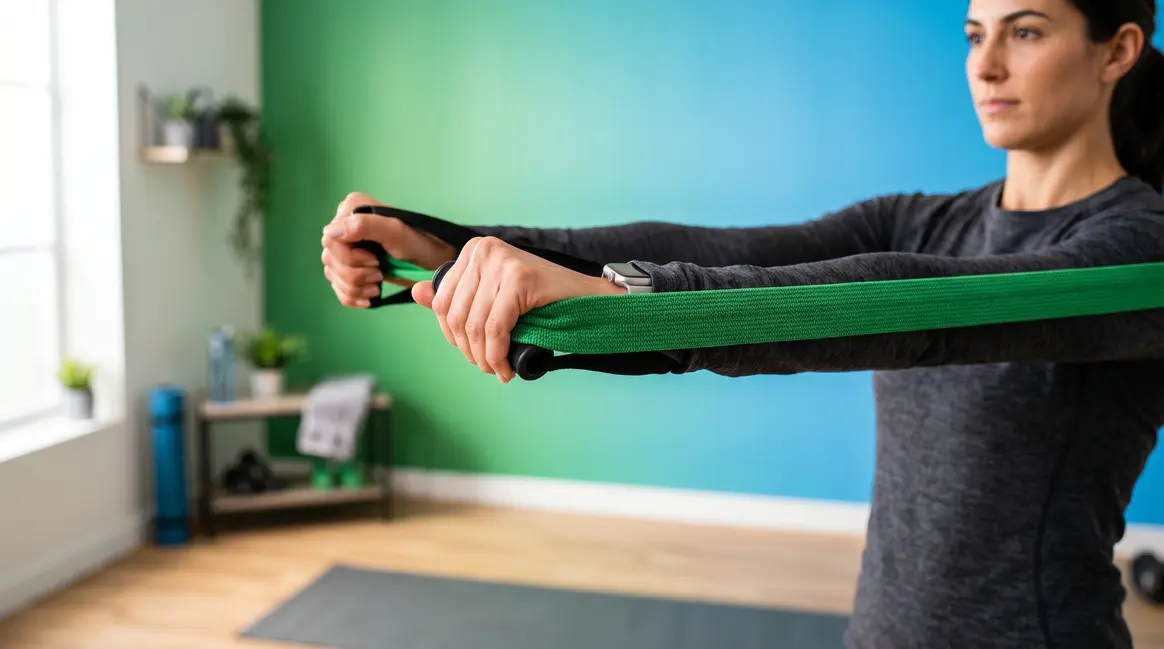
If dumbbells are too expensive or bulky, resistance bands offer an excellent alternative. Apps like Centr and Fitbod allow you to select resistance bands as your primary equipment. Bands provide constant tension throughout the movement, making them highly effective for both upper and lower body isolation exercises.
Full Home Gym Setup
If you have a barbell, rack, and plates, StrongLifts 5×5 is purpose-built for your setup and is completely free. Fitbod also handles full home gym equipment input and will programme barbell movements accordingly. Centr offers barbell-inclusive programmes within its broader fitness ecosystem.
Apps by Goal: Weight Loss & Muscle
Your goal is the single most important filter when choosing a home workout app. Here’s what actually works for each outcome.
Best for Weight Loss
Weight loss through exercise is primarily driven by calorie expenditure and consistency — which means the best app for weight loss is the one you’ll actually use every day. Research suggests that combining cardiovascular exercise with resistance training produces better body composition results than cardio alone (Harvard Health, 2026).
With that principle in mind:
- FitOn leads for weight-loss-focused beginners. Its HIIT and cardio class library is extensive, free, and varied enough to prevent the boredom that kills most routines. Celebrity trainer energy helps on low-motivation days.
- Nike Training Club offers dedicated weight-loss-focused programmes including “Get Lean” and “Endurance” tracks that combine cardio intervals with bodyweight strength work.
- Peloton App is the strongest choice if you respond to competitive, class-based motivation — leaderboard energy drives higher output during cardio sessions.
Consistency matters more than intensity for sustainable weight loss. The app that keeps you showing up three to four times per week beats the technically superior app you abandon in week two.
Best for Muscle Gain
Building muscle at home requires progressive overload — gradually increasing the weight, reps, or difficulty of your workouts over time so your muscles are continuously challenged and forced to adapt. Apps that don’t build progressive overload into their programming won’t deliver meaningful muscle growth over time. If your sole focus is hypertrophy, finding the best muscle building app ensures you get the targeted progressive overload required for growth.
- Fitbod is the clear winner for muscle gain. Its AI-driven progressive overload is automatic and evidence-backed — the app tracks your one-rep max estimates, adjusts volume (total sets and reps), and ensures you’re never doing the same session twice.
- Caliber (free tier) provides structured strength programmes with clear progressive overload built into the weekly plan — an impressive offering at zero cost.
- StrongLifts 5×5 is the most proven beginner strength programme on this list for barbell users — simple, effective, and completely free.
Apps for Women, Men & Perimenopause
Different bodies, different hormonal profiles, different goals — and increasingly, different apps designed to address them.
Best for Women & Perimenopause
Sweat is the standout choice for women, and particularly for women navigating perimenopause. Perimenopause — the hormonal transition period that typically begins in a woman’s 40s and can last several years before menopause — affects energy, recovery, sleep quality, and the body’s response to exercise. Generic fitness apps ignore this entirely. For those focused entirely on lifting, exploring the best strength training apps for women can provide even more specialized resistance programming.
Sweat’s dedicated perimenopause programme, developed with fitness professionals who specialise in hormonal health, modifies workout intensity, rest periods, and weekly volume to account for fluctuating oestrogen and progesterone levels. This is not a cosmetic difference — it’s a structural one that affects how the programming is built week to week.
Good Housekeeping’s best workout app coverage identifies Sweat as the leading women’s-specific fitness platform, citing its combination of trainer variety, community strength, and goal specificity.
Beyond perimenopause, Sweat offers programmes across BBG (Kayla Itsines’ original 12-week bodyweight plan), PWR (dumbbell strength), FIERCE (gym-based), and POST-PREGNANCY — a breadth of women-specific programming that no competitor currently matches.
Nike Training Club is the strongest free alternative for women who don’t need perimenopause-specific programming — its trainer roster is diverse, its programmes are well-structured, and the zero-cost model removes the financial barrier entirely.
What is the best exercise app for perimenopause?
Sweat is the best exercise app for perimenopause, as it is the only major fitness app with a programme specifically designed around the hormonal changes of perimenopause. The programme adjusts workout intensity, rest periods, and weekly volume to account for fluctuating oestrogen levels, which affect energy, recovery, and strength response. Women in their 40s and early 50s navigating this transition report that generic fitness apps don’t account for the fatigue and recovery differences they experience (Harvard Health, 2026).
Best for Men
Men whose primary goal is building muscle at home will find their strongest options in Fitbod (AI-driven strength) and Caliber (free structured programmes). Both apps are gender-neutral by design but are built around the progressive overload principles that drive hypertrophy (muscle growth). Many men prioritize progressive overload for upper body hypertrophy. Apps like Caliber excel here by offering detailed tracking for bench presses, pull-ups, and rows, ensuring you are lifting heavier volumes over time. Fitbod’s algorithm is particularly adept at estimating your one-rep max, which helps male users safely push their limits without a spotter.
For men who prefer class-based training, Peloton’s strength and HIIT classes offer high-intensity instructor-led sessions with a competitive leaderboard element that many men find motivating.
Best for Beginners of Any Gender
Regardless of gender, the best beginner apps share three qualities: immediate accessibility (no confusing setup), clear guided instruction (video or audio coaching throughout), and a structured starting programme (not just a video library). The most critical feature for any beginner is form correction. While an app cannot physically adjust your posture, the high-quality video demonstrations in Nike Training Club and FitOn provide multiple angles of each movement. This visual feedback is vital for preventing common injuries associated with poor form. Both Nike Training Club and FitOn meet all these criteria — which is why they top our beginner picks in the dedicated section below.
Best Home Workout Apps for Beginners
Starting from zero is not a disadvantage — it’s actually the moment when a good app makes the biggest difference. Even with a great app, having a fundamental understanding of a home workout plan for beginners helps you choose the right starting intensity.
What Makes an App Beginner-Friendly?
Our CPT reviewer identified four non-negotiable qualities for beginner-appropriate apps:
- Guided instruction throughout the session — not just a video you watch before pressing play
- A structured starting programme — a multi-week plan, not a random class picker
- Clear form demonstrations — animated or video guides showing correct technique for every exercise
- Low friction to start — beginners should be doing their first workout within five minutes of downloading
Apps that require you to build your own programme, select your own exercises, or understand fitness terminology before you can start are not beginner-friendly — they’re beginner-hostile. Many popular apps fall into this trap by offering powerful customisation tools that overwhelm users who just want to be told what to do.
What is the 3-3-3 rule for working out?
The 3-3-3 workout rule is a beginner-friendly structure: 3 workouts per week, 3 exercises per session, 3 sets per exercise. It is designed to reduce decision fatigue and make consistency achievable for people who are new to exercise or returning after a long break. The simplicity of the framework — nine total sets per session — keeps workouts short (typically 20–30 minutes) and removes the overwhelm of complex programming. Apps like StrongLifts 5×5 and Fitbod’s beginner mode operate on similar minimalist principles.
Top Picks for Absolute Beginners
Nike Training Club remains our top pick for absolute beginners. Select “Beginner” on setup and the app hands you a complete multi-week programme — no decisions required. Our beginner tester completed their first full workout in under five minutes of opening the app for the first time.
FitOn is the best choice for beginners who are intimidated by structured programming and prefer a more casual, class-based approach. Searching “Beginner” surfaces dozens of short (10–20 minute) guided sessions led by encouraging trainers. There’s no pressure to follow a fixed plan, which suits beginners who aren’t ready to commit to a schedule.
Home Workout – No Equipment is the best pick for beginners who are embarrassed about their current fitness level and want to start privately, with no equipment and no social pressure. The animated guides and short sessions (some as brief as 7 minutes) are genuinely achievable starting points.
For beginners who are also managing excess weight, research from the Fortune health coverage of workout apps highlights that low-impact options — walking programmes, yoga, and water-based exercise — are the most sustainable entry points for those with joint concerns.
Reddit’s Favorite Home Workout Apps
Marketing budgets can make any app look impressive. Community consensus is harder to fake.
r/fitness30plus Top Picks
Reddit’s r/fitness30plus community — adults over 30 navigating fitness around jobs, families, and aging bodies — consistently surfaces the same apps in recommendation threads. After reviewing dozens of threads from 2024–2026, the community consensus breaks down as follows:
- Nike Training Club appears in virtually every “free app” recommendation thread, often with the caveat that it’s “the best free option, full stop.”
- Fitbod is consistently recommended for anyone asking about home strength training, with users praising the AI adaptation as “the closest thing to having a coach tell you what to do.”
- Peloton App divides the community — users who love it are passionate, while critics cite the ongoing subscription cost as a dealbreaker after the trial.
- Caliber has a growing presence in threads about free strength programming, with users surprised by the depth of the free tier.
User consensus across Reddit’s r/fitness30plus indicates that the most common reason for abandoning an app is not lack of features — it’s lack of structure. Apps that give users a complete programme (NTC, Fitbod, Caliber) retain users significantly longer than class-library apps where users must self-direct.
Why Reddit Agrees With Our Picks
Reddit’s top picks align closely with our CPT-reviewed rankings — with one notable exception. The community rates StrongLifts 5×5 higher than most professional review sites do, particularly among men who own home barbells. The reason is simple: the programme works, it’s free, and it requires almost no decision-making. For the r/fitness community, that simplicity is the feature.
Where Reddit diverges from our picks: the community is more sceptical of subscription-based apps with celebrity branding (Centr, Peloton) and more enthusiastic about free, no-frills tools that deliver results without ongoing cost. This is worth weighing if your budget is a primary constraint.
Best Home Workout Apps by Device
Your phone or tablet determines which apps you can actually use — and how well they work. If you want to track your progress seamlessly, finding the top device fitness apps ensures your wearable syncs perfectly with your chosen platform.
iPhone and Apple Watch
Apple Fitness+ is the clear choice for iPhone and Apple Watch users. The real-time biometric integration — heart rate, calorie burn, and effort rings displayed on-screen during every session — creates a feedback loop that no other app replicates for Apple hardware. The one-month free trial is generous enough to evaluate whether the Apple Watch integration justifies the subscription.
Nike Training Club and FitOn both have polished iOS apps and integrate with Apple Health for passive tracking. Neither requires an Apple Watch, making them the strongest free choices for iPhone users.
Android and PC
Every app on this list has an Android version, but quality varies. Fitbod, FitOn, and Nike Training Club have consistently rated Android apps (4.5+ stars on Google Play as of 2026). Apple Fitness+ is iOS/tvOS only — Android users are excluded entirely.
For PC users, most apps are mobile-first and lack dedicated desktop applications. Peloton offers the strongest web app experience for PC-based workouts, particularly for users who prefer training with a large monitor or TV browser. FitOn also functions via web browser, making it one of the more PC-accessible options.
How to Choose: The App-Fit Matrix
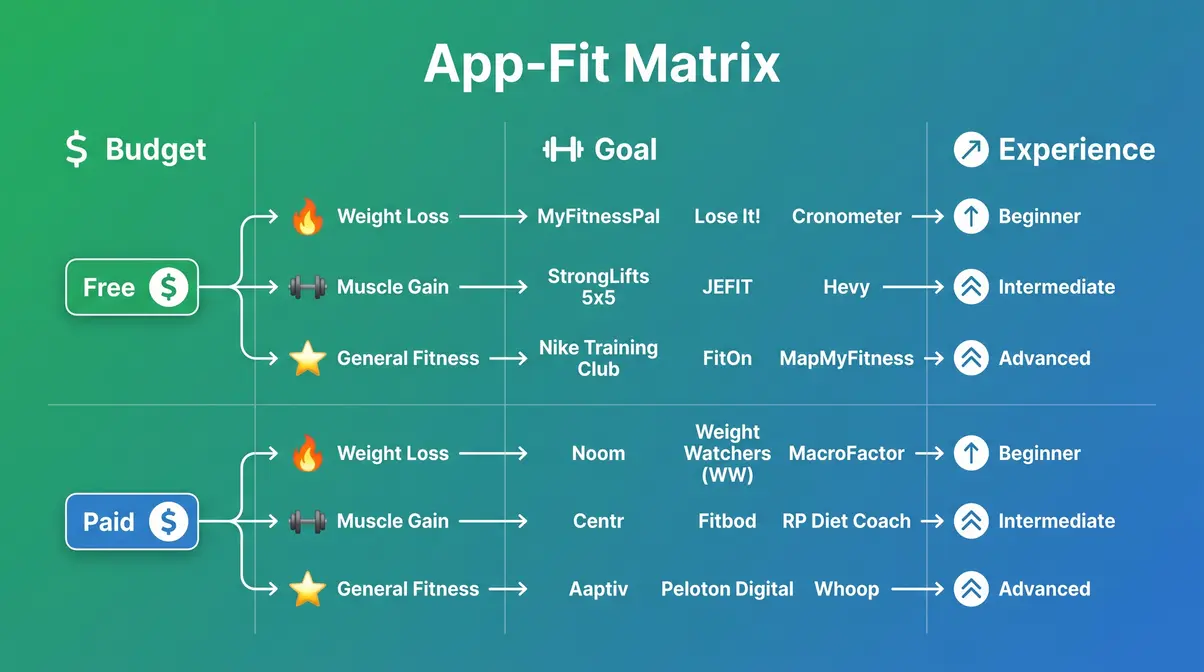
Choosing a home workout app doesn’t have to feel overwhelming. The App-Fit Matrix — developed from our eight-point evaluation rubric — maps every app on this list to three simple axes: your budget, your goal, and your experience level. Find your situation in the table below, and your app is already chosen.
App-Fit Matrix: Match Your App
| Your Situation | Best App | Why |
|---|---|---|
| Zero budget, beginner, no equipment | Nike Training Club | Fully free, structured programmes, zero gear needed |
| Zero budget, beginner, wants variety | FitOn | Free classes, celebrity trainers, no commitment |
| Paid, beginner, wants structure | Fitbod | AI adapts to your level from day one |
| Paid, intermediate, muscle building | Fitbod or Caliber | Progressive overload built in automatically |
| Paid, woman, perimenopause support | Sweat | Only app with dedicated hormonal fitness programme |
| Paid, wants studio-class energy | Peloton | Live classes, leaderboard, instructor energy |
| Apple Watch user, paid | Apple Fitness+ | Real-time biometric integration unmatched |
| Zero budget, no equipment, bodyweight only | Home Workout – No Equipment | Truly free, zero gear, beginner-friendly |
| Paid, all-in-one (workout + nutrition) | Centr | AI trainer plus meal planning in one platform |
| Has barbell, wants proven programme | StrongLifts 5×5 | The most evidence-backed beginner barbell programme, free |
5 Questions Before You Download
Before committing to any app, answer these five questions. They’ll eliminate 80% of the options and leave you with one or two clear choices:
- What’s my monthly budget? If the answer is zero, your shortlist is: NTC, FitOn, Home Workout – No Equipment, StrongLifts 5×5, Caliber (free tier).
- What’s my primary goal? Weight loss → FitOn or NTC. Muscle gain → Fitbod or Caliber. General fitness → any of the top five.
- What equipment do I own? No equipment → NTC, FitOn, Home Workout. Dumbbells → Fitbod, Caliber, Sweat. Barbell → StrongLifts 5×5.
- Do I need structure or variety? If you need to be told exactly what to do → NTC, Fitbod, Caliber. If you prefer picking classes → FitOn, Peloton.
- Am I on iPhone or Android? iPhone + Apple Watch → Apple Fitness+. Android → any app except Apple Fitness+.
Drawbacks & Workout App Alternatives
No app is perfect — and for some people, an app isn’t the right solution at all. Here’s an honest assessment.
Common Workout App Mistakes
The three most common mistakes our team observed during testing:
- Choosing by brand recognition, not fit: Peloton is the most recognisable brand, but it’s not the right app for a beginner on a zero budget. Match the app to your situation using the App-Fit Matrix, not the app’s marketing.
- Underestimating the free trial: Most paid apps offer 7–30 day trials. Use the full trial period before committing. If you haven’t completed three workouts in the first week, the app is not for you — regardless of how good the reviews are.
- Ignoring progressive structure: Downloading an app with a massive video library feels like value. But without a structured programme, most users browse endlessly and never start. Prioritise apps that hand you a programme, not a catalogue.
If you have a pre-existing medical condition, injury, or chronic health issue, consult a certified trainer or physiotherapist before starting any home workout programme — an app cannot assess your individual movement patterns or contraindications.
When an App Isn’t Enough
Apps are tools, not trainers. There are situations where a home workout app is genuinely insufficient:
- Rehabilitation from injury: If you’re recovering from a musculoskeletal injury, a physiotherapist — not an app — should be directing your movement. Apps cannot assess compensatory patterns or pain responses.
- Significant body composition goals: Users aiming to lose more than 30 lbs or gain substantial muscle mass benefit from human coaching that adjusts to biofeedback, lifestyle factors, and plateaus in ways no algorithm currently handles.
- Mental health as a primary driver: Exercise can support mental wellbeing, but for users whose primary concern is depression, anxiety, or disordered eating, an app is not a substitute for clinical support.
The right app is a powerful starting point. Knowing its limits is part of using it well.
Frequently Asked Questions
What is the #1 workout app?
Nike Training Club is the #1 workout app for most people, based on its combination of zero cost, structured multi-week programmes, and beginner accessibility. It consistently tops professional review rankings from PCMag and CNET, and is the most recommended app across Reddit’s fitness communities.
What are the best free home workout apps?
The three best free home workout apps are Nike Training Club, FitOn, and Home Workout – No Equipment. Nike Training Club offers the most structured free experience with full programme access, while FitOn provides the widest class variety. Home Workout – No Equipment is the best for zero-gear bodyweight training.
How did Kelly Clarkson lose weight so quickly?
Kelly Clarkson has publicly attributed her weight loss primarily to dietary changes and medication, not a specific workout app. She has mentioned walking as her primary form of exercise, which aligns with a low-impact, sustainable activity pattern. Claims linking her weight loss to specific fitness apps are not substantiated by her public statements.
What does Jennifer Aniston use for menopause?
Jennifer Aniston has spoken publicly about using Pvolve — a resistance band-based workout method — as part of her fitness routine, and has referenced hormonal changes as a factor in adapting her exercise approach. She became a co-owner and partner of Pvolve in 2023. The Pvolve app (~$19.99/month) offers a streaming platform of resistance-based workouts. For women seeking a more widely available alternative with similar low-impact, joint-friendly principles, Sweat’s perimenopause programme offers comparable hormonal fitness considerations at a similar price point.
What is the best app for working out at home?
The best app for working out at home is Nike Training Club for free users, and Fitbod for users willing to pay for AI-personalised strength training. For women, Sweat is the strongest structured option. For beginners with zero equipment, Home Workout – No Equipment removes every barrier to starting. The right answer depends on your budget, goal, and equipment — use the App-Fit Matrix in this guide to find your exact match in under 60 seconds.
Prices and features are subject to change. Always verify current pricing on each app’s official website before subscribing.
For anyone who has spent more time researching home workout apps than actually working out, the answer is simpler than the market makes it appear. The best home workout app is the one that matches your budget, fits your goal, and hands you a programme instead of a catalogue — and our six-week evaluation identified clear winners at every price point and experience level.
The App-Fit Matrix exists precisely because no single app is right for everyone. Nike Training Club wins on zero-cost accessibility. Fitbod wins on AI-driven strength progression. Sweat wins on women’s and perimenopause-specific programming. Every recommendation in this guide was stress-tested against the eight criteria that research consistently links to long-term exercise adherence — and bodymusclematters.com stands behind each one.
Your next step is simple: use the App-Fit Matrix decision checklist above, download your matched app today, and complete your first workout before you close this tab. A 20-minute session is all it takes to go from researching to building a real routine.
Related posts:
Best Protein Tracker App: Tested & Compared for 2026
Best Muscle Building App 2026: 7 Expert-Tested Picks
How to Use Resistance Bands for Beginners: Full Guide
Best Food Tracking App for Beginners: Top 5 of 2026
Gym Equipment Names and Uses: A Beginner Guide
Best Resistance Bands for Strength Training (2026 Picks)

Callum
Hi, I'm Callum, the founder of Body Muscle Matters. I'm not a certified trainer, I'm a self taught lifter who started this site to share what I've learned from my own training and a lot of trial and error. Everything here comes from real experience and honest research, written the way I'd explain it to a friend who is just getting started. My goal is simple: practical, no hype fitness advice you can actually use.