Best Strength Training App 2026: 7 Tested & Compared
You’ve probably read three “best of” app lists, watched two YouTube comparisons, and you’re still not sure which app to download — and that’s completely normal, because most guides skip the thing that matters most: which type of app you actually need. AI-assisted search for strength training apps is rising at roughly +9% year-over-year (keyword research data, 2026), which means more people than ever are turning to smarter tools — and feeling more lost than ever.
The top-rated AI coaching app is completely useless if you already know your program and just need a clean lifting log. Downloading the wrong type of app — not the wrong app — is the single most common and expensive mistake beginners make.
By the end of this guide, you’ll know exactly which best strength training app matches your training intent — and you’ll have the comparison data to back up your decision. We cover seven apps across eight decision categories, from AI coaching to Apple Watch integration.
**
Key Takeaways: Best Strength Training Apps of 2026
The best strength training app depends on your training intent — not just your price range. Applying The Training Intent Filter (three quick questions about your goals, program, and budget) cuts through decision fatigue before you read a single review.
- Fitbod — Best for AI-generated workouts that adapt to your equipment and recovery
- Caliber — Best free app for beginners who need structured, video-guided programs
- Hevy — Best for lifters who know their program and want a clean, shareable log
- JuggernautAI — Best for serious powerlifters running percentage-based programming
- WeGLOW — Best for women over 40, with perimenopause-aware training schedules
- Nike Training Club — Best completely free option for bodyweight and home workouts
- Strong — Best for precision loggers who want CSV export and granular data control


Our Top Picks: Best Strength Training Apps
The best strength training apps in 2026 split into two fundamentally different categories: AI coaching apps that build your workouts for you (Fitbod, JuggernautAI, Shred) and workout logging apps that let you record a program you already follow (Hevy, Strong). Choosing the best app for strength training starts with knowing which category you need. Research on AI-personalized exercise prescriptions published in JMIR mHealth and uHealth (2024) found that mobile apps using machine learning for personalized exercise prescriptions significantly increase both workout intensity and user enjoyment — but only when matched to the right user intent.
Our team evaluated all seven apps over six weeks using four criteria: quality of progressive overload tracking (the practice of gradually increasing training stress over time to force muscle adaptation), availability of a meaningful free tier (the features accessible at no cost before a subscription is required), onboarding experience for complete beginners, and smartwatch compatibility. Here’s what that process revealed.
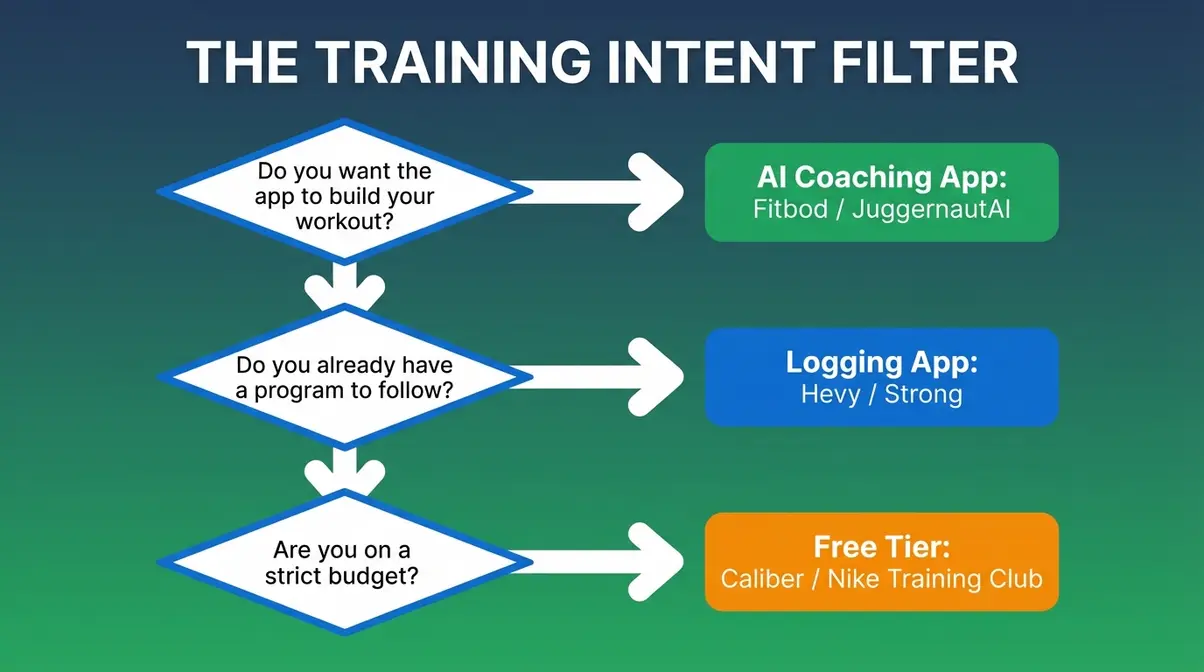
Caption: Answer three questions to identify your training intent — this one decision eliminates 80% of app confusion before you read a single review.
The Training Intent Filter
The Training Intent Filter is a three-question framework designed to route you to the correct app category before you spend time comparing individual apps that may be solving completely different problems.
Most beginner confusion comes from comparing Fitbod to Hevy. That’s like comparing a personal trainer to a notebook — both are useful, but they serve fundamentally different needs. Here are the three questions:
- Do you want the app to build your workout for you? If yes, you need an AI coaching app — Fitbod, Shred, or JuggernautAI. These apps generate your exercises, sets, reps, and weights each session. You show up; they direct.
- Do you already have a program and just need to track sets, reps, and weights? If yes, you need a logging app — Hevy or Strong. These apps are clean digital gym logs, not coaches. Adding AI to your pre-written program just creates friction.
- Are you on a strict budget or not ready to pay yet? If yes, start with a free-tier app — Caliber, Hevy, or Nike Training Club. Testing before committing financially is a legitimate strategy, not a compromise.
Once you know your training intent, the decision becomes obvious. Here’s who wins each category.
App Comparison:
| App | Monthly Price | Best For | AI-Generated Workouts? | Free Tier? | Apple Watch? |
|---|---|---|---|---|---|
| Fitbod | ~$15.99/mo | AI coaching, equipment-adaptive | Yes (full AI) | Trial only | Yes |
| Caliber | Free / ~$9/mo (Plus) | Beginners, structured programming | No (template-based) | Yes (robust) | No |
| Hevy | Free / $2.99/mo (Pro) | Lift logging, community | No | Yes (core features) | No |
| JuggernautAI | ~$34.99/mo | Powerlifters, percentage programs | Yes (periodization AI) | Trial only (2 weeks) | No |
| Shred | ~$12.99/mo | AI coaching, motivation-forward | Yes | No | Yes |
| WeGLOW | ~$15/mo (quarterly) | Women, perimenopause-aware | No | Trial (3 days) | No |
| Nike Training Club | Free | Budget, bodyweight, home workouts | No | Yes (full) | No |
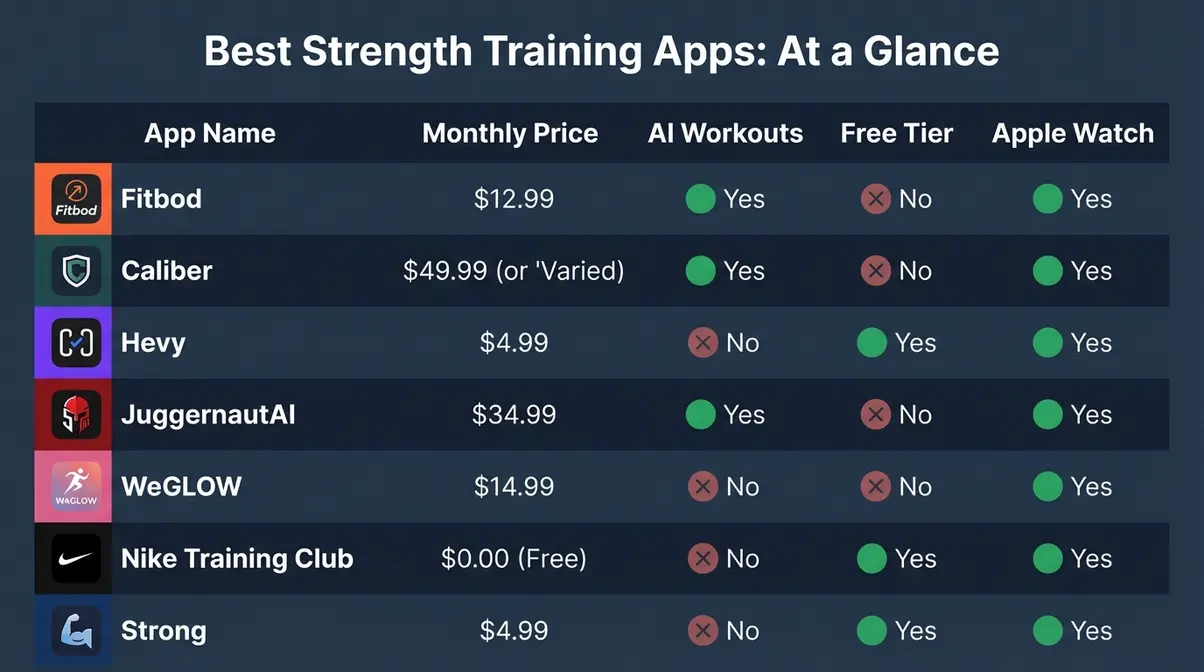
Caption: Side-by-side overview of all seven apps — use The Training Intent Filter first to identify which row applies to you before comparing prices.
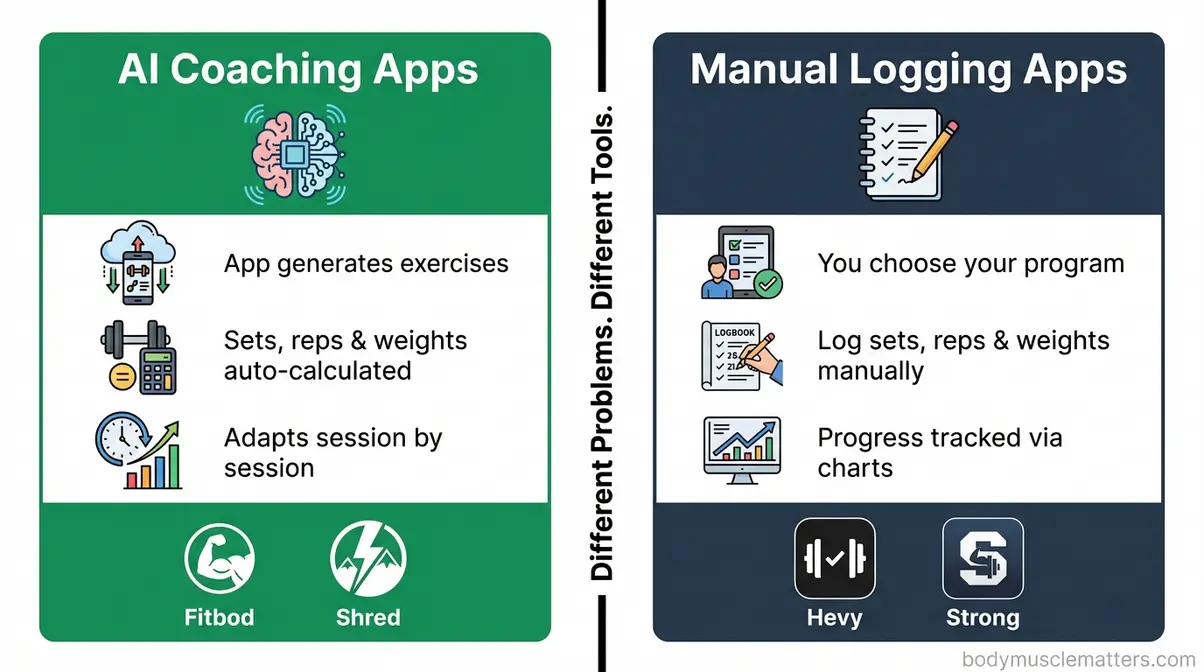
Caption: AI coaching apps generate your program session by session; logging apps record a program you already follow. Mixing these two categories is the most common beginner mistake.
For a deeper breakdown of muscle-building features, see our full review of the top muscle-building apps.
Best for AI Coaching: Fitbod
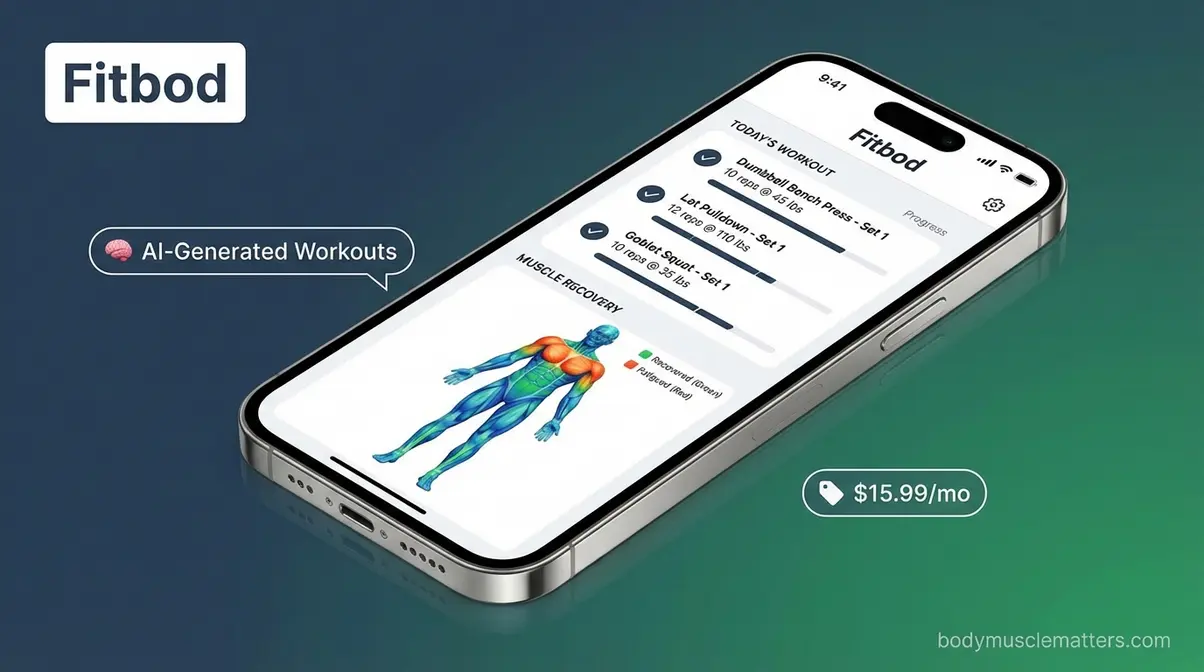
Fitbod, an AI-powered strength coaching app that auto-generates workouts based on equipment and muscle recovery, is the clearest example of a coaching app done right. Its AI reads which muscle groups need more recovery (muscle recovery — the period your muscles need to repair and grow stronger between sessions), checks which equipment you’ve told it you have access to, and builds a new session automatically. You never design a workout; you simply show up and execute.
Here’s the practical workflow: you open Fitbod, confirm you have a barbell and a set of dumbbells, and the app generates a five-exercise session with progressive overload built in — meaning it adds weight or reps systematically as you get stronger, rather than leaving you to guess. As research on AI-personalized exercise prescriptions confirmed in JMIR mHealth (2024), this personalized approach measurably increases both training intensity and consistency.
Fitbod is the best fitness app for strength training when you want maximum variety and zero planning overhead. The monthly subscription runs approximately $15.99. There is no permanent free tier, only a limited trial.
Fitbod’s primary advantage over Caliber is adaptive variety — the workout changes session by session based on what muscle groups are recovered, preventing the staleness that kills beginner motivation.
Download Fitbod if: You want an AI to decide your exercises, sets, reps, and weights every session — with no programming knowledge required.
Skip Fitbod if: You already follow a coach-written program — the AI will override your structure, creating more confusion than value. In that case, Hevy is the better fit.
Where Fitbod acts as your AI coach, Caliber takes a different approach — it gives you the structure of a coach without the monthly fee.
Best for Beginners and Free Use: Caliber
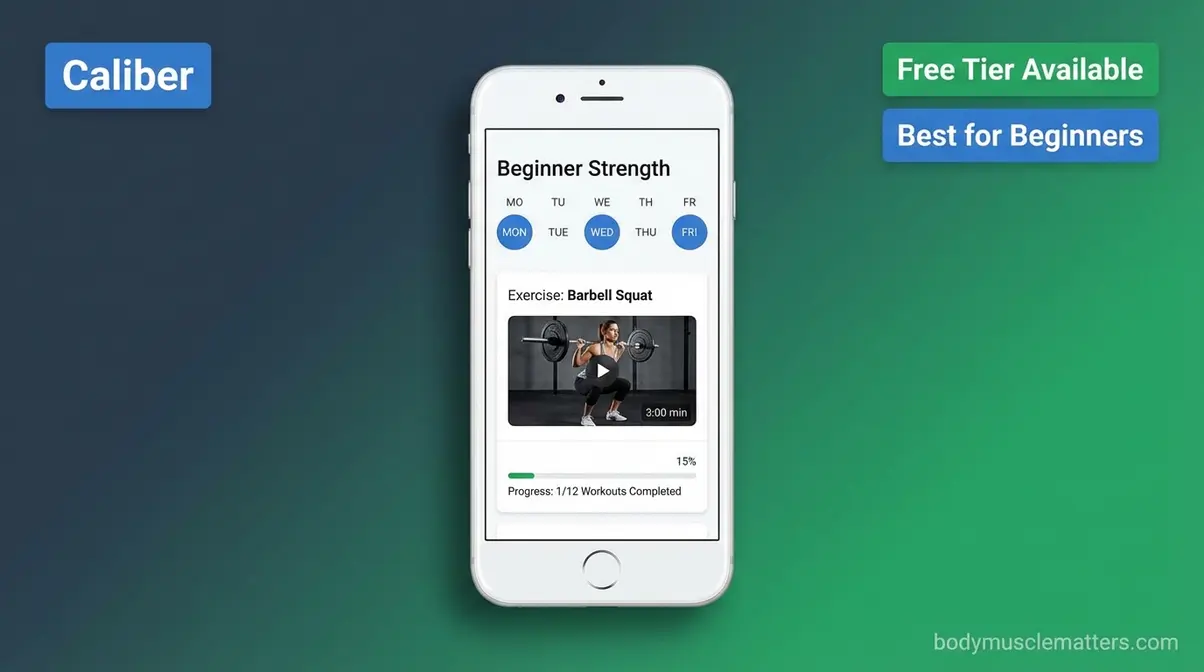
Caliber, Fitbod’s primary competitor in the beginner-to-intermediate segment, solves a different problem entirely. Its free tier is genuinely useful — and that distinction matters. You get structured strength programs, an exercise video library with form demonstrations, workout logging, and progress tracking, all at no cost and with no ads.
For absolute beginners, this video library addresses the single biggest fear: “Am I doing this correctly?” A beginner walks into the gym for the first time, opens Caliber, selects “I’m a beginner, full gym access,” and receives a three-day-per-week program with video demos for every exercise — including the Big Three (squats, deadlifts, and bench press — the foundational compound lifts of strength training, meaning exercises that work multiple muscle groups simultaneously).
Caliber Plus — the upgrade tier — costs approximately $9/month (or $72/year) and unlocks advanced analytics and premium programs. The full human coaching tier starts at $200/month. Most beginners won’t need either for at least the first six months.
User consensus from the r/PlanetFitnessMembers community consistently recommends Caliber for beginners specifically because it functions as a free personal trainer (per Caliber’s official app listing, Google Play, 2026).
Download Caliber if: You’re brand new to strength training and need form guidance alongside a structured program — at zero cost.
Skip Caliber if: You want AI-adaptive programming that changes session to session — Fitbod is built for that. Caliber’s free programs are excellent but static.
Fitbod and Caliber both have their place. But if you already know your program and want zero friction in logging it, neither will satisfy you — that’s Hevy’s territory.
Best for Tracking: Hevy
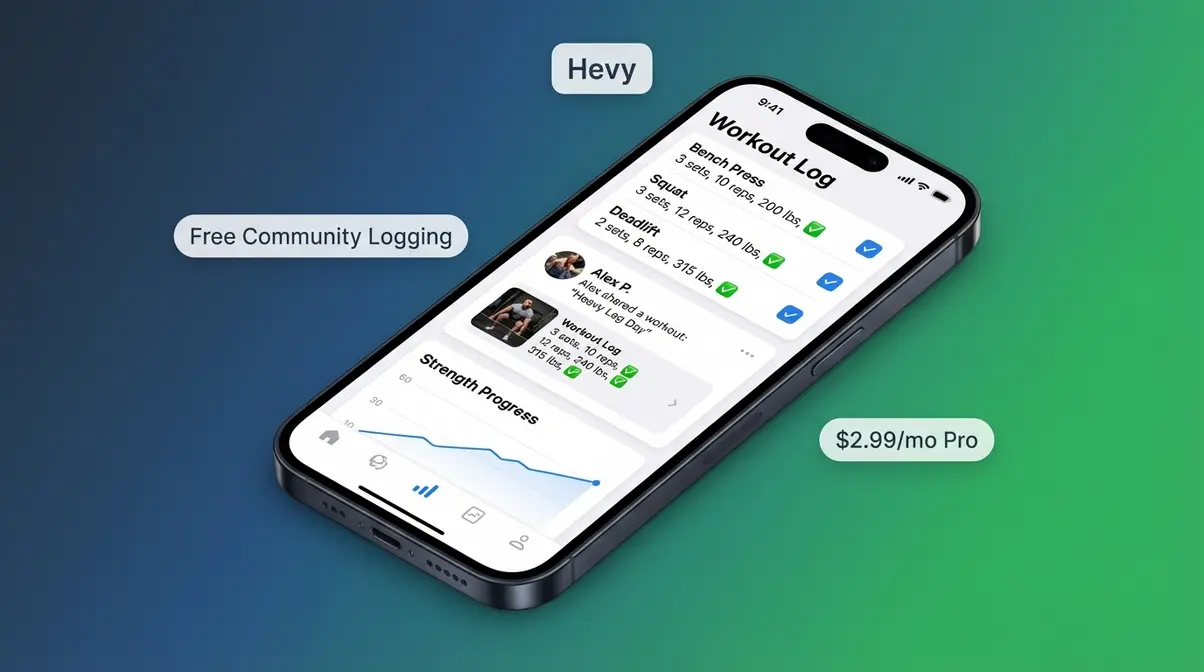
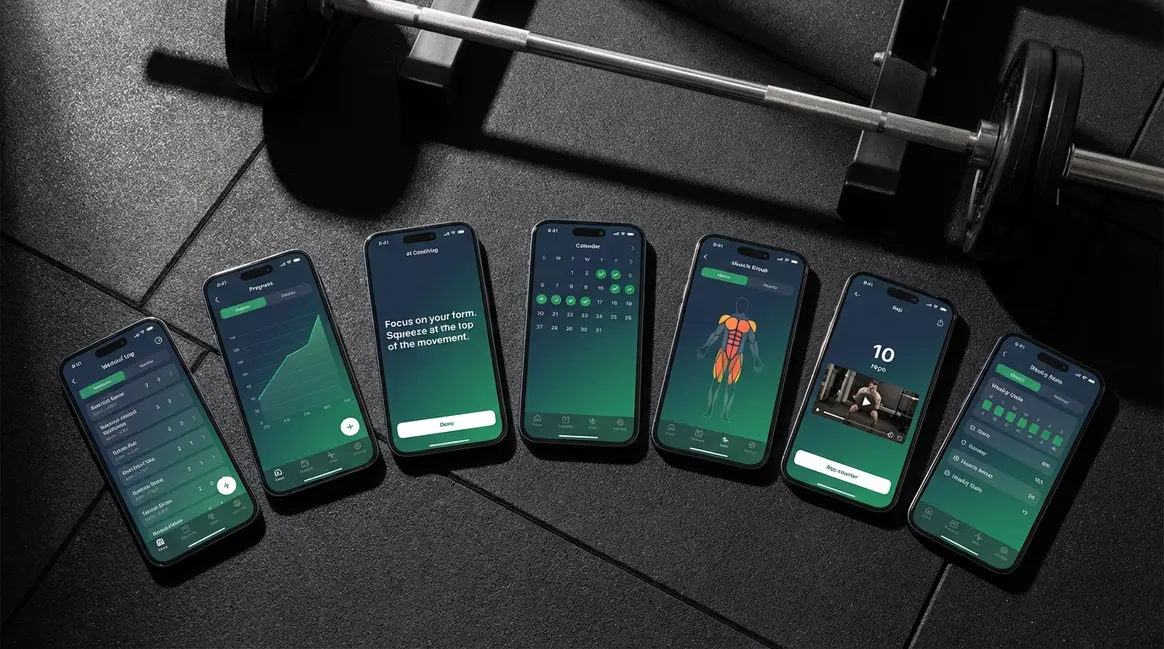
The best app to track strength training for lifters who already have a program is Hevy, a community-focused gym logging app available on iOS and Android. Its core function: log exercises, sets, reps, and weight — and the app automatically tracks progressive overload and generates visual progress charts over time.
Imagine a lifter following 5/3/1 (a percentage-based powerlifting framework built around four key lifts). They open Hevy after each session, log their sets, and within eight weeks, Hevy’s graphs show their bench press has climbed 15 lbs — visual proof that progressive overload is working. That data visibility is motivating in a way no spreadsheet can replicate.
Hevy also includes a social feed where you can follow other lifters and share workout logs. Reddit’s r/Fitness community frequently recommends it alongside Strong as the two best pure logging tools. The free tier covers core logging features; Hevy Pro ($2.99/month or $23.99/year) unlocks unlimited custom exercises, unlimited routine history, and detailed analytics.
Download Hevy if: You already follow a program and want the cleanest, most visual gym log available.
Skip Hevy if: You need a program built for you — go to Fitbod or Caliber instead.
For competitive powerlifters, neither Hevy nor Fitbod provides the periodization programming they need — that’s where JuggernautAI becomes essential.
Best for Powerlifters: JuggernautAI
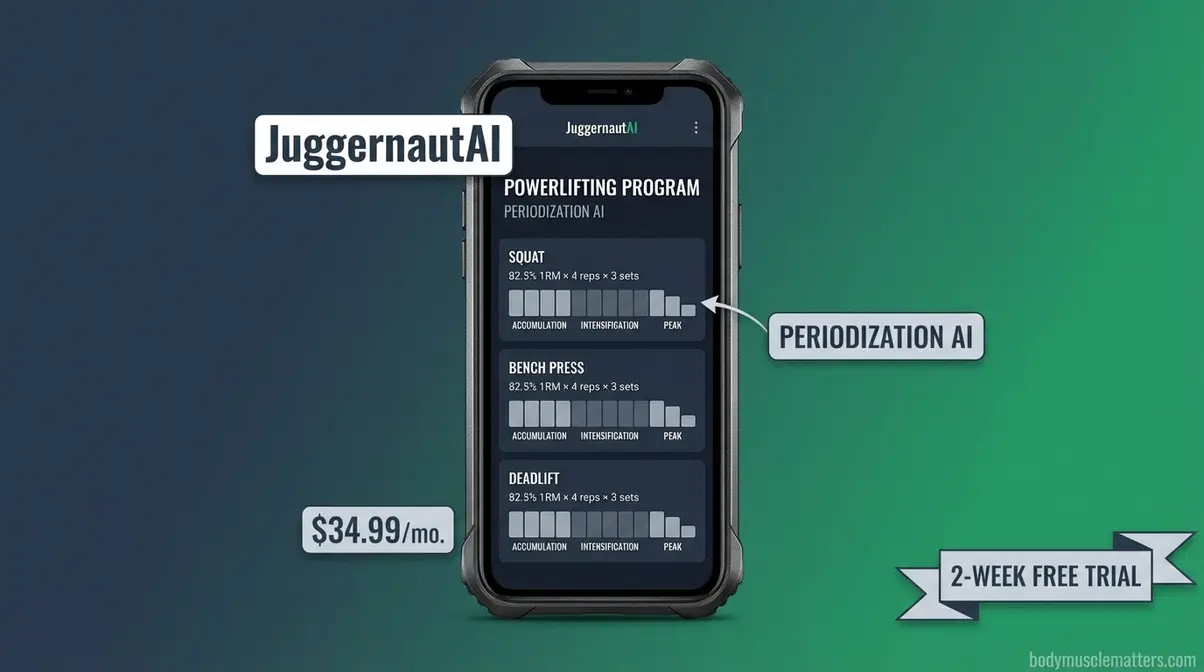
JuggernautAI, a periodization-based app built specifically for powerlifters, occupies a niche that the other six apps don’t touch. It specializes in percentage-based programming — meaning it calculates your training weights as percentages of your one-rep maximum (the most weight you can lift for a single full repetition, commonly abbreviated as 1RM). This is how elite powerlifters train.
Garage Gym Reviews (2026) noted JuggernautAI’s instruction quality as among the highest tested, particularly for athletes running periodized blocks. The app includes a two-week free trial, then costs $34.99/month or $349.99/year.
Who should not use JuggernautAI: beginners who don’t yet have established 1RM numbers, or anyone who hasn’t trained the Big Three consistently for at least six months. The app assumes you know your numbers and how to execute the lifts. If you don’t, start with Caliber or Fitbod first.
Download JuggernautAI if: You compete in powerlifting or have a specific strength goal requiring periodized, percentage-based programming.
Skip JuggernautAI if: You’re a general fitness beginner — the complexity will overwhelm you. Caliber or Fitbod are better starting points.
Now that you’ve seen the top picks, the most common question is: Fitbod or Caliber — which one actually wins?
Is Fitbod or Caliber Better?
Fitbod wins for intermediate lifters; Caliber wins for beginners. That single sentence answers the question for most people — but the nuance matters.
- Fitbod wins when: You want AI that adapts workout-by-workout, you train on irregular or changing equipment, and you want maximum session variety without planning.
- Caliber wins when: You’re a beginner who needs video-guided form instruction, you want a free, structured program, and you’re not yet ready to pay a monthly subscription.
According to Fitbod’s official comparison guide, Caliber is the recommended starting point for beginners; Fitbod leads for daily AI-adaptive programming (Fitbod, 2026). Our team’s evaluation aligns with this: the two apps serve genuinely different users at different stages, and overlap is minimal.
The core apps serve everyone broadly — but if you’re a woman, especially over 40 or navigating perimenopause, you need something more specific.
Best Strength Training Apps for Women Over 40
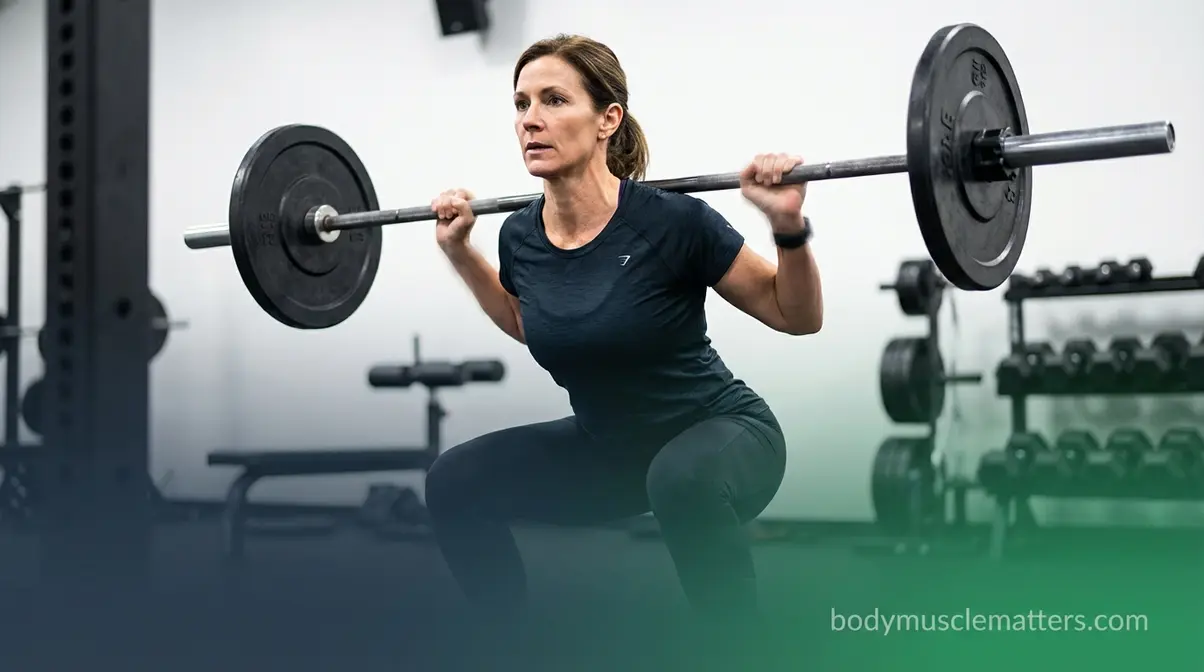
The best women’s strength training app does more than offer exercise variety — it accounts for female physiology, hormonal phases, and bone density priorities that most general apps ignore entirely. Stanford research on perimenopausal muscle loss confirms that strength training during perimenopause is uniquely effective at combating lean muscle loss and preventing unwanted fat gain, outperforming long-duration endurance exercise. Apps that ignore hormonal context are, by definition, delivering an incomplete program for this demographic.
Strength training during perimenopause is uniquely effective at combating lean muscle loss and preventing unwanted fat gain, outperforming long-duration endurance exercise, according to Stanford Lifestyle Medicine.
For these readers, The Training Intent Filter adds a fourth question: “Does the app account for hormonal training phases?” For women over 40, that question eliminates most options on the market before you even check the pricing.
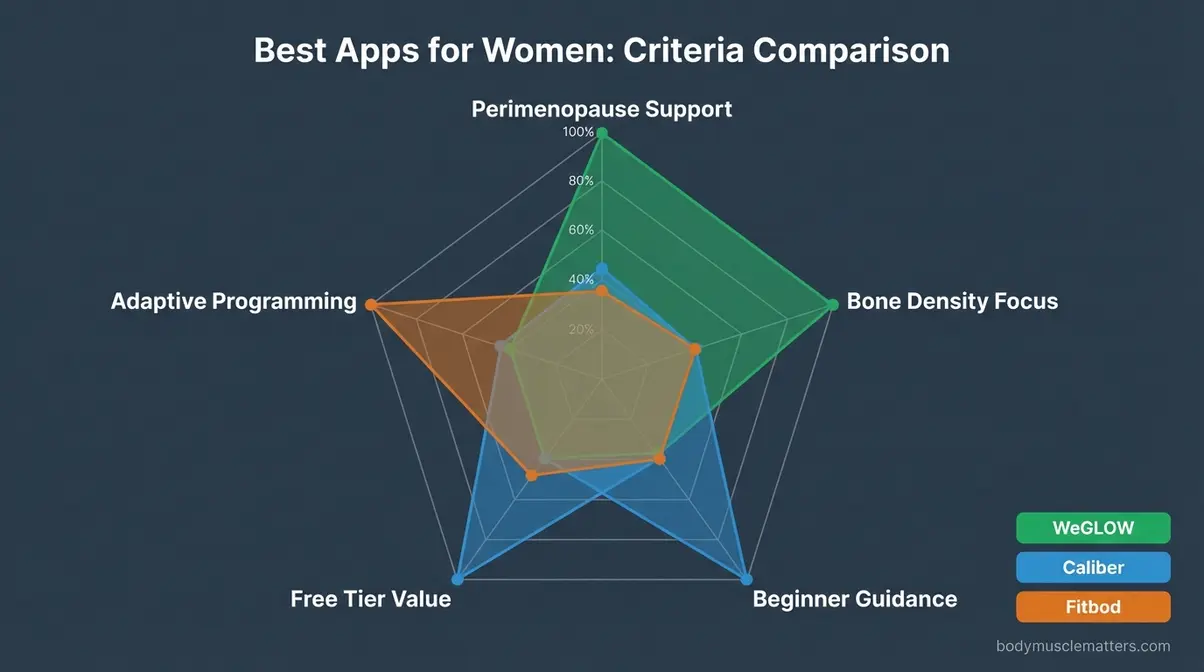
Caption: WeGLOW leads on perimenopause support and hormonal phase programming; Caliber leads on beginner guidance; Fitbod leads on adaptive variety.
For more foundational context, see our foundational guide to strength training for women.
Ideal Features for Women
Most strength apps were designed around male physiology — progressive overload assumptions, rest period recommendations, and volume targets that don’t account for hormonal fluctuations across the menstrual cycle or perimenopause (the transitional period before menopause, typically occurring between ages 40–55). That’s not a minor gap; it’s a structural mismatch.
The best workout app for women strength training should meet three criteria:
- Phased programming that can adapt to energy levels across hormonal cycles, not just add weight linearly
- Bone-density-focused exercise selection, prioritizing weight-bearing compound movements over machine-based isolation work
- Beginner-friendly form guidance without the intimidating powerlifting framing that dominates most apps
Strength training for women over 40 is not primarily about aesthetics — it’s a clinical-grade intervention for long-term health. Stanford Lifestyle Medicine positions resistance training as the most effective tool for this demographic. Apps that treat female users as a slight variation on the male default miss this entirely.
WeGLOW is the app that takes these criteria most seriously — and it’s the clear standout for women navigating perimenopause.
Best for Perimenopause: WeGLOW
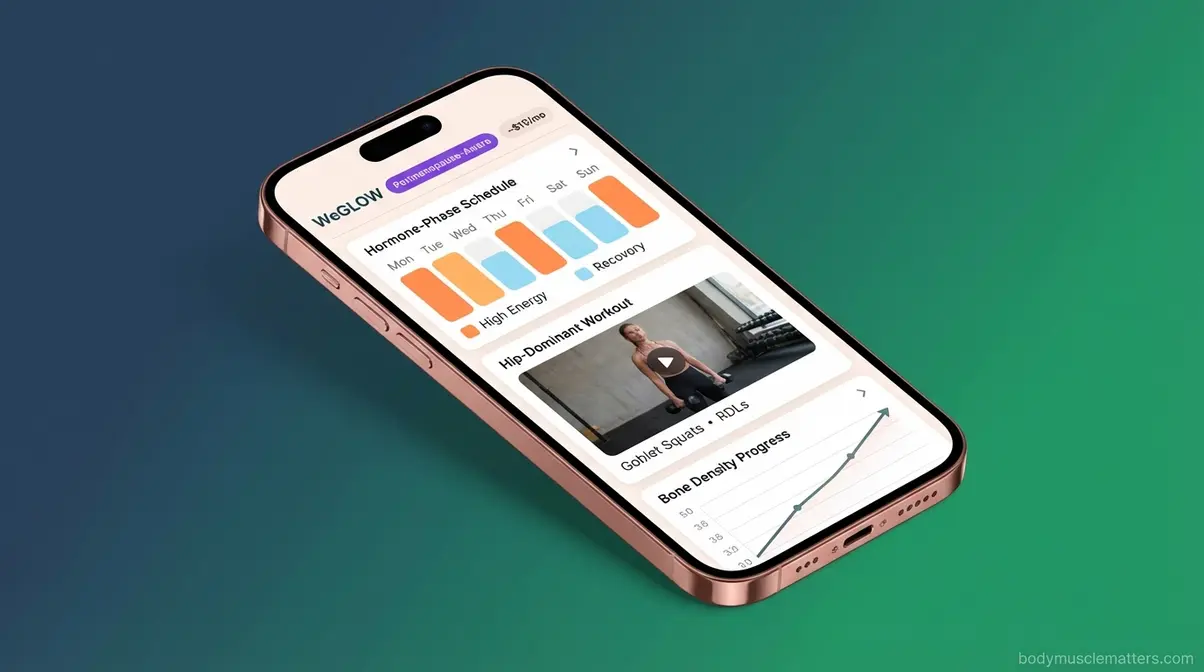
The best strength training app for women over 50 is WeGLOW, a strength and wellness app built specifically for women with guided gym and home-compatible workouts designed with perimenopause hormonal context in mind. The programming doesn’t apply a standard 3×10 template and call it done — it structures sessions around different energy windows across hormonal phases, which is a meaningful functional difference.
A study on app-based strength training for older women published in NIH PMC (2022) showed that women over 60 following an app-based physical exercise program achieved statistically significant improvements in both muscular strength and overall flexibility — a research model closely aligned with WeGLOW’s approach.
Consider this real-world application: a 48-year-old woman experiencing perimenopause opens WeGLOW, selects “I have dumbbells at home,” and receives a sustainable three-day-per-week program focused on hip-dominant and upper-body movements for bone density. There’s no exhausting HIIT, no sets of 20 burpees — just structured, sustainable, bone-protective training.
Structured strength exercises are highly beneficial for improving bone density (bone mineral content that naturally declines after 40) and regulating hormonal and metabolic levels during menopause, according to systematic reviews on strength exercise efficacy for menopause symptoms (PubMed, 2023). WeGLOW is currently the app most directly aligned with that clinical evidence base.
Pricing: approximately $15/month on the quarterly plan, or $79.99/year ($6.67/month equivalent), with a three-day free trial.
Download WeGLOW if: You’re a woman over 40 navigating perimenopause or post-menopause and want programming that accounts for hormonal reality, not just general fitness.
Skip WeGLOW if: You’re a pre-menopausal woman primarily interested in powerlifting or competition — JuggernautAI or Fitbod will serve you better.
Understanding why strength training helps isn’t just motivational — for women over 40, the science-backed case changes how you should choose an app.
Why Strength Training After 40 Is Non-Negotiable
Bone density (the mineral content that keeps bones strong) begins declining after age 40, and that decline accelerates during perimenopause. Weight-bearing exercises — squats, deadlifts, hip hinges — directly counteract this by placing controlled stress on bones, stimulating density growth. Mayo Clinic guidelines on weightlifting for bone density are explicit: structured weightlifting during perimenopause is a critical intervention for reducing long-term osteoporosis risk.
The CDC muscle-strengthening guidelines for older adults recommend that adults 65 and older engage in muscle-strengthening activities targeting all major muscle groups on two or more days per week. This means a good app for this demographic must cover lower body, upper body, and core — not just “arm day” programming.
Any app recommended for women over 40 must include lower body compound movements. Squats, deadlifts, and hip hinges are the weight-bearing exercises that stimulate bone density growth. Apps that offer only machine-based isolation work or cardio circuits are, for this demographic, the wrong tool for the job.
For anyone considering beginning later in life, see our guide on starting strength training as a senior for a comprehensive overview of programming considerations.
Cost is a major barrier to starting any fitness routine. The good news: some of the best strength training apps are genuinely free.
Best Free Strength Training Apps
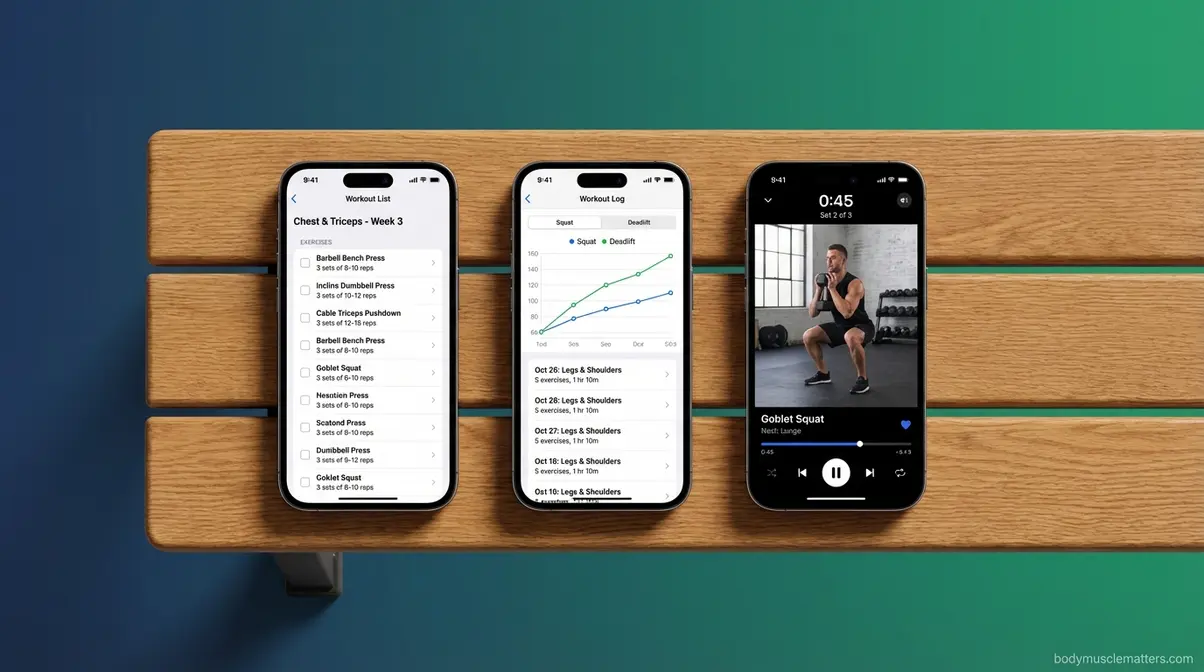
The best free strength training app is only “free” if it doesn’t lock the features you actually need behind a paywall. A free tier (the features available at no cost before requiring a subscription) has real value only when it includes the core functions — workout logging, a basic exercise library, and progress tracking. Freemium apps (where core features are free but premium features require payment) vary dramatically in how generous that free baseline actually is.
Here’s the honest breakdown of what each app gives you at zero cost.
Caliber’s Free Tier Explained
The best free app for strength training in 2026 is Caliber — and the gap between its free tier and most paid apps in the $5–$10/month range is smaller than most people realize.
- Free features (no ads, no time limit):
- Structured strength programs (beginner, intermediate, and specific goals)
- Video exercise library with form demonstrations
- Workout logging and progress tracking
- Strength score tracking
- Locked features (require Caliber Plus, ~$9/month or $72/year):
- Advanced analytics dashboards
- Premium program library
- Priority support
- Locked features (require Caliber Premium, ~$200/month):
- One-on-one human coaching
Caliber’s free tier delivers structured, video-guided strength programs at no cost — a feature combination that rivals paid apps charging $10–$15 per month. User consensus from r/PlanetFitnessMembers recommends Caliber specifically because it’s ad-free and tracks strength progress comprehensively at no cost. That consensus from real users, not sponsored reviews, is the most reliable signal a budget app can have.
Hevy takes a different approach to free — it’s the stronger choice if logging trumps coaching.
Hevy’s Free Tier: Basic Tracking
Hevy’s free tier is best for strength training app free users who already have a program and just need a clean log. Core logging, an exercise library, progress charts, rest timers, and the social feed are all accessible without paying.
- What’s behind the Pro paywall ($2.99/month or $23.99/year):
- Unlimited custom exercises beyond the default library
- Full PR history dashboards with advanced charting
- Unlimited routine storage
For pure tracking with no budget, Hevy’s free tier edges out most competitors on interface cleanliness and social integration. If you only need to log sets and reps and see basic progress lines, you may never need to upgrade.
For lifters who want the most variety at zero cost — especially bodyweight training — one app stands alone.
Nike Training Club: The Budget Wildcard
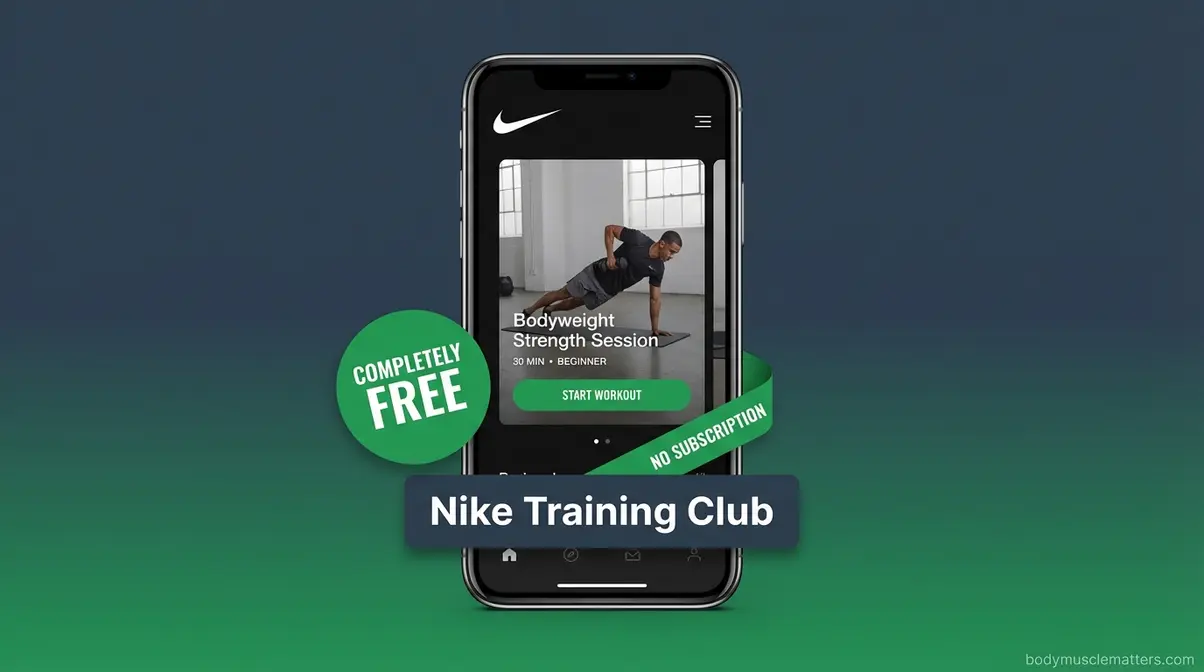
Nike Training Club, Nike’s free fitness app featuring guided workouts across strength, cardio, and mobility categories, is the only option on this list that is completely free — no paywall, no subscription, no catch. Men’s Journal (2026) ranks it as one of the best free workout apps for beginners.
Best for: Beginners who want guided video workouts before committing to a strength-specific app. Many NTC programs are designed by female trainers, making it particularly relevant for the best free strength training app for women looking for variety.
Critical limitation: Nike Training Club has no progressive overload tracking and no lifting log. It’s a guided workout experience, not a strength tracking tool. If measuring progress over time matters to you, NTC is a starting point, not a long-term home.
For a broader evaluation framework, see our broader guide to evaluating top fitness apps.
Free apps are great for starting out — but once you’re serious about tracking progress, a dedicated logging tool becomes essential.
Best Apps for Tracking and Logging Your Lifts
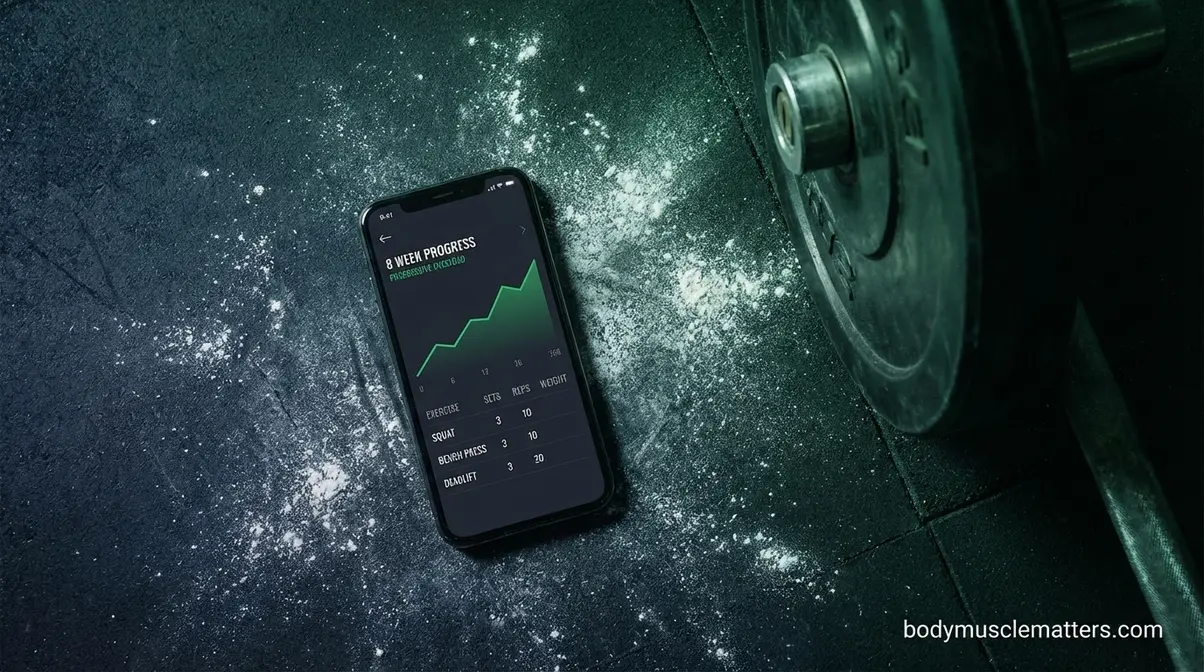
The best app to track strength training for lifters who follow a program is either Hevy or Strong — and the right choice depends on whether you value simplicity or precision. The Training Intent Filter’s Question 2 routes directly here: “Do you already know your program and just need to log sets, reps, and weights?” If yes, you’re in the right section.
Hevy and Strong are the two best pure gym logging apps in 2026. Choosing between them is a question of how deep you want your data to go.
Hevy vs. Strong: The Gym Log Showdown
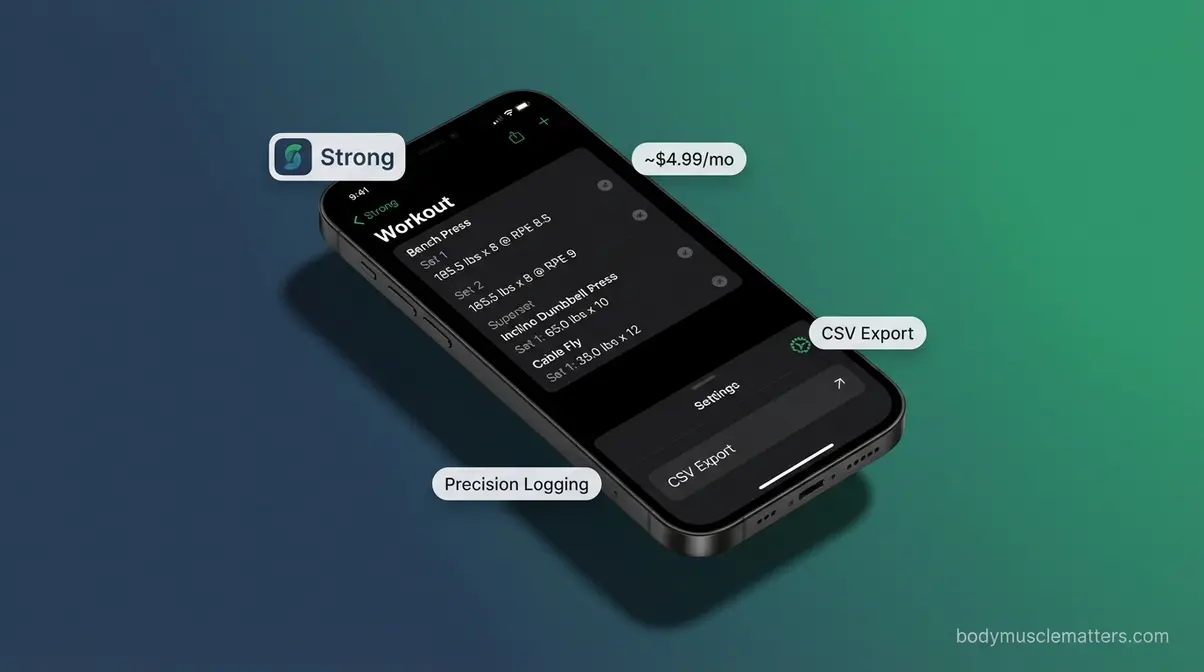
Our team evaluated both apps over six weeks using real training sessions, and the difference is clearer than any spec sheet suggests. Hevy wins on simplicity and speed; Strong wins on data depth and precision.
| Feature | Hevy | Strong |
|---|---|---|
| Monthly cost (paid) | $2.99 | ~$4.99 |
| Social feed | Yes | No |
| CSV export | No | Yes |
| Superset logging | Basic | Advanced |
| Custom exercises | Limited (free) | More flexible |
| Best for | Quick loggers, community | Data-focused, precision lifters |
User consensus from r/Fitness positions the Hevy vs. Strong debate as a genuine preference split: choose Hevy if community features and a gentle learning curve matter; choose Strong if you want precise logging controls, CSV exports, and a distraction-free interface (GymGod, 2026).
“Smart Gym. I highly recommend it. It’s what I use to track my sets.”
This kind of loyalty — the “I just need to track my sets” user — is exactly who both apps serve. The difference is that Strong users tend to care more about data export and granular control, while Hevy users tend to engage with the social feed as a motivation mechanism. To learn more about tracking your max lifts, see our guide to personal records.
For powerlifters or strength athletes who want to share workouts and see community logs: Hevy. For lifters who prioritize precise data, exports, and minimal distractions: Strong.
Visualizing Progressive Overload
Progressive overload is the core mechanism behind all strength gains — but most people cannot feel it happening session to session. That’s the problem a good tracking app solves.
Research published in Physiological Reviews (2023) confirms that mechanical overload — the controlled stress placed on muscle during resistance training — drives skeletal muscle hypertrophy (muscle growth) when applied consistently over an 8-week training cycle or longer. The key word is “consistently.” Without a log, you cannot confirm you’re applying consistent overload. You’re guessing.
A study from NIH PMC (2022) showed that progressing load and repetitions throughout an 8-week training cycle produced similar increases in muscle size — meaning either method works, as long as you track which direction you’re moving (research on progressive overload). Apps that visualize overload progression over 8+ weeks give you measurable proof your program is working — a signal that no subjective “feel” of effort can replace.
Practically: open Hevy after 8 weeks of consistent logging and your bench press graph tells you whether you’ve actually gotten stronger, or just felt like it. That distinction eliminates second-guessing and replaces it with data-driven confidence.
For dedicated internal guidance on progressive overload methods, see our guide to progressive overload for beginners.
Tracking matters most when your goal is specific. The next section routes you to the right app based on exactly what you’re training for.
Best Strength Apps for Specific Goals
Not everyone walks into a gym with the same objective. Beginners need hand-holding. Runners need strength work that doesn’t wreck their mileage. Weight-loss seekers need resistance combined with metabolic conditioning. The Training Intent Filter routes users by app type — this section routes you by goal.
Best for Absolute Beginners
The best strength training app for beginners is Caliber, and the reasoning goes beyond “it’s free.” Caliber’s video library addresses the fundamental problem that drives most beginners out of the gym in the first four weeks: not knowing if they’re doing the movement correctly.
Consider this scenario: You’ve never done a deadlift. Most apps give you a text description and a muscle diagram. Caliber gives you a video demonstration, form cues, and a cue to check your hip position before you pull. That difference is the gap between injury and progress.
Caliber’s structured programs highlight the Big Three compound lifts (squats, deadlifts, and bench press) from day one, because these movements build the most muscle across the most muscle groups per unit of time. Research from NIH PMC (2021) confirms that compound, multi-joint exercises optimize both strength and hypertrophy outcomes more efficiently than isolation work for untrained individuals (study on compound movements).
The practical beginner path: Download Caliber free → complete the beginner program (8–12 weeks) → reassess whether you want AI-adaptive variety (Fitbod) or a clean log for a new coach-written program (Hevy).
For more structured beginner guidance, see our beginner’s guide to gym workouts.
Best for Runners
Runners have a specific problem: most strength programming assumes you have unlimited recovery capacity. A runner logging 30+ miles per week does not. The wrong app will have you squatting heavy on the same day your legs are shot from a long run.
Fitbod solves this better than any other app on this list because its AI reads your logged recovery state. Tell it you ran 8 miles yesterday, and it adjusts session intensity and exercise selection accordingly — pulling volume away from legs and shifting focus to upper body or core. That adaptive behavior is exactly what a running-focused lifter needs.
Hevy can also work for runners — but only if you’re following a pre-written strength-for-runners program (common in running communities like those on r/running). In that case, you don’t need AI adaptation; you need clean logging.
Avoid JuggernautAI as a runner: percentage-based powerlifting programs assume consistent recovery windows that running schedules disrupt. The app cannot account for the cumulative fatigue of high mileage weeks.
Best for Weight Loss
Resistance training supports fat loss through a mechanism most people underestimate: muscle tissue increases your resting metabolic rate, meaning you burn more calories at rest as you build strength. This makes strength training more effective for long-term body composition than cardio alone, particularly for preserving lean mass during a caloric deficit. For a deeper dive, check out our guide on strength training for fat loss.
For weight-loss-focused strength training, Fitbod and Caliber are again the top picks — but for different users. Fitbod works well when you want AI to vary your sessions and prevent adaptation plateaus. Caliber’s structured programs work well when you want a defined weekly cadence and video form guidance while you’re still learning movements.
Nike Training Club is worth considering as a supplement: its free, video-guided sessions mix strength and cardio in circuit formats that elevate heart rate while building muscle. Use NTC for off-days or finishers; use Caliber or Fitbod as your primary programming source.
What won’t work: apps without progressive overload tracking. If an app doesn’t show whether you’re getting stronger over time, it cannot confirm your body composition is actually changing — and motivation collapses without visible progress.
Home Workouts vs. Full Gym: Which Apps Adapt Best?
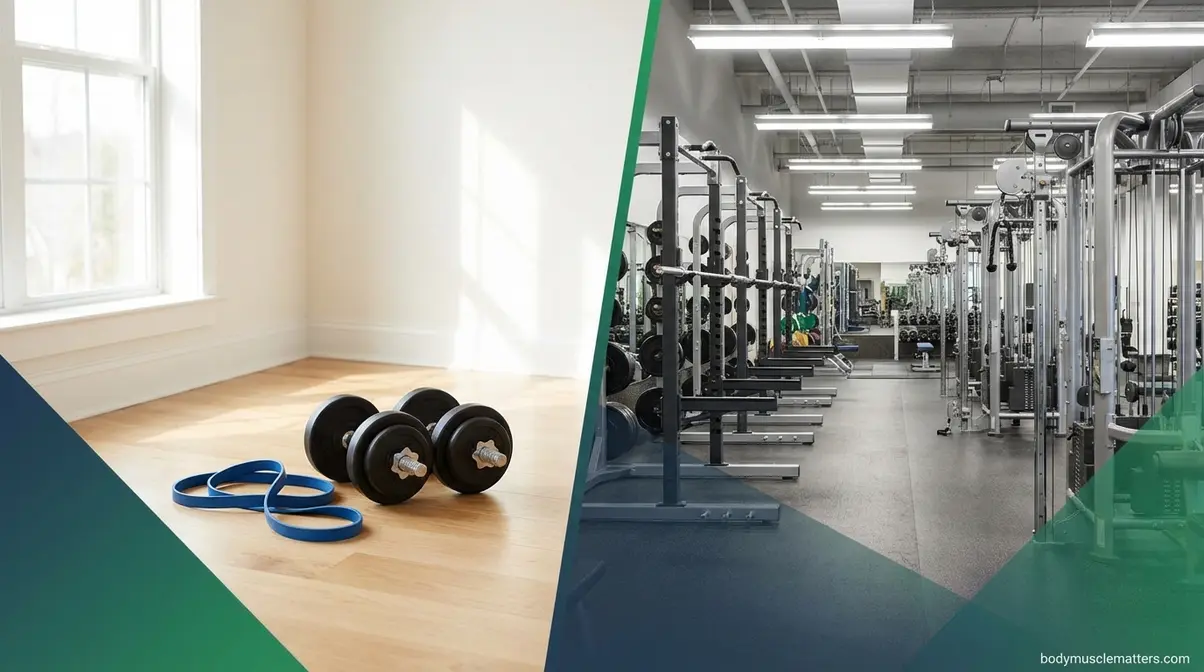
The equipment you have access to determines which app will actually work for you — not which app has the best reviews. An app that requires a barbell for 80% of its exercises is useless if you train at home with resistance bands and a single pair of dumbbells. This matters whether you’re transitioning between a commercial vs private gym setup.
Adapting to Your Equipment
Fitbod’s equipment profiling feature is its most underrated capability. During setup, you tell the app exactly what you have: barbell, dumbbells, cable machine, pull-up bar, or nothing. Every session Fitbod generates is built exclusively around that equipment list. Change gyms, travel, or train at home? Update your equipment list and the programming adapts automatically — no manual reprogramming required.
This matters for lifters who move between environments. A corporate gym during the week, a home setup on weekends — Fitbod handles both without friction. Most competing apps require you to manually select a different program template for each setting, which is a meaningful usability gap.
Caliber also allows equipment selection during setup, and its programs adjust accordingly. However, Caliber’s equipment adaptation is template-based rather than session-by-session AI-driven, meaning the program changes, but variety within that program is fixed.
Equipment flexibility ranking: Fitbod (dynamic, session-by-session) > Caliber (program-level) > Hevy (manual — you choose exercises yourself).
Best Bodyweight Options
For lifters with no equipment at all, Nike Training Club remains the strongest free option — its bodyweight strength programs are genuinely well-constructed, covering push, pull, hinge, and squat patterns without a single piece of equipment. If you want a full structured plan without apps, explore our home workout routine.
BetterMe, a home-workout-focused app, also warrants mention for bodyweight training. It offers structured bodyweight programs with video guidance and nutrition tracking, targeting users who want a complete wellness solution rather than a pure strength tracker. Pricing varies; a free trial is available.
The critical limitation of bodyweight-only training: without progressive overload built on added weight, progression requires increasingly difficult exercise variations (progressing from push-ups to archer push-ups to single-arm push-ups). This progression is harder to automate and harder to track than adding weight to a barbell. If you plan to stay bodyweight-only long-term, Nike Training Club’s variety keeps motivation high. If you’ll eventually transition to weights, start with Caliber’s free tier even at the bodyweight stage — the logging habit will serve you later.
For device-specific guidance, explore our broader guide to evaluating top fitness apps.
Smartwatch and Device Compatibility
Carrying your phone around the gym floor is genuinely annoying — and for some users, having wrist-based logging capability changes whether they actually use a tracking app at all. If you are in the market for a new device, check out our breakdown of the best fitness tracker watches.
Apple Watch Compatibility
Fitbod and Shred are the two apps on this list with native Apple Watch apps that allow meaningful standalone functionality. Fitbod’s Apple Watch integration lets you log sets, rest timers, and navigate your workout directly from your wrist — the phone stays in your bag. This is the closest current option to a fully phone-free gym session while still using AI-generated programming. You can also change fitness goals on Apple Watch to match your new routine.
Hevy syncs with Apple Health, which means your workout data flows to the Apple ecosystem — but Hevy does not have a native Apple Watch app for standalone logging. You’ll still need your phone at the gym.
Caliber, JuggernautAI, and WeGLOW do not currently have native Apple Watch apps. For Apple Watch users, this is a significant usability difference: Fitbod is the clear choice if wrist-based logging is a priority.
Garmin and Android Support
None of the apps on this list have native Garmin watch integration for real-time strength logging. Garmin’s platform is built around endurance sports data (running, cycling, swimming), and direct lifting log integration remains limited across the industry.
Android users have full access to all seven apps on this list — Hevy, Strong, Fitbod, Caliber, JuggernautAI, WeGLOW, and Nike Training Club are all available on the Google Play Store. The functionality gap between iOS and Android versions is minimal for most apps.
For Garmin users who also want strength tracking: the practical workflow is to log workouts in Hevy or Strong on your phone, then manually record training time in Garmin Connect as an activity. It’s not seamless, but it’s functional. A native Garmin strength app integration remains a gap in the market that no major app has filled.
What Reddit Really Thinks (No Sponsored Bias)
Community consensus from r/Fitness and r/PlanetFitnessMembers provides a useful check against sponsored reviews and brand-funded comparison sites. The patterns are clear.
Hevy vs. Strong: The debate is ongoing and genuinely unresolved — which tells you both apps are legitimately good. Hevy gets praised for its social feed and clean interface; Strong gets recommended by lifters who prioritize data export and precise logging controls. Neither community consensus tilts decisively toward one winner.
Caliber: The r/PlanetFitnessMembers community specifically cites Caliber’s ad-free experience and no-cost structured programming as primary reasons for recommendation. The absence of ads in a free app is rare enough to be a genuine differentiator — and Reddit users notice.
Fitbod: Mixed. Power users love the AI adaptation; critics note that the session-by-session variety can prevent the kind of deliberate progression that experienced lifters prefer. The consensus: Fitbod is excellent for beginners who want AI guidance; intermediate and advanced lifters often outgrow it.
The pattern Reddit reveals: most user frustration comes from choosing the wrong category of app — exactly what The Training Intent Filter prevents. Someone who wants AI programming downloads Hevy (a logging tool) and feels disappointed. Someone who knows their program downloads Fitbod (an AI coach) and feels like the AI is fighting them. Matching app type to training intent eliminates most of these negative experiences before they happen.
Limitations and Risks: When an App Isn’t Enough
Medical disclaimer: The information in this guide is for educational purposes only and does not constitute medical advice. Before beginning any strength training program, consult your physician or a qualified healthcare professional, particularly if you have a pre-existing health condition, injury history, or are pregnant or postpartum.
Three App Choice Mistakes
Mistake 1: Choosing an AI coaching app when you have a coach-written program. If your trainer has given you a periodized 12-week plan, downloading Fitbod and following its AI-generated sessions instead is a step backward. The AI doesn’t know your coach’s programming logic or your injury history. Use a logging app (Hevy or Strong) to follow the program you’ve been given.
Mistake 2: Using a generalized fitness app for powerlifting-specific goals. Apps like Fitbod and Caliber are designed for general strength training — meaning beginner-to-intermediate lifters pursuing muscle growth, fitness, and general strength. They are not designed for competitive powerlifters who need precise percentage-based loading, peaking blocks, and meet-day prep. Using a general app for powerlifting training is like using Google Maps for a sailing route — it exists, but it’s the wrong tool. JuggernautAI is the appropriate choice.
Mistake 3: Starting a paid subscription before testing your own adherence. The most expensive mistake isn’t choosing the wrong app — it’s paying $15.99/month for three months before discovering you won’t use it. Start with a free tier (Caliber or Hevy) for 30 days. Confirm you’re actually opening the app four times per week. Then upgrade if the free tier becomes limiting.
When to Hire a Human Coach
An app cannot observe your form. It cannot see that your lower back rounds when you deadlift, or that your knees collapse on squats. For beginners in particular, a 3-5 session block with a certified personal trainer can correct movement patterns that an app will never catch — and those early patterns determine whether you build strength safely or accumulate injury.
Consider a human coach when:
- You have a pre-existing injury or chronic pain that affects your movement
- You’ve been training for 3+ months without measurable strength progress
- You’re preparing for a competition (powerlifting, Olympic lifting) and need meet-specific programming
- You want personalized nutrition and recovery coaching integrated with your training plan
Caliber’s human coaching tier ($200/month) bridges the gap between app guidance and a dedicated personal trainer — but for most beginners, starting with the free app tier and adding a few in-person sessions separately is the more cost-effective path.
Frequently Asked Questions
What is the 3-3-3 rule for working out?
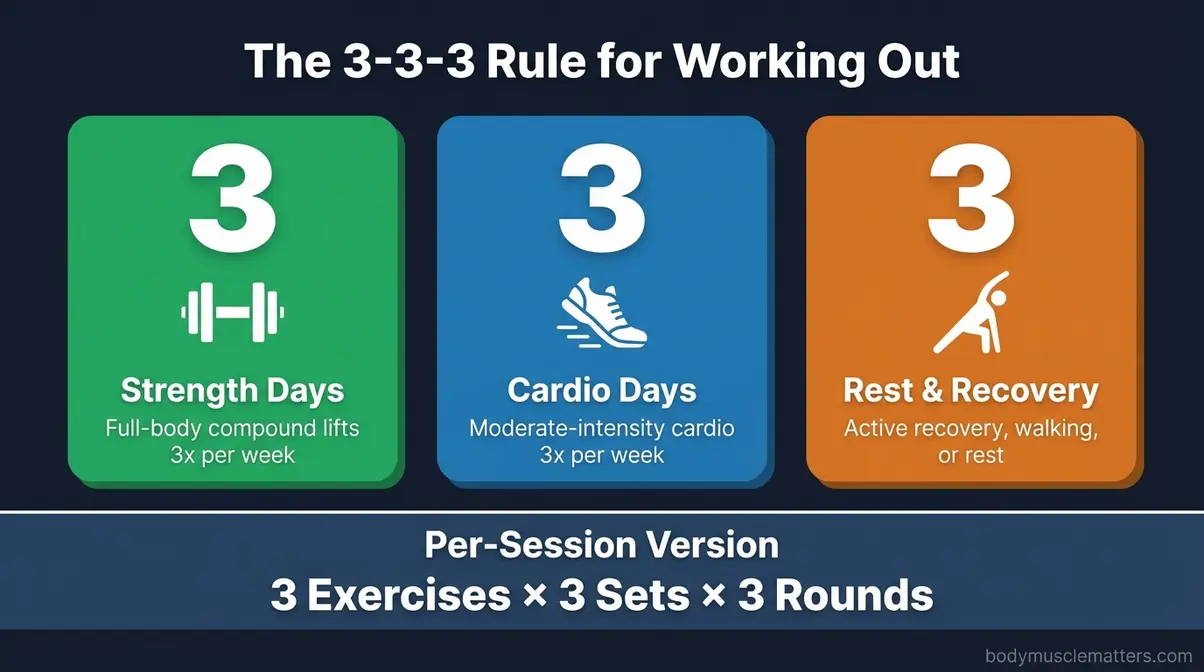
The 3-3-3 rule is a beginner-friendly training framework that can mean different things in different contexts — and the variation you choose matters. The most common interpretation: three strength training sessions per week, three cardio sessions per week, and three rest or active recovery days (light walking, stretching, or yoga). A second popular version structures each session around three exercises, three sets, and three rounds — a time-efficient format that covers the major compound movement patterns without requiring complex periodization. For beginners, either version works well because it prioritizes consistency and recovery over volume. Research consistently shows that three strength sessions per week is sufficient to produce measurable hypertrophy and strength gains in untrained individuals, while allowing adequate muscle recovery (NIH PMC, 2021). Caliber and Hevy both support three-day-per-week programming in their free tiers.
What is the best exercise app for perimenopause?
WeGLOW is the top-rated strength training app for perimenopause based on its hormonal phase-aware programming and women-specific exercise selection. Perimenopause — the transitional period before menopause, typically ages 40-55 — involves hormonal fluctuations that affect energy levels, recovery capacity, and bone density. Stanford research confirms that strength training during this phase specifically outperforms cardio for lean muscle retention and fat regulation. WeGLOW’s quarterly plan runs approximately $15/month with a three-day trial. For women who want a free starting point, Caliber’s structured programs include lower-body compound movements that support bone density — though without WeGLOW’s hormonal phase context.
Is Fitbod or Caliber better?
Fitbod is better for intermediate lifters; Caliber is better for beginners. Fitbod generates AI-adaptive workouts session by session — it changes your exercises, sets, and reps based on your muscle recovery and available equipment. Caliber uses template-based structured programs with video form guidance and a robust free tier. The decisive factor: if you need to learn how to lift, Caliber’s video library and free programming make it the right choice. If you already know how to lift and want adaptive variety without planning, Fitbod is worth the $15.99/month subscription. According to Fitbod’s own comparison data, Caliber is the recommended starting point for beginners while Fitbod leads for daily AI-adaptive sessions.
What is the most effective strength training program?
The most effective strength training program is any program that applies progressive overload consistently over 8+ weeks. Progressive overload — gradually increasing training stress through added weight, more reps, or reduced rest — is the primary driver of muscle growth and strength gains, according to research in Physiological Reviews (2023). For beginners, this means any structured three-day-per-week program covering the Big Three compound lifts (squats, deadlifts, bench press) is highly effective. Research from NIH PMC (2022) found that both load progression and rep progression produced similar muscle size increases over an 8-week cycle — the method matters less than the consistency. Caliber’s free tier provides a solid structured program; Fitbod automates the progression calculation for you.
What kills muscle gains the most?
Insufficient muscle recovery time — particularly poor sleep and inadequate protein intake — kills muscle gains more consistently than any training mistake. Muscle growth happens during rest, not during training; the workout creates the stimulus, but sleep and nutrition create the adaptation. Specifically: less than 7 hours of sleep per night (according to the National Sleep Foundation) significantly impairs muscle protein synthesis; post-workout alcohol consumption interferes with muscle fiber repair and nutrient absorption; and training the same muscle group within 48 hours prevents adequate recovery. An additional culprit often overlooked: not tracking progress. Lifters who don’t log their workouts frequently repeat the same weights and reps for months, stalling progress entirely — which is exactly the problem apps like Hevy and Strong are designed to solve.
Conclusion
For anyone navigating decision fatigue around the best strength training app, the answer starts with one question: do you want an app to build your program, or do you already have a program and need to track it? Fitbod leads for AI-adaptive coaching at $15.99/month; Caliber leads for free, structured beginner programming; Hevy leads for clean, precise lift logging at $2.99/month Pro or free. Research from JMIR mHealth (2024) confirms that AI-personalized apps measurably increase training intensity and adherence — but only when the app type matches the user’s actual training intent.
The Training Intent Filter — the three-question framework that routes users to the correct app category before they compare individual options — is the tool this guide introduces because no competitor offers it. The most common mistake isn’t choosing Fitbod over Hevy; it’s treating them as comparable when they solve fundamentally different problems. Getting the category right first makes the individual app choice obvious.
Your next step: answer The Training Intent Filter’s three questions, identify your category (AI coaching, logging, or free tier), and download one app for a 30-day trial before committing to a paid subscription. Start with Caliber’s free tier if you’re uncertain — it’s the lowest-risk entry point with the highest beginner-specific value. For women over 40, add WeGLOW’s three-day trial to that evaluation. One month of real use will tell you more than any comparison list, including this one.
Related posts:
Best Home Gym Equipment: 7 Tested Picks for 2026
Best Whey Protein Powder: 9 Top Picks Tested (2026)
Arboleaf Smart Scale Review: All 8 Models Tested (2026)
Best Muscle Building Meal Delivery Service 2026: Top 5
Best Plant-Based Protein Powder: 10 Tested Picks (2026)
Protein Bar For Muscle Gain: 13 Best Picks To Build Muscle
Callum
Hi, I'm Callum, the founder of Body Muscle Matters. I'm not a certified trainer, I'm a self taught lifter who started this site to share what I've learned from my own training and a lot of trial and error. Everything here comes from real experience and honest research, written the way I'd explain it to a friend who is just getting started. My goal is simple: practical, no hype fitness advice you can actually use.